Preface
Welcome to the third volume of the book series Creative Python Programming with Strype. The books in this series form a carefully designed sequence; they can be read individually, or as a complete series, in the order in which they are presented. If you read this volume on its own, we assume that you are familiar with the programming constructs covered in the earlier volumes.
The book sequence
Books in this series build on the knowledge from the previous volume, developing deeper skills and understanding as you work along. Each book will take you through a carefully thought-out path of activities and exercises to develop your programming knowledge. If you are entirely new to programming, you should start with Volume 1. If, however, you have some prior experience, you may well choose to jump in with a later volume. The summary below gives you an idea of the level of understanding expected for each book.
Creative Python Programming with Strype
Volume 1 – Getting started with Python
The first volume starts at the very beginning. It does not assume that you know anything about Python, Strype, or indeed programming at all. It takes you from a fresh start to writing quite sophisticated programs.
The emphasis in this book is on creativity: We use a variety of graphical examples, such as an interactive game, to go through various open-ended projects that encourage you to bring in your own ideas and invent your own goals.
Through a series of carefully constructed activities, you learn many general and fundamental programming concepts and constructs: functions, variables, assignment, conditional statements and loops, data types, random behaviour and more. At the end of this book, you have worked with graphics and sound, and understand program structure, modularisation and good programming practice.
Volume 2 – Working with data
For the second volume, we assume that you are somewhat comfortable with the constructs listed above in the description of the first volume, and build up your skills from there. One important aspect that is central to the material in this book is one of the most powerful aspects of computers: the ability to work with large amounts of data.
In studying this volume, you will learn to work with data sets to process and analyse them. These can be text (such as books), or sets of numbers (such as temperature data or sound samples). You will learn a lot about using lists in Python, which is one of the central constructs to work with data.
Towards the end of this volume, we also look at graphics and sound again, and we see how the representation of data can help us to build more interesting games.
Volume 3 – Structuring data
The third volume – the one you are looking at right now – builds on the data processing of volume 2 and progresses to even more interesting projects. We learn how to use a greater variety of data structures, such as tuples and dictionaries in addition to lists, and how to combine these to model more interesting data. We do not only analyse data sources, but we also take a look at generating text, in a way a text prediction algorithm might do. In the process, we will gain a basic understanding of the inner workings of large language models (LLMs) when we write a simple version of an algorithm that is at the core of these systems.
A note for learners: How to use this book
The most important thing to realise as you work through this book to improve your programming skills – or to find out what programming can do for you – is to play along. You should concentrate on the practical exercises, get your hands on the keyboard, and write some code. You might first like to follow closely the activities we present to you, but we very much encourage you, at each step, to think about additional extensions that you may find interesting. Add your own ideas, try things out, experiment, play.
You will only become a good programmer by doing lots of programming. No amount of reading about programming will turn you into a confident programmer. Only doing it will make a difference.
This book will give you lots of information and ideas about programming projects; it is down to you to put it into practice.
Strype
We make use of the Strype environment (available at strype.org) – an online, frame-based Python development environment – for all practical exercises in this book. Strype is very tightly integrated into this text, and some projects are difficult to achieve without it.
For this volume, we assume you are familiar with editing in the Strype editor. If you are not, we recommend that you read Appendix A and B of the first volume before starting your work.
Acknowledgements
We wish to thank Pierre Weill-Tessier for his work on Strype. Pierre is a core member of the Strype development team – jointly with the authors – and has contributed key elements to the implementation of Strype. We also wish to thank Pete Dring, who has read and provided feedback on an early draft of this book. His comments helped us greatly to improve the content and structure of this work.
Chapter 1. Thematic text analysis
We will start our journey through the projects in this book by looking at analysing documents. What is a document about? Can we find out without having to read it all? Can we get a sense of its content programmatically?
If you have read Volume 2 of this book series (Working with data), then you know that we already started to look at text analysis there. However, in that volume, we looked at purely numeric analysis: We counted how many characters a text consists of, how many words and sentences were in a book, and so on. This statistical data allowed us, for example, to calculate a reading ease score.
One severe limitation in that analysis, however, was that it looked purely at numbers – statistics about the text – but not at the content of the text. It did not matter what the words were, or what the text was about.
In this project, we will go a little deeper into analysing a text by looking at the actual words being used: we will look at thematic analysis.
We will see that a very simple idea can give us a reasonable sense of what a text is about: We can find out which words are being used much more than we would expect from an average text, and these frequently used words can give us a hint at the theme of the document.
This approach can also be taken further: We can build on this and use a similar idea not to analyse, but to generate text. This may be used to predict the next word in a sentence, as is sometimes done in phone messaging applications, or even to generate entire sentences or documents, as Large Language Models (LLMs) do. We will look at this in later chapters of this book; first, we will concentrate on analysing the contents of a document.
Previously, for the numerical analysis of text, we have made extensive use of Python’s list class. We have worked with lists of words, lists of numbers and lists of other types. For the discussion here, we assume that you are somewhat familiar with working with lists.
To enable us to do our thematic analysis, we will have to use several other data structures, and you will learn what they are and how to use them in the course of this project.
 Thematic text analysis is analysis of the content of a body of text. It may look at the topics discussed in a text, or it may involve sentiment analysis (for example of online comments) to investigate the ratio of positive to negative comments.
1.1. Thematic analysis
As mentioned above, our plan to do a thematic analysis rests on the idea of finding out which words are used unusually often in a given text.
This does not mean that a word is used more often than another word in a given text – that is entirely expected. Some words just occur more frequently than others: words like "the" or "go" are very frequent. To give us some useful information, we need to find out which words are used more often than we would expect them in an average English language text. For example, if the word "crime" is used more often than expected in a book, that tells us it is probably a detective novel. In that way, we can find out what the document is likely talking about.
This means we can achieve our content analysis in these three steps:
-
First, we count how often each word is used in our text.
-
Secondly, we compare the frequency of each word that was used with the frequency we would expect in an average English text.
-
And thirdly, we find the most-overused words – the ones that were used much more than expected – and print them out.
We will look at these three steps one at a time. We start at the beginning: counting how often each word is used in a text. This is also known as the frequency of the word.
1.2. Word frequency
To start this task, we have prepared a starter project named thematic-analysis-v1, which you can find in the book projects. This project includes only two helper functions which we will use later, but no code to help us with the initial task.
Whenever we aim to implement a solution for a sub-task, it is useful to use functions in our programs to provide the sub-task functionality. So this time, we will start by writing a function to count the frequency of a given word in a text.
Exercise 1.1 Open the thematic-analysis-v1 project. (If you are reading on screen, clicking on the project name in the previous sentence should open the project. If you are reading on paper, open Strype, and then find the project in the "Book…" section in the Strype menu.) In this project, add a new function named count_word with two parameters: count_word (search_word, text). Both parameters are strings. The purpose of this function is to count how often the word search_word appears in the text text. Initially, leave the body empty, but write a comment describing what the function will do.
Exercise 1.2 Start implementing the function: Split the text into a list of words and store this list in a variable named words. (If you are not sure how to do this, have a look at the split() method of the String class.)
Exercise 1.3 Test your code so far. Do this by printing out your words list inside the count_word function, and adding a test call to this function in the My code section. If all went well, your program should print out a list of all words in the second parameter.
Exercise 1.4 Once you have convinced yourself that the word-splitting works, remove the print statement again. Instead, add a loop to count how often search_word appears in your words list. Remember, you can check whether a given word is the search-word by using the double-equal sign:
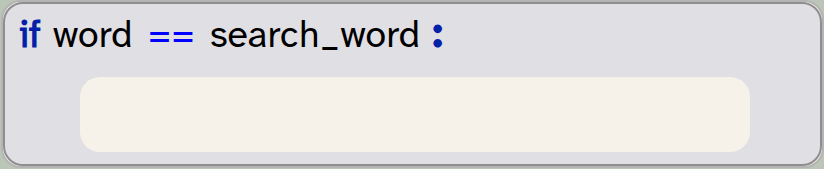
if word == search_word:
    pass
You will need to use a variable to do the counting.
Exercise 1.5 Return the correct count from your function. That is: your function should return the number of times the search word was found (an integer). Adapt your test code accordingly to receive and print out the result.
Exercise 1.6 Your function should now work. Test your function with different data (different search-words and different sentences). Does your function work correctly?
The word frequency is the number of times a given word is used in a text. It may be expressed as a count, or as a percentage of the words in the text.
1.3. Cleaning the data
If you have reached this stage in the project, you will have seen that we can now count the frequency of a given word in a text. You may have noticed, however, that some problems remain that can result in incorrect counting. If not, you should be able to see the problem with the following exercises.
Exercise 1.7 Test your function with the search-word "say" and the text "You say Yes I say No You say Stop and I say Go go go". Then test it with the search-word "go" and the same text. What do you observe?
Why does the test work correctly for the word "say", but not for the word "go"? You have probably worked out that this is because of the uppercase character in one of the "Go" occurrences in the text.
For our purposes, we do not care about the upper- or lowercase nature of the words – we would like to count them in any case. We can easily achieve this by first converting our entire text to lowercase before starting our counting:

text = text.lower()The lower() method is a built-in method of the string class that returns a new string with all characters converted to lowercase. Note that it does not modify the original string. Thus, we have to assign the result back to our string if we want to keep it.
Exercise 1.8 Look up the documentation for the string method lower(). (You can do this by doing a web search for "Python string lower".) What will happen with numbers in the string?
Exercise 1.9 Research the methods provided in Python for the string class. How many methods are there? What is the name of the method you could use to check whether a string consists only of a number?
Exercise 1.10 What does the string’s count() method do?
With these exercises, you will have discovered two things: First, there are many useful string methods available which can save us a lot of work of writing code ourselves. Knowing what methods are available is important to becoming a good programmer. You do not need to memorise all methods, but you should have a link to the documentation page readily available when you work, so that you can look them up whenever you need them.
And secondly, we can see that a count method is available that is somewhat similar to the count_word function we are currently writing. The reason we are writing our own is two-fold: The built-in count method does not find words, but substrings. Thus, "car", for example, would also be found if the actual word is "scarlet". Also important is our goal to modify and extend this function to count not one word, but all words (and there is no ready-made method for this). So our counting function is a stepping stone for more powerful functionality.
The Python string class has many ready-made library methods that provide useful functionality. It is useful to be familiar with these methods, and to look them up whenever you need to manipulate strings.
Exercise 1.11 Modify your count_word function so that it converts the text to lowercase before searching. Run your test again. Make sure that the last test case given in the earlier exercise returns 3.
Exercise 1.12 Run another test: Count the occurrences of the word "say" in the string "You say, Yes, I say, No. You say, Stop and I say, Go, go, go"
Again, you may have noticed that your function does not count correctly. This time, it is the punctuation characters that are throwing a spanner in the works. When we split the text, we separate the original string at space characters, but all other characters are left in the words. Thus, our list of words contains the word "say," (including the comma), instead of the word "say".
To fix this, we will need to remove the punctuation characters from each word.
Exercise 1.13 Research the strip() method of Python’s string class. What does it do? What are its parameters?
Exercise 1.14 Consider the statement

word = word.strip(string.punctuation)What does this line do? How does it work? What does string.punctuation refer to? What do you have to import to make this work?
Exercise 1.15 Modify your function to strip punctuation characters from the words before comparing them. Test your function again. Make sure all words are now correctly found, even if the original text includes punctuation.
What we have done in these exercises is to "clean the data". Cleaning the data for processing means to get all data into a known standard format so that it is properly recognised by our program. (In other data sets, it might also mean to remove invalid or duplicate data, but this is not a problem in our case.)
Our program deals with text, so the data points are words. But the words can appear in different formats and contexts. Consider, for example, the following strings, which may all be produced as a "word" by the string split() function:
hello
"hello"
Hello
HELLO
hello.
Without cleaning, these would all be treated as different words, because they are different strings. We want, however, to recognise all of them as the word "hello", so we "clean" the string to produce the canonical (standard) representation. In our case, we do this by converting to lower case and removing punctuation, so that we are left with the string "hello" in each case. Then we are ready to count the words.
When we want to process data, the data is often not in a consistent format. To process it effectively, data often has to be converted to a known ("canonical") form. This may include consistent formatting, removing of duplicates and removal of invalid data. This is known as "cleaning the data".
1.4. Working with files
Counting words in single sentences is not very interesting – we could do that by hand. But counting words in long documents is not so easily done; this is where a computer can help. Let us try that out.
Strype includes various text files in its built-in file system. You can see the file system, and the files available within it, by using the "Files" tab in the bottom right of the Strype interface (Figure 1.1).
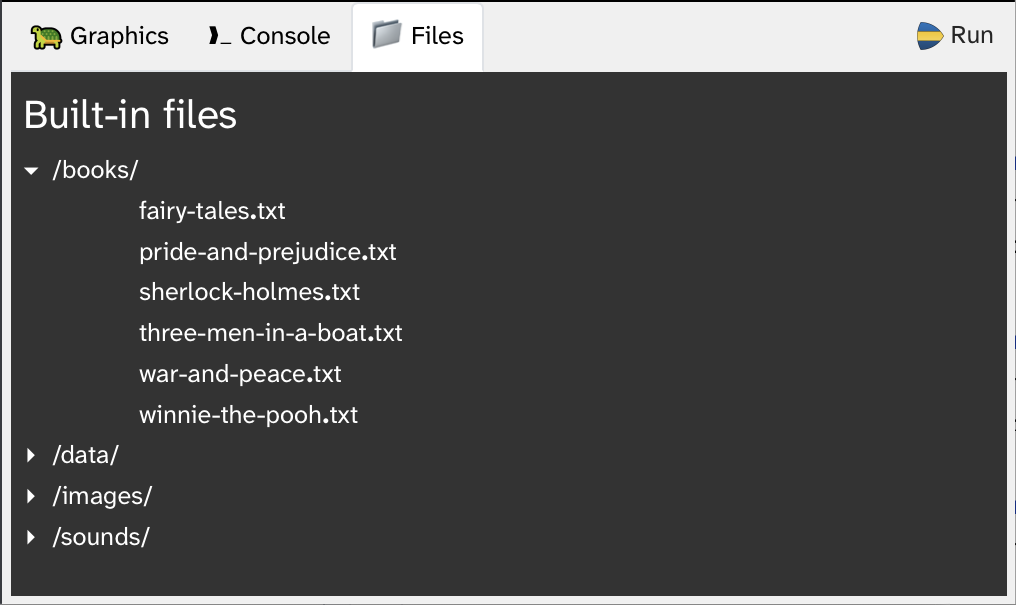
By browsing the built-in files, you can see that there is, for example, a file named "winnie-the-pooh.txt". This is the full text of A. A. Milne’s children’s book "Winnie The Pooh". In this book is a character called "Piglet". Let us find out how often Piglet is mentioned in the book.
Your project includes a read_file function that can be used to read in the contents of a text file. When you call this function, and you place the text cursor inside a string parameter (between the quotes), you can use auto-completion (Ctrl-Space) to pop up a list and select from all the available files (Figure 1.2).
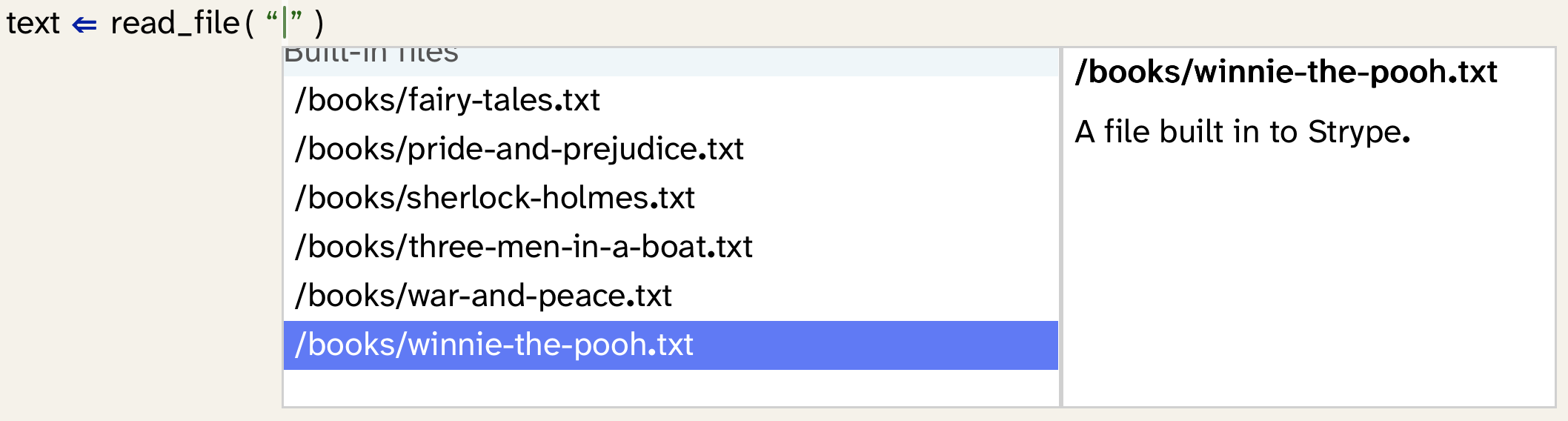
You can now use this read_file function to read in the text of the Winnie The Pooh book, and then pass the text to your count_word function to count the number of times "piglet" is mentioned in the text.

You can use auto-completion for strings. The auto-complete popup will offer files available in Strype’s file system. To find a file, type any part of its name. For example, typing "wav" will find all wav-format audio files, or typing "csv" will list all csv-files.
Exercise 1.16 Find out how often Piglet is mentioned in the Winnie The Pooh book. Find out how often "Eeyore" is mentioned. (Eeyore is another character in this book – you can do a web search to see a picture.)
A project with the functionality discussed so far is available in the book projects as thematic-analysis-v2. If you are unsure about any of your own code, you can compare your project to this one.
Exercise 1.17 Use a text file of your own, such as your last essay or report that you wrote for your school work. Open it in your text processor and make sure to save it as "Plain text", using the word processor’s "Save As" function. Then use this plain text file, upload it to the Strype "Local files" area, and count one of the words within it.
Working with data files in Strype
Appendix B: Working with data files explains how you can work with data files. There are various options, including accessing data files from the built-in file system or from a cloud file system. For our purpose here, read about how you can upload your own files to Strype’s "Local file" area. Understanding the Strype file system will allow you to use your own files for the exercises, which can make them more interesting.
1.5. Summary
Let us pause for a moment and take stock of what we have achieved so far. We can now count the number of occurrences of a given word in any given text. We do this ignoring the case of the letters, and we can ignore punctuation characters. That is a good start. But a major problem remains: We would like to count all the words in a text, not only one given word. We know from previous chapters that we can hold a count in a variable, but the challenge here is that we need a separate count for each different word in the text.
It is not feasible to create a separate variable for each word. There may be thousands of different words, and we do not know in advance how many variables we would need. A list is also not directly suitable because we need to hold two pieces of information, the word and its count, together.
The solution to this problem lies in a new data structure: a dictionary. In the next chapter, we discuss what a dictionary is, how we use it, and how it can help us to solve this problem.

-
Thematic text analysis is analysis of the content of a body of text. It may look at the topics discussed in a text, or it may involve sentiment analysis (for example of online comments) to investigate the ratio of positive to negative comments.
-
The word frequency is the number of times a given word is used in a text. It may be expressed as a count, or as a percentage of the words in the text.
-
The Python string class has many ready-made library methods that provide useful functionality. It is useful to be familiar with these methods, and to look them up whenever you need to manipulate strings.
-
When we want to process data, the data is often not in a consistent format. To process it effectively, data often has to be converted to a known ("canonical") form. This may include consistent formatting, removing of duplicates and removal of invalid data. This is known as "cleaning the data".
Chapter 2. Introduction to dictionaries
We have set out the goal for the next step of our project in the previous chapter: we would like to count how often each word in a text occurs in the whole text. To do this, we now introduce a very useful new data structure: a dictionary. Through the project in this chapter, we will understand what a Python dictionary is and how we can use it.
2.1. Dictionaries
A dictionary (or dict, as Python calls this type internally) is a data structure that stores key/value pairs.
Every entry in the dictionary associates a key with a value, and we can look up the value by providing the key. An example is a list of phone numbers for your friends (Figure 2.1).
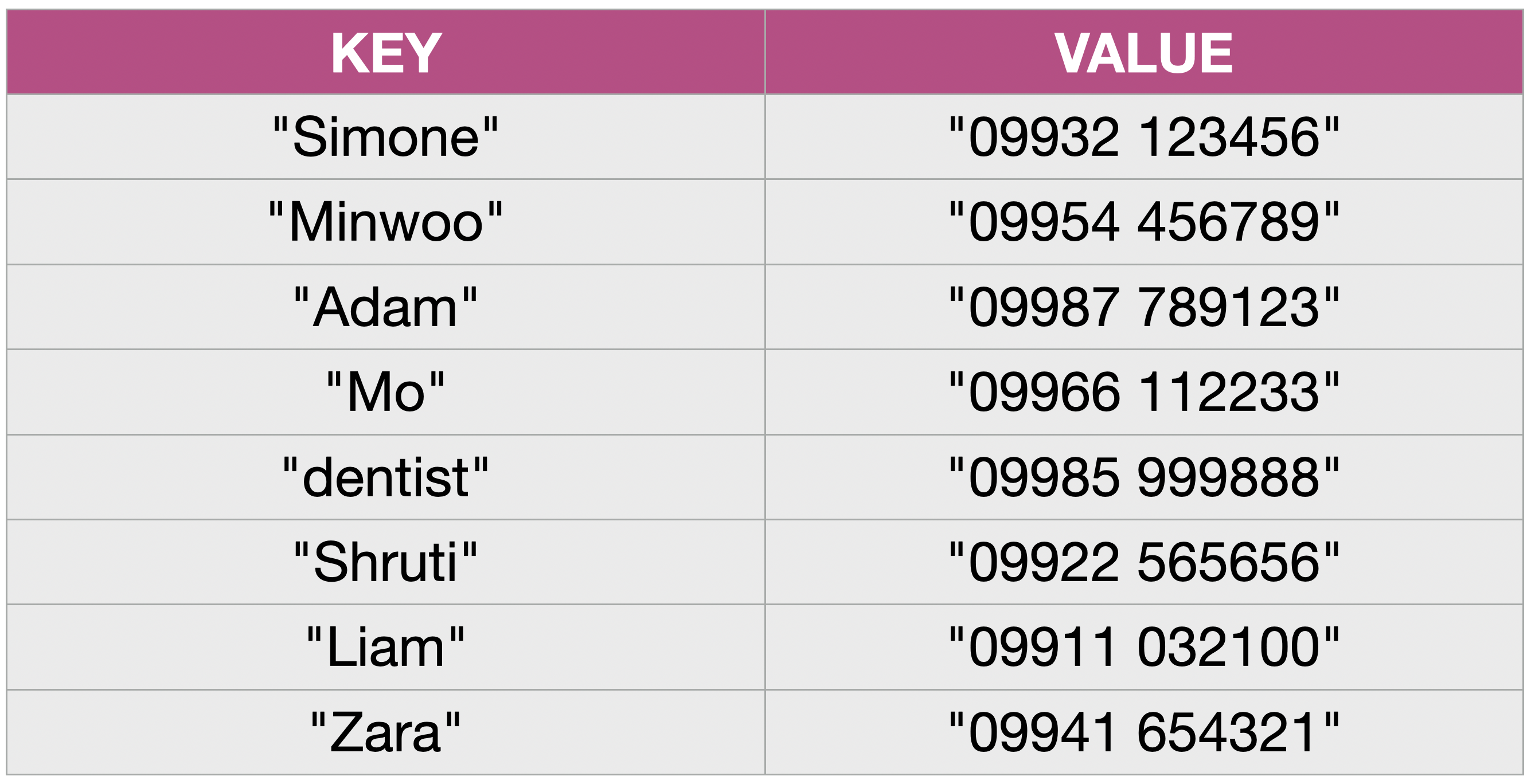
We see that we can think of a dictionary as a table with two columns. The first column holds the keys (here: the names), and the second column holds the values (the phone numbers).
We can then look up the value by providing the key. Let us look at an example how this works. Assume we have the dictionary shown in Figure 2.1 stored in a variable called phonebook. We can then write

number = phonebook["Adam"]
print(number)
This will print Adam’s phone number. We use the key like an index in the dictionary, and we receive the associated value. This makes looking up a particular entry in the dictionary very easy.
We can also add more entries to our dictionary. For example

phonebook["Zola"] = "099777 885557"will add a new entry in the dictionary (a new row in the table) with the phone number for Zola. Again, we see that we use the intended key like an index in square brackets, and we just assign the value to create the entry.
Dictionaries are useful in many situations, and we are familiar with the concept from our daily lives. One important aspect is that they do not only work with strings. Both the key and the value may be any type we choose.
For example, your contacts app on your phone holds a dictionary that uses the name of a person as a key and all their details — email address, phone number, home address — as the value. (Here we can see that the value can be more than a single string: it can itself be a complex data type with several types of information). You use it by looking up the name, and it shows you the associated details (the value).
Other examples are a password file on a computer (associating usernames with passwords) or a shopping basket on a website that associates a product name with a count of the number in the basket. Perhaps the most familiar example is an English language dictionary (from which the Python data structure gets its name): The key here is a word, and the value is its definition. We can find a word in the dictionary to look up its definition.
A dictionary is a data structure that holds key/value pairs. We can look up a key to find the associated value.
The last thing we need to know is how to create a dictionary. Python dictionaries are written with curly brackets: { }. Writing the curly brackets on their own creates an empty dictionary:

phonebook = {}We can also create a dictionary pre-filled with some data using a colon to separate keys and values, and a comma to separate the entries:

inventory = {"apples": 5, "oranges": 3, "kiwi": 8} Python dictionaries are written using curly brackets: { }. Writing a pair of curly brackets on their own creates an empty dictionary.
Before we go on to use a dictionary in our word counting function, let us do some simple exercises to become more familiar with dictionaries.
Exercise 2.1 Close your current project for the moment and create a new project for these exercises. In your new project, create a variable named phonebook and assign to it an empty dictionary. Print this variable to the console. What is the output?
Exercise 2.2 Add to the phonebook three entries with names and phone numbers of three of your friends or family. Print the phonebook again. What does the output look like?
Exercise 2.3 What does the len function return when you use it to check the length of your phonebook?
Exercise 2.4 What happens when you add an entry with a key that already exists? Experiment with this and then describe what happens.
Exercise 2.5 What happens when you add an entry with a value that already exists? Try this out.
Exercise 2.6 What happens when you try to look up a key that does not exist in the dictionary?
Exercise 2.7 What is the output of the following code:
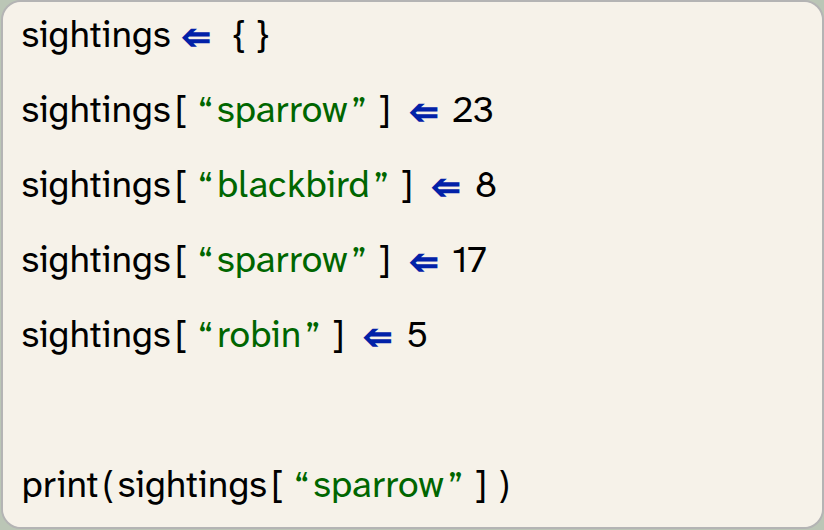
sightings = {}
sightings["sparrow"] = 23
sightings["blackbird"] = 8
sightings["sparrow"] = 17
sightings["robin"] = 5

print(sightings["sparrow"])
Exercise 2.8 With the same code as in the previous exercise, what is printed by the following line:

print(len(sightings))Exercise 2.9 How do you remove an entry from a dictionary? Do some research to find the answer.
A key in a dictionary is unique, but values can appear repeatedly. Inserting an entry with a key that already exists replaces the existing entry.
2.2. A dictionary of word counts
Let us now get back to the word counting problem in our thematic-analysis project from the previous chapter. We were at the point where we could count the frequency of a single word, and we need to figure out how to count the frequencies of all words. As we have stated above, a dictionary can help with this.
The idea is that we use a dictionary – let’s call it counts – with an entry for each word. We can use the word itself as a key, and use the value for the count (the number of times we have found the word).
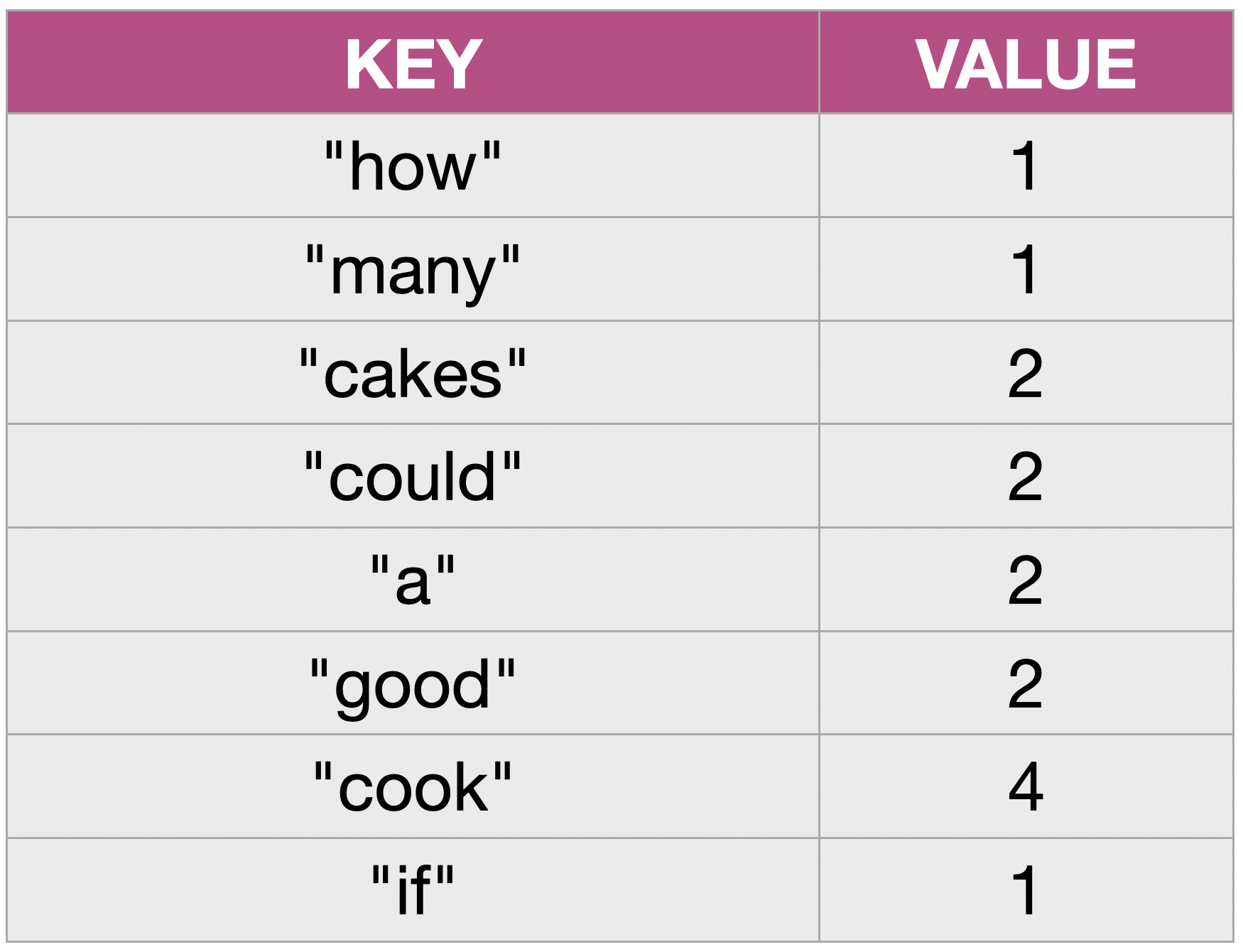
For example, a word count of the words in the sentence
"How many cakes could a good cook cook if a good cook could cook cakes?"
would result in the dictionary shown in Figure 2.2.
In other words: we will create a dictionary with one entry for every unique word in our text, where the value holds the number of times each word was used.
It is useful to remind ourselves that this dictionary – if we do a word count for a whole book – will hold thousands of entries. This, however, is not a problem: computers are good at dealing with large amounts of data.
The algorithm we will use can be informally described as follows:
You can modify your existing program to implement the algorithm described above by working step by step through the following exercises.
Exercise 2.10 We no longer wish to search for a single word, but count all words. Therefore, rename the count_word function to count_words and remove the first parameter (search_word).
Exercise 2.11 We will leave the first two lines of the function intact (the conversion to lowercase and creating a list of words in the text). Change the next line: instead of creating an integer variable count, we now create an empty dictionary called counts.
Exercise 2.12 We can leave the loop that iterates over all words in the text. We can also leave the code that strips the punctuation from the word. In the loop, however, we need to change our if-statement to do what the algorithm description above indicates: We need to check whether the word is already in our dictionary. We can do this using the in operator to check:
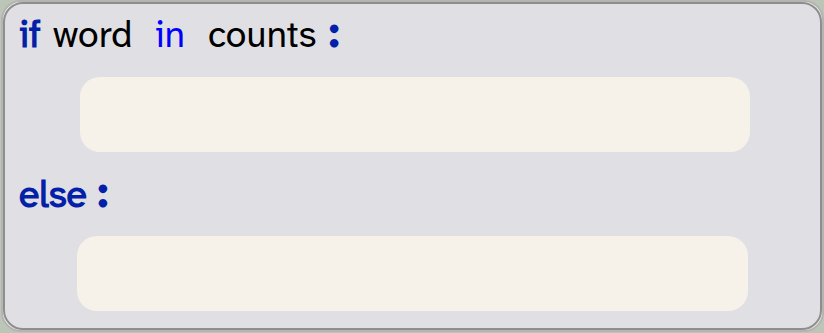
if word in counts:
    pass
else:
    pass
Exercise 2.13 We need to fill in the if-part of the if-statement: In this case, we need to increment the existing count for the word. We do this by reading the value for the word, adding 1, and writing it back into the dictionary:

counts[word] = counts[word] + 1Exercise 2.14 We then fill the else part with code to create a new entry for the word, with the value 1.
Exercise 2.15 At the end of the function, we now need to return the dictionary counts.
Exercise 2.16 Do not forget the comment: Modify the function comment to describe what your function now does.
Exercise 2.17 Test your function by modifying the code that calls it in the "My code" section. First, use a short test sentence, and print out the resulting word count dictionary.
Exercise 2.18 Now test the function on a whole book. Use, for example, the "/books/winnie-the-pooh.txt" file to count all the words in that book. Print out the dictionary.
A version of the project that implements these changes is available for you to study in the project folder as thematic-analysis-v3.
We can check whether a given key is present in a dictionary by using the in operator, like this: if key in dict. The in operator will return True or False.
Exercise 2.19 Look up what methods are available for Python’s dictionary class. What is the name of the method that returns a list of the keys in a dictionary? What is the name of the method returning only the values? What is the name of the method that lets you delete an entry with a given key?
 Advanced Python There are various ways in which we could simplify the loop in our function by avoiding the use of an if-statement.
One option is to use the get method with a default:

counts[word] = counts.get(word, 0) + 1Here, we use get to look up the value for a word, and we use 0 as a default value in case it is not found. This statement works whether or not the entry exists, so we do not need an if statement. Some practised programmers consider this version more elegant, while many beginners find the version with the if-statement clearer. If you are interested, look up the get method and analyse this line to understand how it works.
2.3. Iterating over dictionaries
We have seen that printing out the dictionary using a simple print call works, but the output is not very readable. The list of word counts is very long, and the formatting is not very readable. Let us improve this by implementing a custom printing function for our word count table.
Exercise 2.20 Create a new function called print_dict(dict) in your program. Its purpose is to print out a dictionary in a nicer layout. Write an appropriate function comment.
Exercise 2.21 In the body of this function, have a first try at printing out the dictionary entries. Test your function.
A first attempt at printing out the entries in our dictionary might involve printing each entry on a separate line:
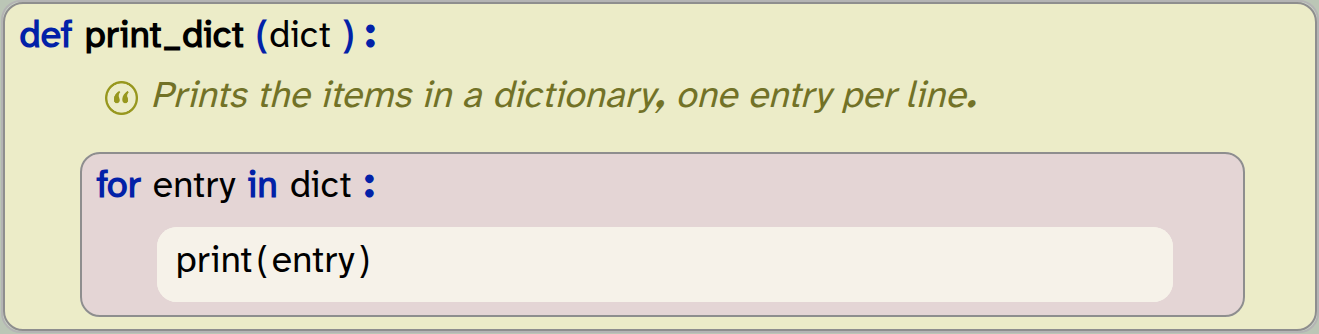
def print_dict(dict):
    '''Prints the items in a dictionary, one entry per line.'''
    for entry in dict:
        print(entry)
Exercise 2.22 Implement and test the print_dict version above. What do you observe?
With the above exercise, we can see that this version prints out the words in the dictionary, but not the counts. In other words: it prints the keys, but not the values of the dictionary.
How does this happen? Let us step back and take another look at the methods from the dictionary class that allow us to access its entries. There are three methods that give us lists of the dictionary contents:
| Method | Description |
|---|---|
|
Returns a list containing the dictionary’s keys |
|
Returns a list containing the dictionary’s values |
|
Returns a list of tuples of the dictionary entries, where every tuple contains a |
The first two of these show us that we can get a list containing just the keys or the values. This means that we could print out either the keys or the values, line by line, using these two loops:
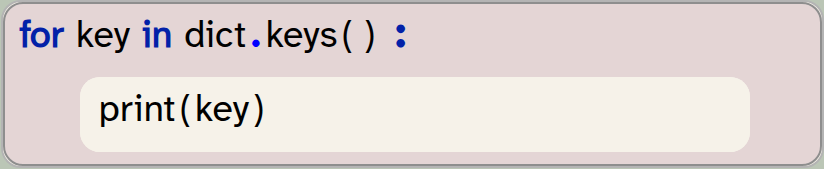
for key in dict.keys():
    print(key)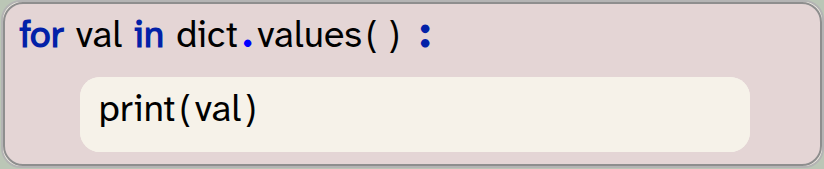
for val in dict.values():
    print(val)
Try this out. What we observed with the last exercise above is the following: If we just iterate over dict, without stating whether we want to get the keys or the values, we will get the keys by default.
Let us look at the third method: items(). This method states that it returns a tuple with the key and value. A tuple is another of Python’s collection types. It can hold multiple arbitrary data items to group them together. We will discuss tuples in more detail in the next chapter; for now it is sufficient to know that it consists of multiple data items and is written using round brackets:
( "Let It Be", "The Beatles", 1970 )
When we think about our dictionary, we can view a dictionary as a list of tuples. The first two entries of the dictionary shown in Figure 2.2, for example, can be regarded as two tuples:
( "how", 1 )
( "many", 1 )
Let us now try to use the items() method in our loop:
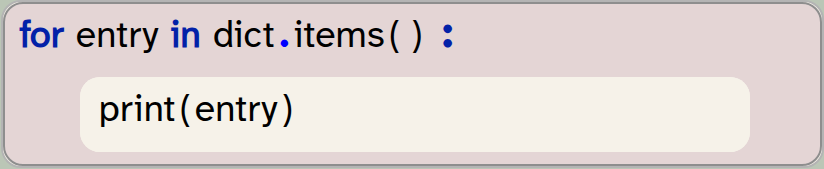
for entry in dict.items():
    print(entry)
Try this out. You will see that this loop prints each entry of the dictionary as a tuple.
Exercise 2.23 Implement and test the loop using the items() method.
This is, so far, the most useful method for us: it allows us to get the full data (key and value), and print them out line by line. But we can get even more control using an additional feature of the for-loop.
If we use a Python for-loop to iterate over a collection, and the item type of the collection is a tuple, then the loop can contain multiple loop variables:
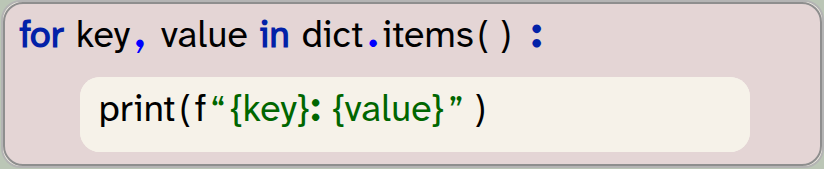
for key, value in dict.items():
    print(f"{key}: {value}")
The rules for this type of for-loop are quite straightforward:
-
The loop can provide a comma-separated list of loop variables.
-
Each item of the collection we iterate over must itself be a collection.
-
The number of loop variables must match the number of data items in each collection item. (In our case: Since each tuple in
dict.items()holds two pieces of data, we need exactly two loop variables.) -
The individual data items of each collection entry will be assigned to the loop variables for each iteration.
We can iterate over the entries in a dictionary by using the dict.items() method to get a list of all entries.
A for-loop can have multiple loop variables. In that case, the collection it iterates over must itself hold collections (tuples, sets or lists) of a matching length.
Using this variant of the for-loop allows us to get access to each key and value individually, and we are free to format the output ourselves. In the code example above, we have done this using an f-string.
Exercise 2.24 Implement this latest version of the for-loop. Test it with one of the full book texts as input.
Our output is now more nicely formatted. It is, however, still very long, and identifying frequently used words is still tricky. Change this by doing the following exercises.
Exercise 2.25 Change your print_dict function so that it prints out entries only if the word count is greater than 30.
The list is now much shorter, but it still contains a lot of very common words, such as "a", "to" and "the" – words that do not tell us much about what the text is concerned with. Let us do a first attempt at identifying interesting words by dropping all short words.
Exercise 2.26 Modify your print_dict function so that words shorter than five characters are ignored.
We can see that we are getting a bit closer. If you run this version of your program on one of the book texts provided, you can see that a list of words slowly emerges that may characterise the book. But the rules we have used to select the words (filtering by a word count that is more than a fixed value, and by length of the word) are not really good enough.
What we need to do instead is not look at the absolute frequency of a word (the number of times it appeared), but look for words that appear more often than they would in a typical English text. The word "the", for example, may appear very often, but it does so in all English writing, so this does not make it an especially interesting word.
This will be our goal in the next section: We will use existing statistics about expected word frequencies in the English language to identify "over-used" words in our text: words that are used more often in this text than they are used in average English texts.
2.4. Over-used words
In our project, we have provided a helper function called get_expected_frequencies(). This function returns a dictionary that lists the expected frequencies for the most common words in an average English language text. (It uses a dictionary of about 64,000 words.)
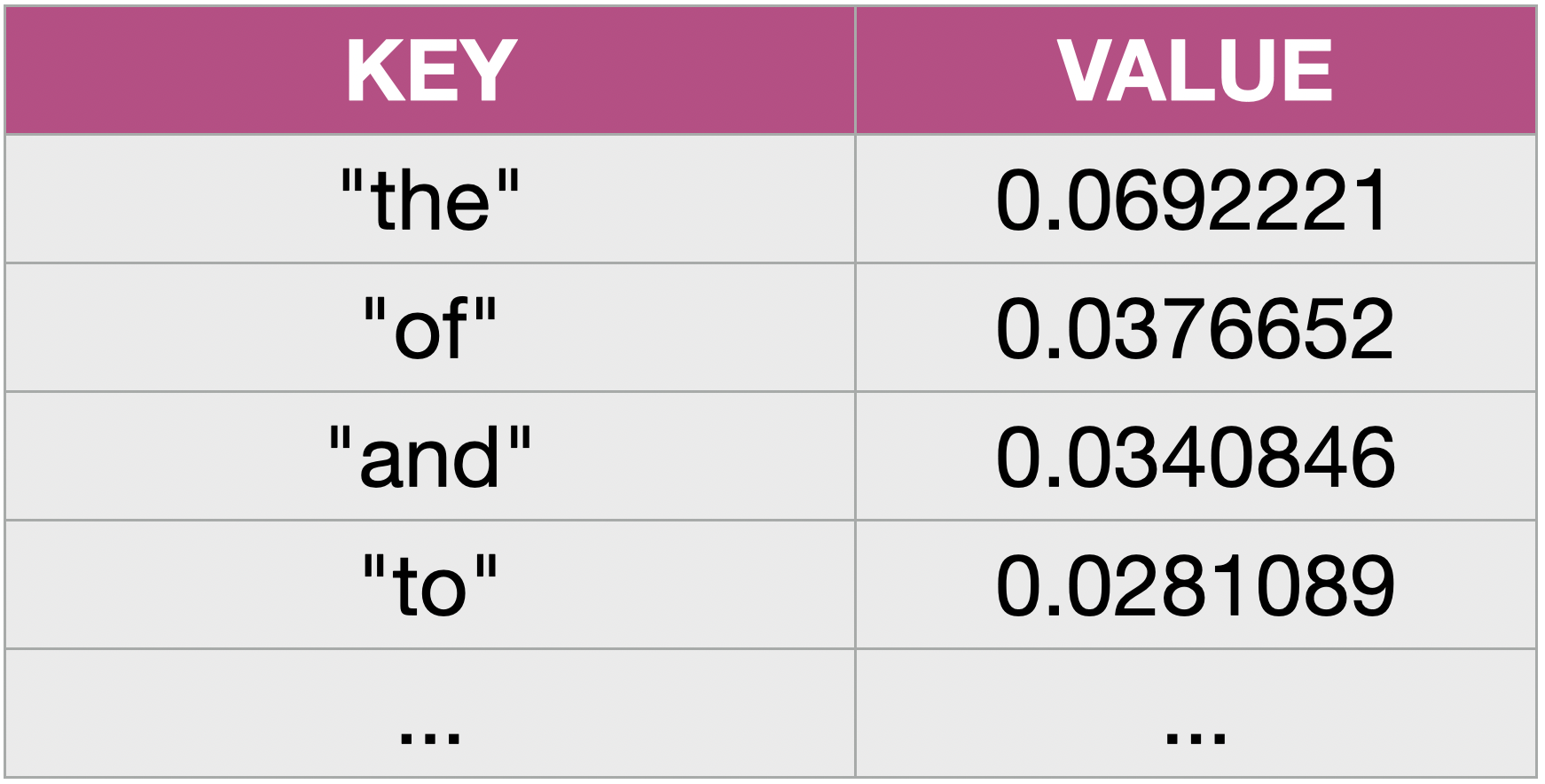
The dictionary has a word as its key, and the expected frequency as its value (Figure 2.3). The frequency here is the ratio of occurrences of the word relative to the length of the text. For example, as a percentage, the word "the" is around 6.9% of all words in a typical text. The ratio can be computed by dividing the word count by the total number of words in a text:

Using this formula, we can easily calculate the frequency of each word in the text we wish to analyse and then compare it to the expected frequency. Those words that are used far more often than expected are the "interesting words" – the words that might give us a clue to what the text is about.
Let us go ahead and implement this idea. We will identify the frequent words, which we define as words with a frequency that is at least 10 times the expected frequency and which were used at least 10 times.
Exercise 2.27 Add a new function called get_overused_words that takes three parameters: an observed_counts dictionary of word counts in the text under investigation, the total number of words in our text (total_words), and a frequencies dictionary of word frequencies in the English language:

def get_overused_words(observed_counts, total_words, frequencies):
    pass
Add an appropriate comment.
Exercise 2.28 Add a loop inside the function that iterates over the entries in the observed word list. We can use the pattern with two loop variables, as discussed above:

for word, count in observed_counts.items():
    pass
Exercise 2.29 Inside the loop, add an if statement that checks if the word is in the frequencies dictionary. If it is, compute the actual frequency of the word in the text (count / total_words) and store it in a variable.
Exercise 2.30 At the beginning of your function, create an empty dictionary called frequent. This will be used to collect the frequent words and their word counts. Inside the loop, add each word to this dictionary if it is used at least 10 times and if its frequency is at least 10 times the expected frequency. At the end of your function, return this dictionary.
Exercise 2.31 In the "My code" section, add code to call and test this function. To do this, you will need to calculate the total number of words in your text. You can do this easily as follows:

total_words = len(text.split())Print out the dictionary of frequent words.
2.5. Finding the most over-used words
With the code so far, we can print out the dictionary of frequent words. We have, however, no direct control over the exact number of words we will receive. This will depend on the length of the actual text and the words within it.
Let us make one last improvement to specify exactly how many words we wish to see. To do this, we will sort the frequent words by their word count, and then select the top words from this list.
We can do this by making good use of Python’s built-in sorted function:

frequent_words = sorted(frequent, key=frequent.get, reverse=True)We can add this statement to our get_overused_words function to create a list of the frequent words, sorted by their word count.
This is quite an advanced use of this function, so let us investigate that line in some detail.
-
We use the built-in
sortedfunction. This function takes a list and returns a sorted copy of that list. (It is important to note that it does not sort the original list, but returns a sorted copy.) -
We pass a dictionary to this function, which expects a list. If this function receives a dictionary, it will sort just the keys from the dictionary.
-
The
sortedfunction allows us to specify akeyas a parameter. The key is a function that is used to sort the list. Here, we usefrequent.getas the key; this is the dictionary method that returns the value from the dictionary, thus the keys will be sorted by their associated value. -
We set the
reverseparameter toTrueto sort the list in descending order, with the highest values first.
The sorted function returns a sorted copy of a list. It has optional parameters to specify a sort function and the sort order.
After doing this, we can use a slice to take the first few elements. For example

frequent_words[:12]will give us the 12 most frequent words. We can then return this list from our function.
Exercise 2.32 Make the changes discussed here to your code. Add another parameter to your get_overused_words function to specify how many words you wish to receive. Note that the function now returns a list, not a dictionary! You will need to modify your test code accordingly.
Exercise 2.33 Format the output of your program nicely, so that it prints the title of the book you are evaluating (or the name of the file), and then the most over-used words as identified by your function.
In making these changes, it is likely that you ran into a number of errors. This is to be expected. We have made many changes, and we will always make errors along the way. It is not the goal to write our code error-free at the first attempt, but to get to know Python well enough that we can identify and fix any errors that occur. So do not worry if it takes you many iterations of writing code, running, getting error messages and fixing errors to get to the eventual result.
Exercise 2.34 Try your code on the other books provided in Strype’s "/books" folder. (They include, for example, "/books/three-men-in-a-boat.txt" and "/books/war-and-peace.txt".) Also try some text you have written yourself, such as a story or essay.
Once you manage to complete these tasks, you will see that you can now get a vague impression what a book is about. You can see that War and Peace is about a prince, a princess, an emperor and Napoleon, or that Three Men in a Boat is about a boat, a picture, locks and rowing.
A version of this project that includes all the changes discussed here is available as thematic-analysis-v4; you may like to compare your own version to this one.
2.6. Summary
In this chapter, we have learned how to use dictionaries to achieve more advanced functionality.
Dictionaries are perhaps a little more unusual than lists, but they are equally useful. To become a good programmer, it is important to become familiar with dictionaries, and fluent in using them. They should be one tool in your standard toolbox, so that you can use them whenever they can help to solve a problem. You will see that they come in handy more often than you initially expect.
-
A dictionary is a data structure that holds key/value pairs. We can look up a key to find the associated value.
-
Python dictionaries are written using curly brackets: { }. Writing a pair of curly brackets on their own creates an empty dictionary.
-
A key in a dictionary is unique, but values can appear repeatedly. Inserting an entry with a key that already exists replaces the existing entry.
-
We can check whether a given key is present in a dictionary by using the in operator, like this: if key in dict. The in operator will return True or False.
-
We can iterate over the entries in a dictionary by using the dict.items() method to get a list of all entries.
-
A for-loop can have multiple loop variables. In that case, the collection it iterates over must itself hold collections (tuples, sets or lists) of a matching length.
-
The sorted function returns a sorted copy of a list. It has optional parameters to specify a sort function and the sort order.

Top 10 songs
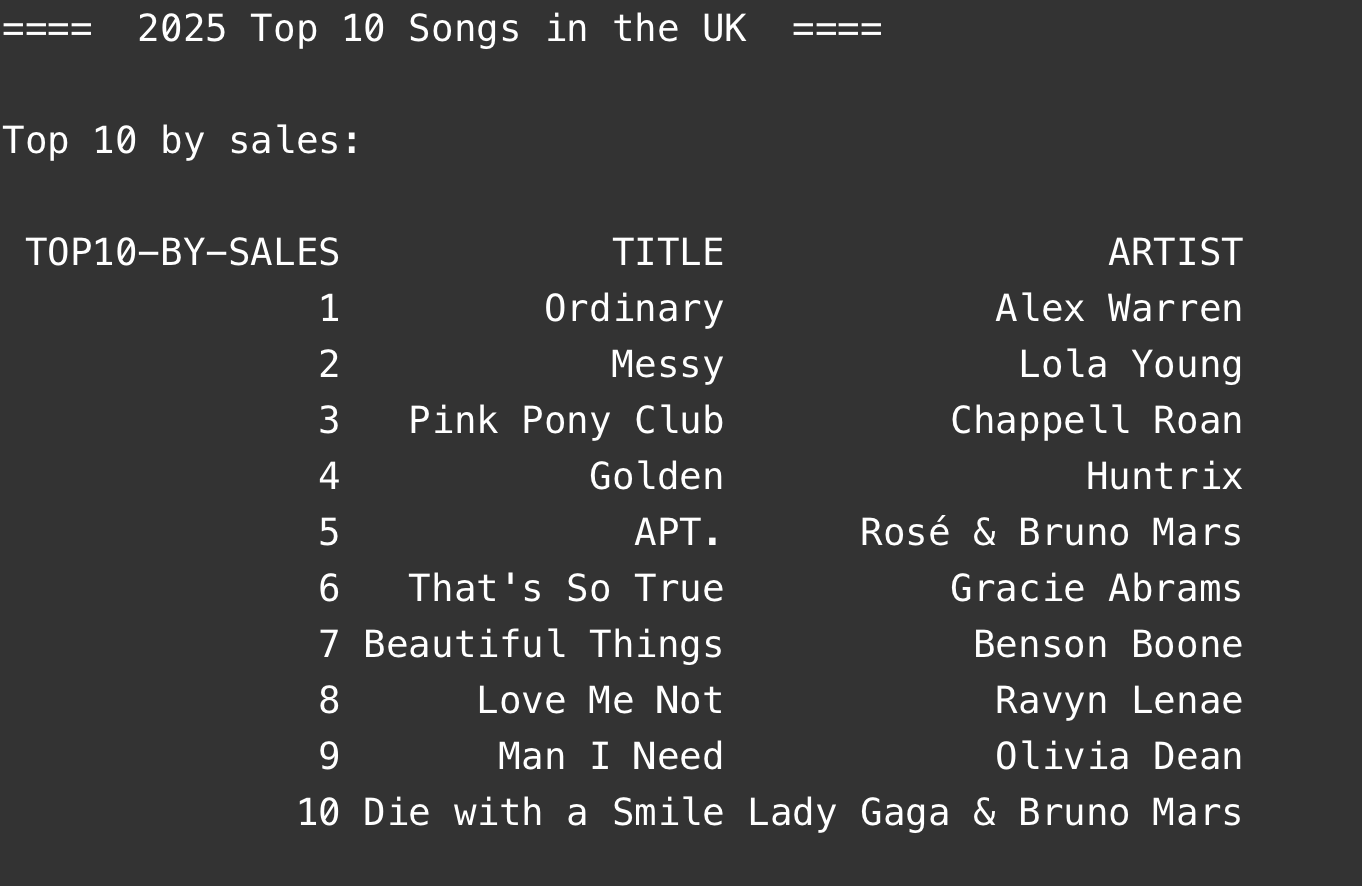
We have now seen how we can analyse some data. In the case of the text analysis here, the data source is English text. In other cases (such as the temperature data used in the previous book volume), the data might be numbers, but it was also read from a plain text file.
In real life, data is often stored in specific formats, and one of the most common is a file of comma-separated-values (in a file with a .csv suffix). Python has powerful libraries to read and analyse those files. This project, top-10-songs, shows how to use the pandas library to read and analyse such a file. And all without writing a single loop! If you are interested in more sophisticated data analysis, it is worth getting to know this library.
If you would like to research this further, you may also be interested to look at the (much more sophisticated) "renewables" project shown in Chapter 7.
Chapter 3. Collection classes – a summary
This chapter is different in nature to the previous chapters in this book. We will not present a programming project for you to work through – instead, we will summarise and discuss a topic which we have mentioned previously, but not discussed in detail: collection classes.
We have seen that Python provides built-in classes for collections of data, and we have seen that these classes are very useful for our projects. The two collections we have used so far are lists and dictionaries. We have also briefly mentioned a third class: a tuple. Python has, in fact, another important built-in collection which we have not yet mentioned: a set.
In this chapter, we will investigate the characteristics and differences of these collections, so that we can make an informed choice when we need to use one of them in our future projects.
3.1. The four collections
Python has four main built-in collection classes that every programmer should know: list, set, dict and tuple. (There are other collection classes, but these four are the most important ones.) All of these serve to collect several items of data into a single grouping, which we can then store in a single variable. They differ in their characteristics and their uses.
All of these classes have methods that allow us to perform useful operations on them.
Let us have a quick look at each of these four classes before we describe them in more detail.
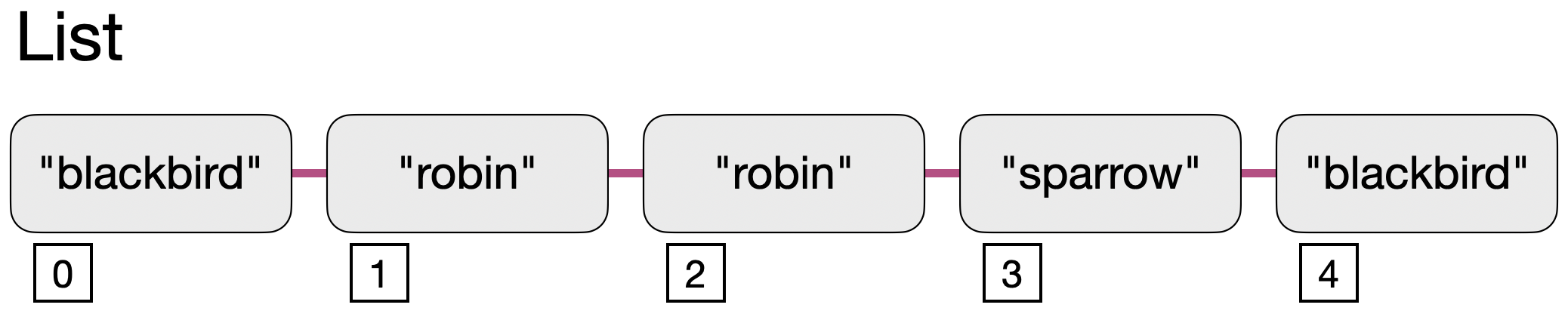
A list is an ordered collection of flexible length. Elements are accessed by index.
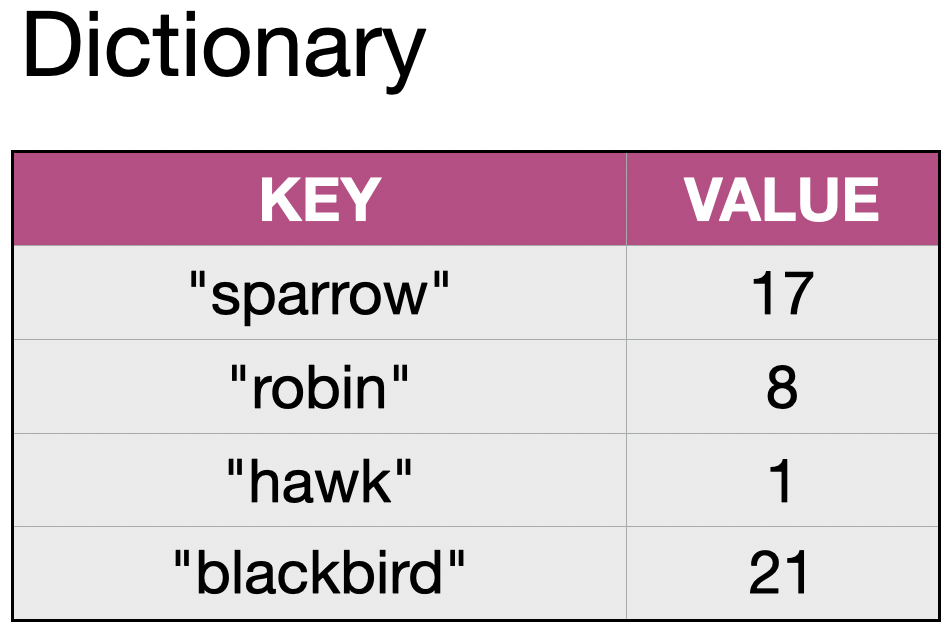
A dictionary (also known as dict) holds entries of key/value pairs. We can look up the value by providing the key.
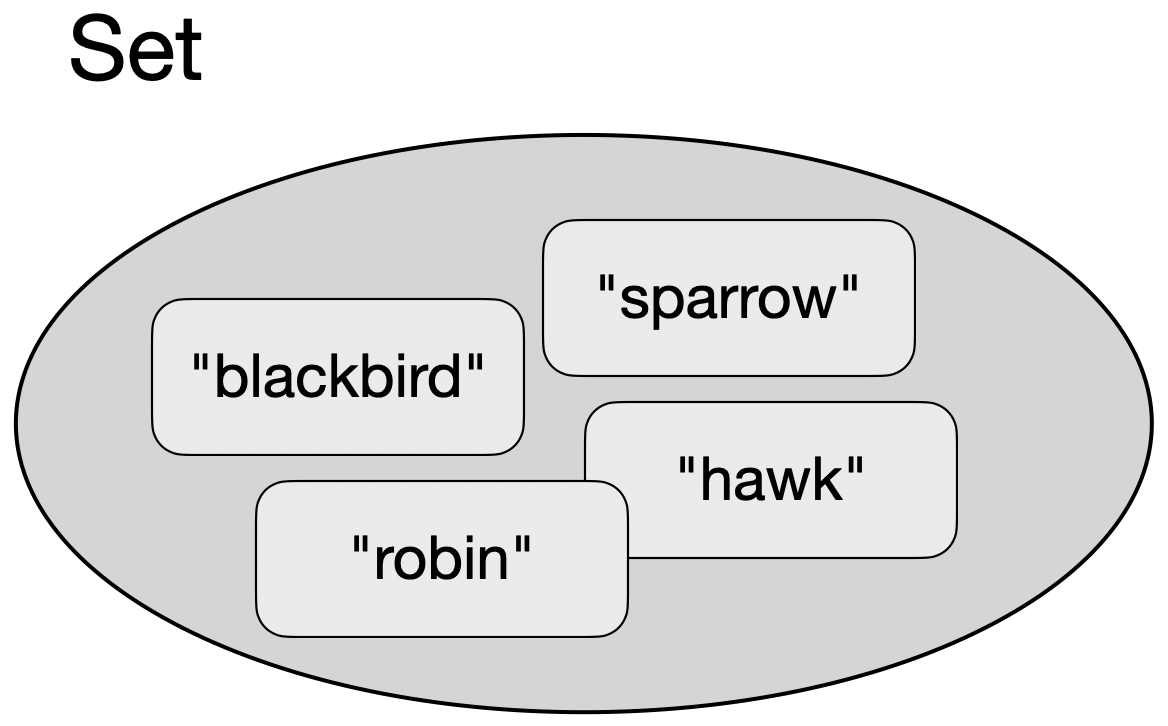
A set holds an unordered collection of elements. Each element can occur only once.
A tuple is a fixed, unchangeable grouping of several items of data into a single item.
Below, we describe each of these classes and their characteristics and uses in more detail.
3.2. List
We assume that you have used the list class previously, and you hopefully have quite a good understanding already of what a list is and how it works.
We can represent a list graphically as a sequence of elements:
Syntax
In Python, lists are written using square brackets:

sightings = [ "blackbird", "robin", "robin", "sparrow", "blackbird" ]An empty list is created by using the square brackets on their own:

empty = [ ]We can access individual list elements using their index (where the first item is index 0, not 1):

element = sightings[2]Indices can also be negative; in that case, they are counted from the end of the list. For example, -1 is the last element in the list, -2 is the second last, and so on:

element = sightings[-2]List elements can be replaced. The following code will replace the second sighting with a different one:

sightings[1] = "hawk"Copies of parts of a list can be created by slicing. The start index is included in the slice, the end index is excluded. The following creates a new list with the middle thrtee elements from the sightings list:

new_list = sightings[1:4]Slices can include a step width as a third value. For example, the following will select every third element:

new_list = sightings[1:5:3]Index values for the start and end can be left out. If they are not specified, the beginning or the end of the list is used, respectively. Index values can be nagative to count from the end of the list. All the following statement are valid:
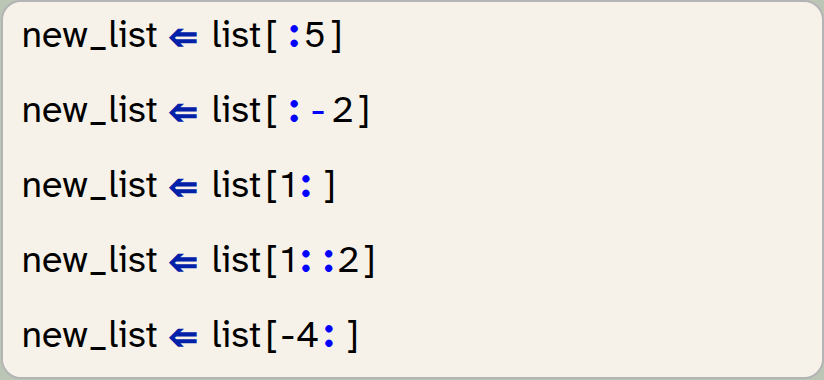
new_list = list[:5]
new_list = list[:-2]
new_list = list[1:]
new_list = list[1::2]
new_list = list[-4:]
Characteristics
A list has the following characteristics:
|
Maintains the order of elements as they were inserted. |
|
Elements can appear multiple times. |
|
The size of the list can grow and shrink as needed. |
|
Elements can be replaced. |
Methods
To find details of the following methods, look them up online. Each of these methods may have required and optional parameters.
| Method name | Description |
|---|---|
|
Add an element to the end of the list. |
|
Remove all elements from the list. |
|
Return a copy of this list. |
|
Return the number of elements with a specific value. |
|
Add multiple elements from another collection to the end of this list. |
|
Find the index of an element with a specific value. |
|
Insert an element at a specific position. |
|
Remove and return the element at a specific position. |
|
Remove an element with a specific value. |
|
Reverse the order of the elements in the list. |
|
Sort the elements in this list. |
Example
Assume we are programming a bird watching app, and we would like to record sightings of birds on a given day. The diagram above shows how each individual sighting can be appended to a list. With each new sighting, we could append a new entry at the end of the list (using its append() method), and the list would keep a record of all the sightings of the day.
Lists can contain duplicates. So if we see two robins in a row, we can add two list elements for "robin".
Since the length of the list is flexible, we can record any number of sightings, and the order of the sightings would be maintained (we could later retrieve the information in which order we saw each bird).
The list class also allows us to insert elements at arbitrary positions in the middle of the list, delete individual elements, or access elements by index.
We can iterate over the list to receive the elements one by one, in the order in which they are stored.
While lists allow elements of different types to be mixed – we could, for example, have a list where some elements are strings and some are integers – this is rarely useful. Most of the time, we use lists where all elements are of the same type.
A list is an ordered collection of flexible length. It allows duplicates, and elements may be replaced.
3.3. Dictionary
A dictionary is a mapping from a key to a value. We can think of it as a table with two columns. Each entry in the dictionary is a new row. We can then look up entries by providing the key and receiving the associated value.
Syntax
Internally, Python calls the dictionary class "dict". Dictionaries are written using curly brackets and colon-separated key: value pairs.

sightings = { "sparrow": 17, "robin": 8, "hawk": 1, "blackbird": 21}The statement above creates a dictionary with four entries, where each entry is a key:value pair.
An empty dictionary is created by using the curly brackets on their own:

empty = { }To access elements, we can use the get method with the key as a parameter, and the dictionary will return the associated value. For example:

number = sightings.get("robin")
print(number)
This will print the number 8 (assuming we have a dictionary as shown above.)
An alternative syntax allows us to use square brackets instead of the get method:

number = sightings["robin"]This achieves a similar result. In general, however, the get method should be preferred: If the key used in the get call is not present in the dictionary, it will return None. We can then check the result to see whether we did receive a value. If we do the same with the square bracket syntax (look up a non-existent key), this causes an immediate error, and we do not get the opportunity to check the result. Therefore, the square bracket syntax can only be used if we are certain that the entry exists.
Characteristics
A dictionary has the following characteristics:
|
Entries are pairs of key and value. |
|
Maintains the order of entries. (This is not true for Python versions before version 3.7, but is true for Strype and all newer Python systems.) |
|
The same key cannot appear more than once. Assignments with an existing key will replace the entry for that key. |
|
The dictionary can grow and shrink as needed. |
|
Values for a given key can be replaced. |
Methods
The most important dictionary methods are listed here. There are more methods available; you can find details online.
| Method name | Description |
|---|---|
|
Remove all entries from the dictionary. |
|
Return a copy of the dictionary. |
|
Return the value of a given key. |
|
If a given key exists, return its value. If it does not exist, set it to a specified value. |
|
Return a list of all items. Each element in the list will be a |
|
Return a list of all keys. |
|
Remove the entry with the given key. |
|
Remove the entry last added to the dictionary |
|
Return a list of all values. |
Example
In our bird watching app, we might not be interested in the exact order in which we sighted each bird, but only in the number of each type of bird we have seen. In this case, a dictionary is an ideal collection to use. The example above illustrates how we can create a dictionary that uses the name of the bird species as a key and uses the value to store the number of sightings for that kind of bird.
When we later wish to add a sighting to our data, we need to carefully distinguish the case where we already have an entry for the bird species from the one where the bird does not yet exist. If the species is not in the dictionary, we will add a new entry. If it exists already, we need to read the current value, increment it by one, and write it back:
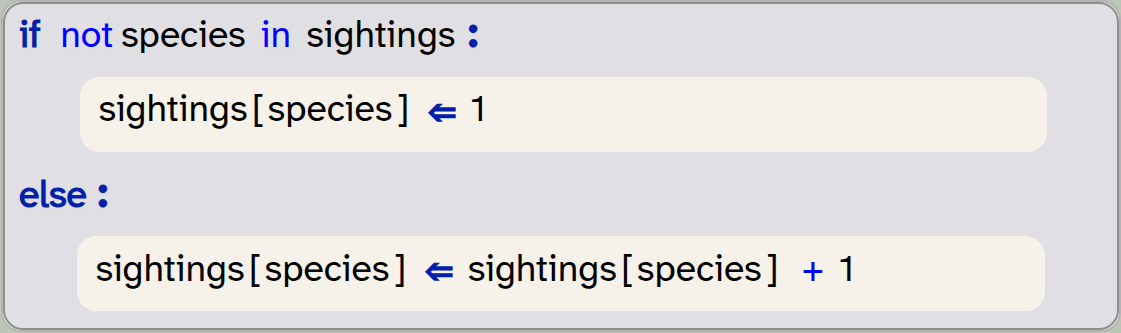
if not species in sightings:
    sightings[species] = 1
else:
    sightings[species] = sightings[species] + 1
Note that using the square brackets to access the value is safe here, because we have checked that the entry exists.
We can safely omit the check for the existence of the entry by using the setdefault method:

sightings[species] = sightings.setdefault(species, 0) + 1This statement is worth studying carefully, since it can be confusing at first. The reason for the confusion is the puzzling name of the method. The method is more correctly described with a name such as get_value_or_set_default: What it does is this: If the first parameter (species) exists as a key, then it returns its value. If it does not exist, then it will create it, and use the second parameter (0) as its value.
Think this through with an existing and with a non-existent key: if the key exists, its value will be incremented. If it does not exist, it will be created and set to 1. Thus, this statement works in every case, without explicitly checking whether the entry existed.
We can also iterate over a dictionary in a very similar manner as we do with a list:
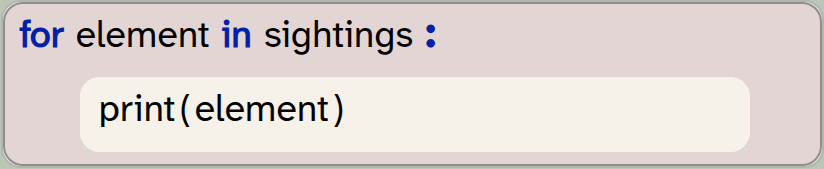
for element in sightings:
    print(element)
Be aware, though, that this pattern – where we use only a single loop variable, will just give us the keys of the dictionary. To retrieve both the keys and the values, we can write a loop with two loop variables iterating over the dictionary’s items:
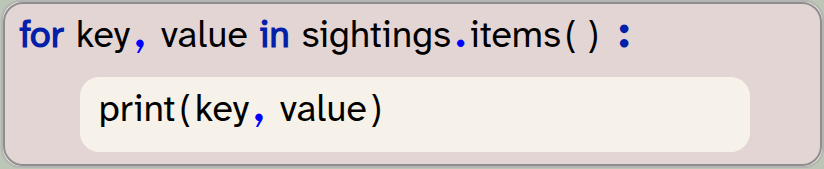
for key, value in sightings.items():
    print(key, value)
When to use a dictionary
If we compare this version to the first example using a list, we can see the difference: In the dictionary version, we do not store the order in which we saw the birds. In return, the storage is much more compact: if we see 300 birds of five different species, then the list version will have 300 entries. The dictionary version, on the other hand, has only five entries with a key and value each. Thus, we save a lot of space.
Looking up the number of sightings for each species is also much faster and easier in the dictionary version – in fact, dictionaries are exceptionally fast in looking up values.
Every time we choose a collection class, the choice will be determined by these questions: What information do I need to store? How much space will this need? How quick and easy is it to look up the information I need?
In our case, if the order of sightings is important, we use a list. If the count is all we are interested in, we use a dictionary.
A dictionary is a collection of flexible length that holds key:value pairs. It is ordered and does not permit duplicate keys. Entries may be replaced.
3.4. Set
A set is a collection we have not encountered in this book before. It is, however, quite easy to understand: a set is an unordered collection that stores each element at most once. We can represent it graphically like this:
Syntax
Sets in Python are written using curly brackets:

sightings = { "blackbird", "robin", "robin", "sparrow" }Note that with this example, the sightings set would hold only three elements. We inserted a "robin" twice – this does not cause an error, but since the robin was already included before, the second adding of a robin has no effect.
Note also that the set uses the same symbol (curly brackets) as the dictionary. When writing literals, we can distinguish them by their elements: if the elements are key:value pairs, we are creating a dictionary, if the elements are single values, then we create a set.
We cannot, however, create an empty set by just writing a pair of curly brackets ({ }), because this creates a dictionary. To create an empty set, we use the set() function instead:

empty_set = set()We cannot access the elements individually (there is no index provided). When we iterate over a set, we will receive all the elements, but they will be provided in an unspecified order. The order in which they are inserted is not maintained, and it may change at any time.
Characteristics
A set has the following characteristics:
|
Does not maintain the order of elements. |
|
The same value cannot appear more than once. |
|
The set can grow and shrink as needed. |
|
Individual elements cannot be changed. You can, however, remove and add elements. |
Methods
The most important set methods are listed here. There are more methods available; you can find details online.
| Method name | Description |
|---|---|
|
Add an element to the set. |
|
Remove all elements from the set. |
|
Return a copy of this set. |
|
Return a set containing the difference between two sets. |
|
Remove an element from this set. |
|
Return a set containing the intersection between two sets. |
|
Remove and return an element from the set. |
|
Remove an existing element from this set. |
|
Return a set containing the union of two sets. |
Example
Thinking about our bird watching app again, we might use a set if we are only interested in the kinds of birds we spotted that day. If we do not care about the number of birds we saw, or in which order, then a set provides a much simpler, smaller and faster data structure to store this information.
We would still add an element each time we see a bird, and the set would automatically ignore duplicate entries. The size of the set is flexible as well, so an arbitrary number of species can be stored.
Elements in a set cannot be replaced. We can add and remove elements, but we cannot directly replace an element with another, as we can in a list.
As with lists, sets containing elements of different types are possible, but rarely useful. When mixing different types of elements, we also have to be aware of details of equality. For example, the values False and 0 are considered equal in Python, so in a set they would be considered duplicates. A set that contains the value False will therefore ignore the addition of a 0. This can be confusing, and sets with different element types are best avoided.
When to use a set
Use a set when duplicates cannot occur, or they do not matter to you. Also be aware that the elements do not maintain a specific order. If these conditions are true, then a set is quicker, easier and often consumes less space than other collections.
A set is an unordered collection that does not allow duplicates. Elements can be added or removed, but existing elements cannot be changed.
3.5. Tuple
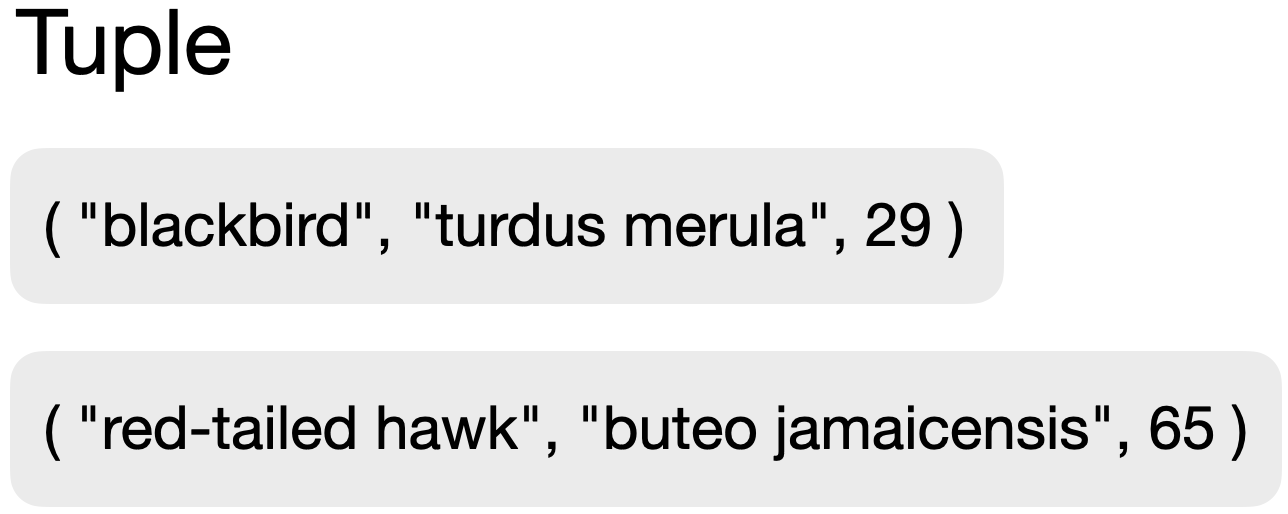
A tuple is a grouping of a number of different data items into a single, fixed group. The following example shows two tuples which we may use for our bird watching app. In these tuples, we combine three pieces of data: the common name of the bird, the scientific name, and the maximum size (in cm).
Tuples are used to combine items of data that logically belong together and should be handled (created, stored, processed) as a single unit. The individual data items may be of different types. Once a tuple has been created, it is unchangeable: neither can the values in it be modified, nor can it be extended. It will remain as it is.
The name tuple may seem odd. In English for referring to groupings of two, three and more elements we use the words pairs, triples, quadruples, quintuples, sextuples, septuples and octuples. Programmers wanted a word to refer to this concept generally so they use "tuple" as it’s the last part of most of the words.
Syntax
Tuples are written using round brackets (parentheses):

bird = ( "blackbird", "turdus merula", 29 )In theory, we can create an empty tuple by writing just a pair of parentheses: ( ), but in practice this is not really useful. Since tuples cannot change later, this particular tuple does not hold any interesting information.
To access elements from the tuple, we can either use indices (in the same way as we do in a list):

size = bird[2]or we can iterate over the tuple using a for-loop.
Tuples can be sliced in the same manner we have seen for lists. For example

first_two = my_tuple[:2]selects and returns the first two elements of a tuple (as another tuple), and the following statement

last_two = my_tuple[-2:]selects the last two elements. The statement

every_second = my_tuple[::2]creates a tuple containing every second element from the original tuple.
Characteristics
A tuple has the following characteristics:
|
Maintain the order of elements. |
|
The same value can appear more than once. |
|
Elements cannot be added or removed. |
|
Existing elements cannot be changed. |
Methods
The tuple class has two built-in methods.
| Method name | Description |
|---|---|
|
Returns the number of times a value appears in this tuple. |
|
Returns the first index of the given value in the tuple. |
Example
Examples of tuples may include the representation of playing cards: ("diamonds", "7"), information about a person: ("Sam", "Smith", 21, 3, 2011, "f"), or information about a font style used in a text document: ("Courier", "Bold", 12, RED). In any situation in which different pieces of information belong together, they can be grouped in a tuple.
In the context of our bird watching app, let us assume that birds are actually captured, measured, recorded, and then released. Then we might want to record each sighting individually, including the recorded measurements. For this purpose, we might use a tuple to store the details:

sighting = ( species, size, weight, time, location)When we store the sightings, we might then use a set or a list of these tuples, instead of storing just a list of strings.
Pairs
Sometimes we want to store two data items that belong together – this is often called a pair. Examples might be coordinates in a Cartesian coordinate system (x, y), or the description of a musical note (frequency, amplitude).
While we may talk about a "pair" as a logical data structure, in Python it is not a separate type. A pair is simply a shortcut name for a tuple with two elements.
When to use a tuple
We use a tuple when we store a fixed set of data items, where the number, kind and value of data is known in advance and does not change after being created.
A tuple is a fixed collection that groups a set of data items together. Once created, it cannot be changed.
A pair is another name for a tuple with two elements. It is not a separate type in Python.
3.6. Combining collections
The last – and most powerful – aspect of collections is this: collections can be combined.
Collection classes themselves are types of data, and collections can hold elements of any type, so a collection can hold other collections.
In the last section above, we have already mentioned the possibility of a list of tuples. Equally, we could have a list of lists, or a dictionary where each value is a set. The depth of these nestings can be even deeper: There is nothing stopping us from creating a list of sets of dictionaries, in which the values are tuples.
This may sound complicated at first, but is in fact quite common, and not that hard to understand. Think, for example, of a contacts app on your phone or computer. At the top level, it might hold a dictionary with the name of a person as the key. The value – the information stored under the key – however, is not a simple type, but a tuple holding various pieces of data (phone number, address details, email address, picture, etc.). If we look at this even more carefully, we might realise that a person may have multiple email addresses, or multiple phone numbers. We do not know how many there are, so this should probably be a list. So we now have a dictionary holding tuples, in which some items are lists.
Constructs like these are common in computing, and we will see an example of this in action in the following chapters.
Collections can be combined. A collection can hold elements which themselves are collections. This can be nested to arbitrary depth.
3.7. Summary
Python has four main collection types: list, set, dictionary and tuple.
It is important for a good programmer to become familiar with these types. Each has different characteristics – some can grow, some cannot, some are ordered, others are not, etc. – and we need to be able to choose an appropriate collection for a task.
Collections are often combined – collections can hold instances of other collections – and this is useful for storing structured data.
-
A list is an ordered collection of flexible length. It allows duplicates, and elements may be replaced.
-
A dictionary is a collection of flexible length that holds key:value pairs. It is ordered and does not permit duplicate keys. Entries may be replaced.
-
A set is an unordered collection that does not allow duplicates. Elements can be added or removed, but existing elements cannot be changed.
-
A tuple is a fixed collection that groups a set of data items together. Once created, it cannot be changed.
-
A pair is another name for a tuple with two elements. It is not a separate type in Python.
-
Collections can be combined. A collection can hold elements which themselves are collections. This can be nested to arbitrary depth.
Chapter 4. Language models: Generating text
In the first two chapters of this book (and also in Volume 2 of this book series), we used computing power to analyse text. In Volume 2, we calculated some statistics, such as the number of words and reading complexity. In this book, in chapters 1 and 2, we looked at the content of the text. In this chapter, we will go a step further: we will generate text – using the computer to actually produce some new writing.
Text generation is used in various different programs. One example you may be familiar with is "predictive text" on your mobile phone. When you type "hope you have a good" in a chat app, then it often suggests words such as "day" as the next word, saving you to type it in yourself.
Another, more interesting example is found in large language models (LLMs). These models are used as the basis of AI chat systems, and they are very good at producing English language. You can, for example, ask them to write a short story, and they will do so amazingly well.
Over the next two chapters, we will write a system that can generate text. We will not nearly reach the abilities of modern LLMs, but we will implement a simple technique that captures the core idea of LLMs: predicting the next word from the words that came before it. This algorithm is able to produce words that look deceptively like meaningful English sentences, and this will give us a basic understanding of the internal workings of text prediction systems such as LLMs.
4.1. Bigrams
So how can we predict what the next word in a sentence may be? The obvious idea is to look at the preceding words, and then try to figure out what next word might fit to continue a sentence.
At its most basic, we can look at only the one word immediately before the next one. This will not be terribly good at producing sensible text, but it’s a start. So let us try to do that first.
How can we know what word might work to follow another word? Again, the basic idea here is simple: We look at a good amount of existing text, and look what words follow other words there.
Let us investigate an example by looking at an English sentence:
I read the news today, oh, boy.
In this sentence, we can see that the word "I" can be followed by the word "read", the word "read" can be followed by the word "the", and so on.
We can now write down all the pairs of words that we can see may follow each other:
(I, read)
(read, the)
(the, news)
(news, today)
(today, oh)
(oh, boy)
These pairs of consecutive words from a text are called bigrams. The list of pairs above are all the bigrams from our sentence.
A bigram is a pair of two adjacent elements from a list, such as two consecutive words in a text.
Now, doing this with just a short sentence is not very useful, but doing the same with a very large body of text – say, a whole library – gives us very interesting information. It will tell us all the words that may follow a given other word, and it will also hold information about the likelihood of one word appearing after another. Pairs of words that appear frequently together will appear more often in our list of bigrams.
To experiment with this, let us write a program that can produce a list of bigrams from a text.
Exercise 4.1 Open the starter project text-generation-v1 from the Chapter 4 folder of the book projects. You will see that it contains just one helper method to read in a text file (read_file), and a sample text. In this project, create a new function called make_bigrams that takes one parameter (the text to use for the bigrams).
4.2. The zip function
Python has a standard function called zip, which can combine elements from two lists into a list of pairs. It will pair the first elements from each list, and the second elements, and the third elements, and so on. Let us look at this with an example.
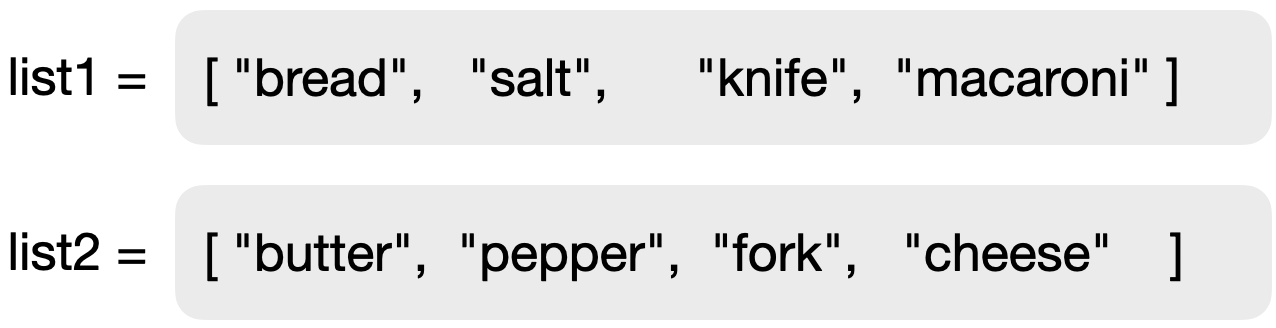
Figure 4.1 shows two lists of strings. We can take these two lists and merge them with the zip function:

pairs = zip(list1, list2)The zip function will pair up the elements of the two lists as shown in Figure 4.2. A pair is simply another name for a tuple of length 2, so what the zip function actually creates is a sequence of tuples with two elements each.
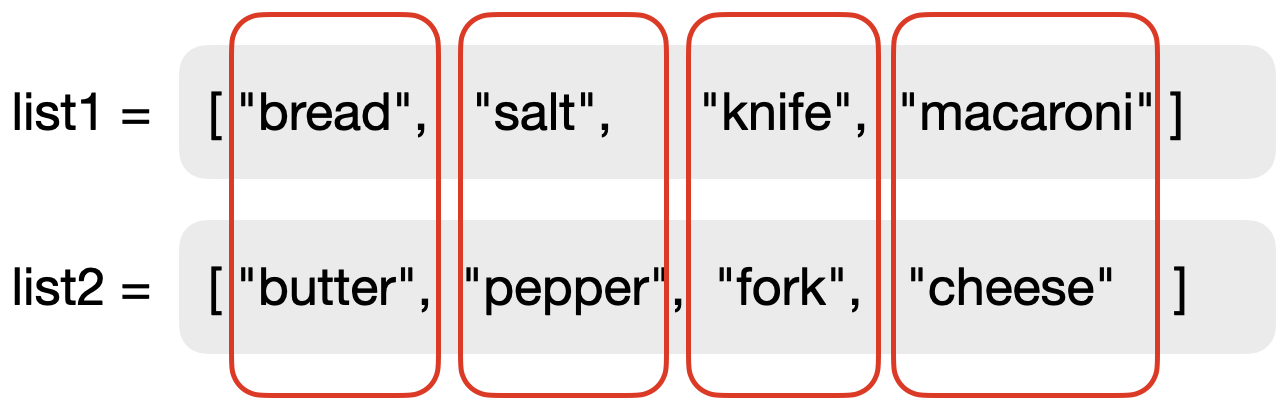
zip functionThe zip function does not return a collection itself, but a special object called an iterator. This object represents a sequence of elements that can then be turned into a collection of our choice. We can turn it into a list by writing:

result = list(pairs)We could also have chosen to turn it into another type of collection. The resulting list in this case is shown in Figure 4.3.

The zip function merges two lists into a single list of tuples, pairing the elements of each list, item by item.
Exercise 4.2 Write some test code that creates two lists and then merges them into one list of pairs, as discussed above. Print out your resulting list.
Exercise 4.3 What happens when the two original lists are of different length? Try this out and describe your observation.
So the question now is: How can we use the zip function to create the bigrams from our text?
The solution lies in the idea to take the list of words in the text, and then to match this with a list that is shifted by one word. We create this shift by just leaving out the first word in the second copy of the list. (Remember you can create a copy of a list without the first element by using the slice list[1:].) This is illustrated in Figure 4.4.
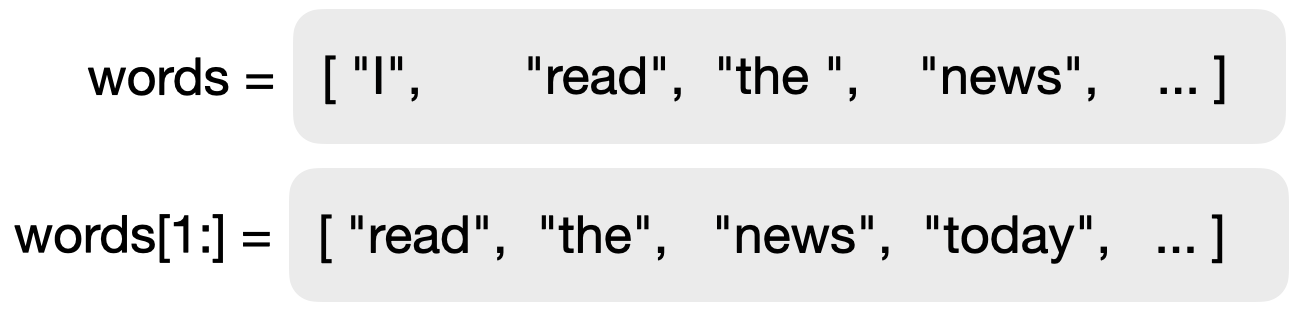
If we zip these two lists as we did previously, we will get our list of bigrams.
Exercise 4.4 In your program, implement the make_bigrams function. This function should take a text (a single string) as a parameter, and it should return a list of bigrams of that text.
Exercise 4.5 Test your function with a single sentence. Check whether the output is what you expected.
Exercise 4.6 Test your function with a long text, such as a whole book. A statement that reads in a book is provided in your starter project. You can enable it for this test.
Exercise 4.7 After your tests, you can remove the printing of the list of bigrams, but keep the list stored in a variable for further use.
The text that we use to create our bigrams is the training text. We can use different texts to train our system, leading to different output. If we train the text, for example, on Jane Austen books, our system will use the language of Jane Austen. If, on the other hand, we use scientific texts to train the system, it will use that vocabulary.
4.3. Predicting the next word
Now that we can generate a list of bigrams for any given text, we can use this list to predict the next word. The idea is now straightforward: First, we look at the previous word. From the list of bigrams, we select just those where the first word of the bigram matches our previous word. For example, if our previous word was "It", then the list of matching bigrams might start with
("It", "sets")
("It", "is")
("It", "seems")
("It", "is")
("It", "is")
("It", "has")
("It", "was")
("It", "is")
...
From this, we can make a list with all the second words, and then randomly select a word from that list. Since words that more frequently follow our previous word occur more often in that list, they will have a higher chance of being selected as our next word. In other words: the frequency of a word appearing as the second word in the training text determines its probability to be selected. (For predictive text, we would select the most frequent word. For creative writing, we will randomly select one of the list.)
Exercise 4.8 Make a new function with two parameters, called generate_next_word (prev_word, bigrams). The first parameter will receive the previous word, and the second the list of bigrams from our training text.
Exercise 4.9 In this function, create a new empty list called following, which will hold all the words that can follow the previous word (the second words from the matching bigrams). Then write a for-loop that iterates over the list of bigrams. Remember that the list contains pairs, so the loop should have two loop variables:
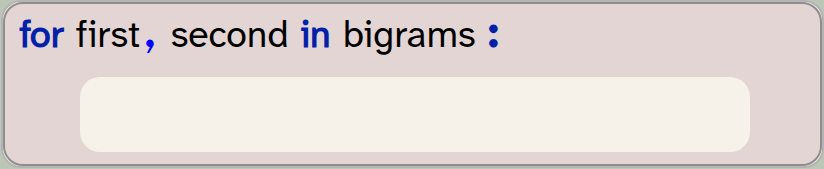
for first, second in bigrams:
    pass
Inside this loop, check whether the first word is the same as our previous word. If it is, add the second word of the bigram to the following list. For a first test, print the following list. Test it with several words as previous words. Does it look plausible?
Exercise 4.10 Extend your code so that your generate_next_word function randomly selects and returns a single word from the following list. Your project already contains an import statement for the random library. This library includes a function called choice, which takes a collection as a parameter and returns one randomly selected element. Thus, you can return a random word from your following list using this statement:
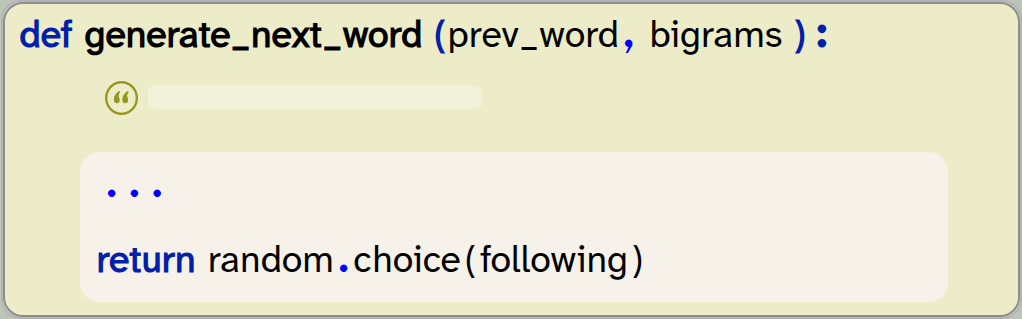
def generate_next_word (prev_word, bigrams):
    ...
    return random.choice(following)
Exercise 4.11 It is possible that the following list is empty, even after searching all the bigrams. In that case, the choice function will fail with an error: it cannot choose an element if there are no elements.
Extend your code so that it checks for this case, and returns any random second word from your bigrams if the following list is empty.
Exercise 4.12 Test your function first by calling it once with a given word and printing out the generated next word. Test multiple times with the same test word. Does it always return the same next word, or different ones? Explain what you observe. Then try it with different start words.
The choice(list) function from the random library randomly selects an element from the given list. Import random to use this function.
We have now reached a stage where we can give a word and a list of bigrams to our function, and it will return a plausible following word. It is plausible in the sense that there is at least one occasion in previous writing where this sequence of words appeared. While producing a single next word does not seem like much of an achievement, generalising this to produce longer text is now very straightforward.
4.4. Generating text
The only additional thing that is needed to go from generating a word to generating longer text is to do so repeatedly. If we put our call to generate the next word into a loop, and at each iteration take the previous word that was produced as the input word, we can generate sequences of text of arbitrary length.
Let us try that with the following exercises.
Exercise 4.13 Put your call to the generate_next_word function in a loop, so that it generates 50 words. At first, use the word "It" as the start word, and make sure that you use the generated word as the previous word in the next loop iteration. Print out each word as you run through the loop.
Exercise 4.14 Initially, your words may be printed on separate lines, one word per line. This is because the print function automatically ends each output with a line break. You can change this by specifying what should be printed at the end of the output by using the end parameter:

print(word, end=" ")In this example, we have specified that a space should be printed after each word instead of a line break, so all words will appear in the same line. Change your code to do the same.
The end parameter of the built-in print function determines what is printed after the output. The default value is a line break, but we can change this to other characters by setting this parameter.
A copy of the project with all this functionality implemented is in the book projects as text-generation-v2. Feel free to compare your own code to the one in that version.
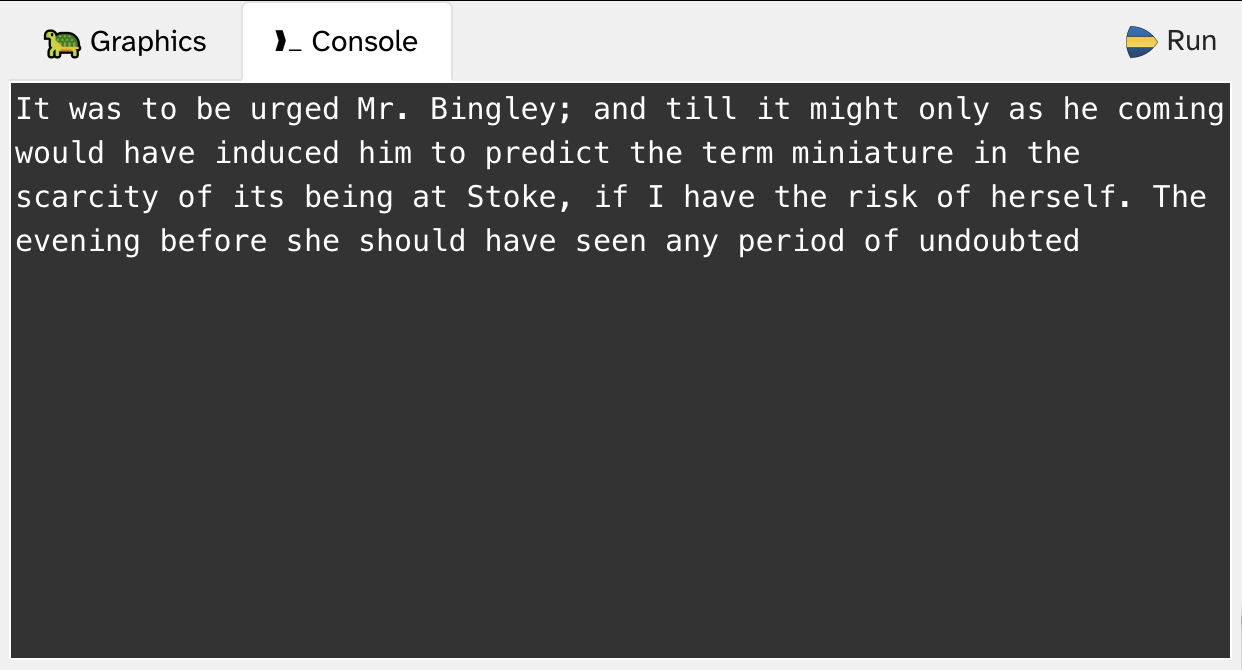
4.5. Summary
So what have we achieved so far?
We can now read in a training text that generates a list of bigrams. The bigram-list is our "model" – this is what is used to generate text later on. We "train our model" by reading in text and generating the bigrams. The kind of text documents we train our model on determines the kind of language our system produces. If you train your model using a different text, it will produce different language. (Try it out!)
Of course, we could read in not just a single book, but a whole stack of books. The more text we use to train our model, the closer our system will follow normal English speech patterns.
When we look at the output (for example, in Figure 4.5), we can see that the result so far is somewhat entertaining, but not very impressive. Very superficially, it looks like English, but there is no recognisable grammar, and this output is not fooling anyone. We will improve this in the next chapter.
Another observation is worth pointing out: This time, we have not stripped out punctuation when we split the text into words. As a result, punctuation is still included in the bigrams, and thus in the output. The words "it" and "it," are just considered different words, and handled separately, each with their own following words. This makes the resulting text look more natural.
-
A bigram is a pair of two adjacent elements from a list, such as two consecutive words in a text.
-
The zip function merges two lists into a single list of tuples, pairing the elements of each list.
-
The choice(list) function from the random library randomly selects an element from the given list. Import random to use this function.
-
The end parameter of the built-in print function determines what is printed after the output. The default value is a line break, but we can change this to other characters by setting this parameter.
Sentiment analysis
Another task that text analysis is used for is sentiment analysis. This is a technique to analyse how positive or negative the sentiment in a body of text is. This might be used by a company to monitor the comments or reviews left online for their products or services. Doing this, they might find out if customers are unhappy with their purchase. Another use might be for political parties which want to find out about the attitude of the population to a specific topic; again, this might involve analysing online comments.
Sentiment analysis is usually based on a simple idea: we just count how many negative words and how many positive words are used in a text.
The project sentiment-analysis does just that: it loads a large dictionary in which words are annotated with various characteristics, including information whether they have positive or negative connotations. From this, it builds a list of positive words and a list of negative words.
In its current form, it does not do anything very interesting with it – it just counts positive and negative words in a given text.
You could extend this project in various ways: You could run the sentiment analysis separately for each chapter of a book, to investigate the dramatic arc of a story. Do this with "Frankenstein" or with "Pride and Prejudice", and see how the tension changes during the storytelling. You could even plot the arc as a graph. Another possibility is to find reviews of films or products and run the analysis on those. Have a go and decide how you want to present the sentiment.
Chapter 5. Generating text: Making improvements
We have seen, in the previous chapter, that we can produce text output by generating bigrams from a source text and then using those to generate each next word. We have also seen that this text looks only very superficially like English – the sentence structure is very obviously wrong, and the words do not really fit together very well.
We will now work on improving this.
5.1. Improving the model
What we have called our "model" is a simple list of bigrams: a list of words that can follow another given word. We have used this to produce our sequence of words. This looks a little bit like English, but the word sequence is frequently odd and a bit too random. What, for example, should be the next word if the previous word was "your"? Could you predict a reasonable next word?
It is obvious that the possibilities are very wide, and you are unlikely to come up with a word that makes much sense in any specific context.
But how about predicting the next word if the previous words were "How is your"? Now the options for a reasonable next word are much narrower, and you can probably come up with a few choices that could make sense ("How is your mother?", "How is your headache?", etc.)
The idea we get from this observation is quite straightforward: Maybe we can improve things if we look at longer sequences of words.
5.2. Bigrams to trigrams
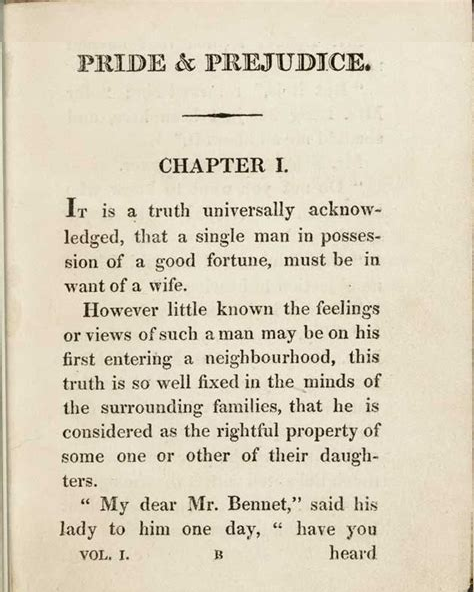
Let us start investigating this idea in a simple form at first: instead of looking at bigrams – pairs of words – we look at trigrams: sequences of three words. Consider, for example, the text from Figure 5.1:
It is a truth universally acknowledged,
that a single man in possession of a
good fortune must be in want of a wife.
The trigrams from this text are all the three-word sequences that occur in the text. We can write them down in a list; they are:
(It is a)
(is a truth)
(a truth universally)
(truth universally acknowledged,)
(universally acknowledged, that)
(acknowledged, that a)
(that a single)
…
Once we have a list of trigrams, we can produce new text with a similar idea as before: we predict the next word. This time, however, we do not only look at the preceding word – we look at the two preceding words. Given the two previous words in a text, we then find the trigrams where the first two words match the two preceding words, and we select the third word from one of the matching trigrams as the next word in our generated text.
In Python, each of the trigrams is stored as a tuple of length 3, and all the trigrams – as before – in a list. Generating the trigrams is quite straightforward, since the built-in zip function can also merge three lists together (or, in fact, any number of lists).
As before, we have to generate lists with the words shifted by one word, and we do so by slicing off the first word for the first copy, and the first two words for the second copy (Figure 5.2).
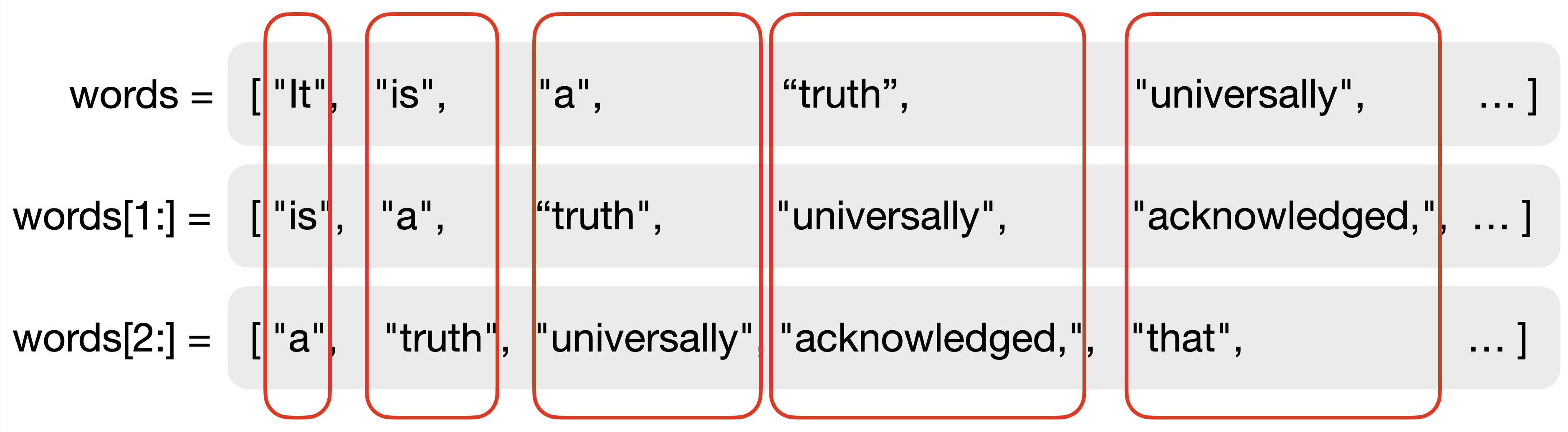
In our program, generating the trigrams then looks like this:

trigrams = zip(words,words[1:],words[2:]) The zip function can merge not just two lists, but any number of lists. With n lists, the zip function produces a single list of n-tuples.
Change your entire program to work with trigrams now, using the following list of exercises.
Exercise 5.1 Change your make_bigrams function to make_trigrams. In the function, generate and return a list of trigrams. (Make sure to update the function comment.)
Exercise 5.2 Change your generate_next_word function so that it generates the next word from two previous words and your list of trigrams. Return the last word from a trigram where the two first words match the previous words.
Exercise 5.3 Adapt your test code in your "My code" section to set two start words, and then generate the next 80 words from there. It works well if you use fairly generic start words, such as "It" "was".
If you find these exercises difficult, you can compare your attempt to our implementation in text-generation-v3.
If you have done the exercises so far – how is your output now?
You will see that this simple improvement of our "model" – going from bigrams to trigrams – significantly improves the quality of the text it produces. Now the output looks almost like grammatically correct English! That is quite astonishing for such a simple algorithm.
Of course, the sentences are still gibberish – they don’t mean anything, and you cannot read any sense into them. We discuss below how Large Language Models (LLMs) manage to do better than this.
We can now, of course, go even further with the same idea: instead of using three-word sequences, how about four-word sequences? Or five-word sequences? This idea takes us from trigrams to n-grams, and we will discuss it below. But first, let us look at another idea to improve our system: improving our training data.
5.3. Improving the data
There is a very simple change that we can make to improve the quality of our system: use more data.
In real LLMs, the models are trained on millions or billions of documents. Many of them are fed any text you can access on the Internet, and much more besides.
We will not use that amount of text, but we have two files available that contain just a bit more than a single book. The Strype file system folder includes a file called /books/fairy-tales.txt, which holds the full text of 65 fairy tales by the Brothers Grimm, and another file called /books/sherlock-holmes.txt, which has the text of 27 Sherlock Holmes stories (three books and 24 short stories). Try your program with these texts as the training data.
Exercise 5.4 Change the file you read in to build your trigrams. Use the file /books/fairy-tales.txt. Run your program. How is the output changed from before?
Exercise 5.5 Do the same again with the file /books/sherlock-holmes.txt as the training data. How does the output differ now?
A version of the project with these changes is in the book projects as text-generation-v3.
If you did these experiments yourself, you will have noticed two things: Firstly, using longer texts to "train our model" improves the quality of the output. The more text we feed in, the more closely the output resembles actual language. We have not, in fact, used very much data. Even the "sherlock-holmes" file contains only about 330,000 words. This is minuscule in the context of large language models, but it already starts to deliver quite surprising results.
And secondly, the content of the text we feed into the model determines the language and style of the text that is produced.
These two observations lead to two very significant issues: Firstly, with the aim to be able to produce any kind of output, large AI companies have been scanning all writing they could get access to. This includes, for example, millions of published books. For the performance of the system, this is great: you can tell your AI system to write a short story in the style of Stephen King, and it will very competently do this. It has read in all existing Stephen King stories, and so it can copy the style amazingly well.
The problem is that these stories are under copyright, the AI companies have not legally licensed them, and Stephen King has not explicitly given his permission.
So, is this legal?
Currently, this is an undecided question. The AI companies argue that it falls under the "Fair use" clause in copyright law, since the source works are not reproduced directly. Many authors argue that this is copyright theft, since their own original hard work is being used – and being commercially exploited for profit – by other companies without their permission.
The second problem is the sheer amount of data involved, and the amount of processing power and electricity required to process it. Reading and transforming the "sherlock-holmes" file is trivial, and a standard laptop can easily do it. But processing the amount of data involved in real LLMs – more text than the content of all the libraries in the world combined – requires so much processing power that the environmental impact is immense. Power is not only needed to train the model (this is only done infrequently), but for every single question that an AI system is asked to answer. Even the most trivial query requires huge processing power and consumes large amounts of energy.
To cope with this, AI companies are building huge data centres in many areas of the world, full of processors which only serve AI queries from users. A single data centre can consume as much energy as a city of a million people. For the environment, this is a disaster; it creates significant new problems for the goal of reducing the environmental damage which we cause.
Exercise 5.6 Research "fair use" in copyright law. What is it? What does it allow, and what does it not allow?
Exercise 5.7 Do you think AI companies should be allowed to use copyrighted books without the author’s permission? Name some arguments for both sides of this argument. What about films or TV programs? What about using the likeness of a famous person?
Exercise 5.8 Try to find out where the nearest data centre is to the place where you live. Try to find some information about the amount of energy a data centre consumes. If you can, try to find this information for the data centre nearest to you.
Exercise 5.9 Try training the system with some of your own writing. Find as many pieces of text you have written, copy them together into a single plain text document (there is no need to maintain formatting), and then see what your system produces from your own words. (Again, refer to Appendix B for information how to access your own files.)
One other interesting observation is this: Our algorithm needs absolutely no understanding of the words it produces. If you feed in a text in Spanish, it will happily produce Spanish output. Or any other language written in our alphabet. (Try it!) The outcome is quite impressive, but it shows that the system has no understanding of the text at all – it just shuffles words around.
5.4. Trigrams to n-grams
We already mentioned the next obvious improvement above: using even longer sequences of words to match before selecting the next word. But instead of making a version now for sets of four or five words, let us generalise our algorithm: we can write a function that can produce n-grams (groups of n words) for any given n.
An n-gram is a sequence of n consecutive tokens from a list, such as n words from a text.
We are getting into quite advanced territory now. Let us start, this time, by analysing and studying a solution to this problem.
Exercise 5.10 Open the project text-generation-v4. This project shows an implementation for our algorithm using n-grams (with a flexible n) instead of bigrams or trigrams. Read the program text and write down all statements in the code that are new or unclear to you.
Let us go through the program and investigate the interesting aspects more closely.
We can see that the make_ngrams function now has two parameters: the source text (text) and the n to specify the length of our n-grams:
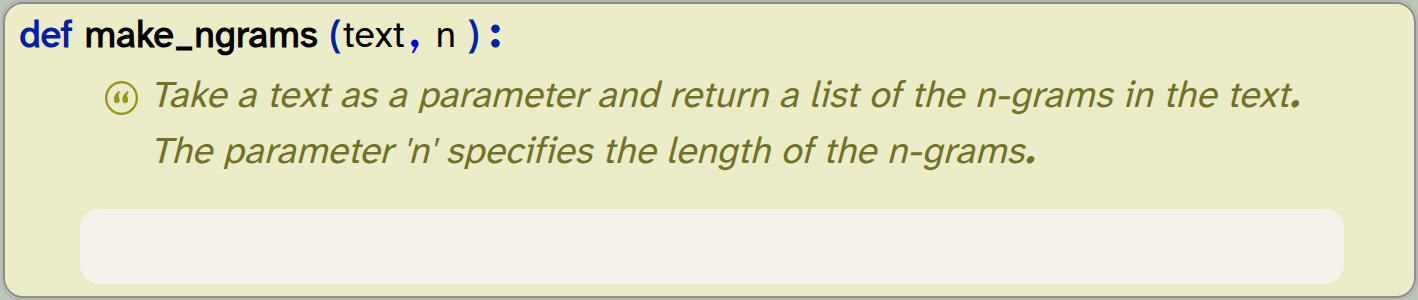
def make_ngrams(text,n):
    '''Take a text as a parameter and return a list of the n-grams in the text. The parameter 'n' specifies the length of the n-grams.'''
    pass
To create our n-grams, we now need n lists, each shifted by one word. We do this by creating a list of lists, and adding the individual lists to it:
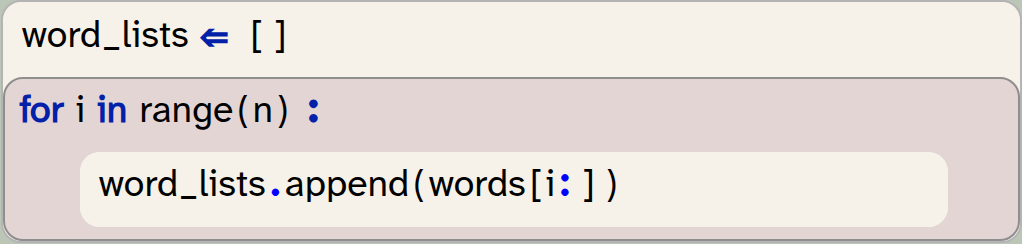
word_lists  = []
for i in range(n)  :
    word_lists.append(words[i:])
Think through this code carefully: You will be able to see that it creates n separate lists, each with a different number of words cut off at the start by slicing, and then adds these lists to another list of lists (word_lists).
The next line contains a construct we have not seen before:

ngrams = zip( * word_lists) Here, we have a list, preceded by a single asterisk (*). The * operator, when written as a prefix before a list, is the list unpacking operator: It takes all the elements of the given list and presents them as separate parameters. For example:

list = [1, 2, 3]
print (*list)
is the same as writing

print (1, 2, 3)The elements of the list are unpacked into separate parameters, and then passed to the print function. In the same manner, the statement
ngrams = zip( * word_lists)is the same as writing

ngrams = zip(word_lists[0], word_lists[1], word_lists[2], word_lists[3])if the length of the list is 4. The power of this operator is that it works for any length of a list. We could not write the fully written out alternative without knowing in advance how long the list is.
A unary *, written before a list, is the unpacking operator. It turns a list into separate parameters. Thus, print( * [1,2,3]) is the same as writing print(1,2,3). The unpacking operator also works with tuples and other iterable types.
In the generate_next_word function, the most interesting statement is as follows:
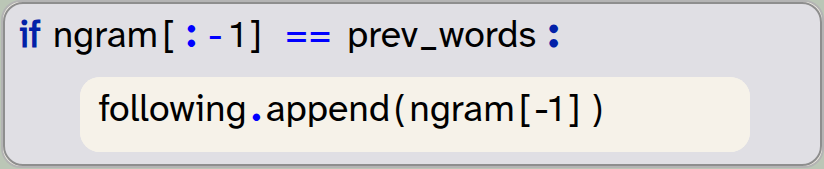
if ngram[:-1] == prev_words  :
    following.append(ngram[-1])
Here, we make use of the fact that we can use a negative index both for slicing, and for accessing elements in a tuple. If we have a tuple

t = ("ab", "cd", "ef", "gh")and then we create a slice t[:-1], we are slicing from the beginning of the tuple to one position before the end (-1). The resulting tuple will be
("ab", "cd", "ef")
Similarly, we make use of the fact that we can write t[-1] to refer to the last element in a tuple. Taken together, the if-statement above checks whether the n-1 first words of the n-gram match our previous words, and if they do, append the last word of the ngram to our results list.
Study this code until you are comfortable with it. Don’t be surprised if this looks difficult or confusing at first – this is getting into more advanced areas than we have seen before, and it is not surprising if understanding this is not easy at first.
Another few observations are worth making about this version of our project:
-
We are now providing more than one source file as our training text. Look at how this is done.
-
In the program, we are using 4 as our length for the n-grams. Therefore, we must provide an initial prefix of 3 start words to start off our algorithm.
-
When we print out the initial three start words, we use the unpacking operator again, this time for a tuple.
-
An obvious thing to try now is to use values greater than 4 for our n. This is now easy in principle, but we would soon discover that this does not work well with the amount of text we are using as our training data. We would not find enough n-grams of length five or six in the text without using much, much more data, so we are reaching the limit of this technique here. The section at the end of this chapter gives a brief discussion how LLMs deal with this problem.
-
An obvious improvement now would be to start with n-grams for a given n, and if no match is found, fall back to (n-1)-grams, then to (n-2)-grams, and so on. We leave this as an exercise for the reader.
Exercise 5.11 Run the program several times and observe the output. In going from length 3 to length 4 in our n-grams, has the quality of the output improved?
Exercise 5.12 Add more text to the training text. Observe how this changes the output.
You will see that the produced text now looks pretty good, even though we are still using quite a simple algorithm, which we can write in a few dozen lines of code. Before we wrap up this chapter, we will look at two more internal improvements we can make to our program.
5.5. Using list comprehensions
In this section, we will not make any improvements to the functionality of the program. Instead, we will just write the same functionality using different Python constructs.
If you like, you can safely skip this section. If you are mainly interested in learning about the principles of programming, then the solution we have written so far is perfectly good; we have used lists, loops and if-statements to build and process our data structures, and this is how we could do the same in many different programming languages. It gives us a good understanding how this algorithm works.
If, however, you are interested in the specific details of Python, then read on. Python has some constructs that allow us to write the same code more concisely. This version makes use of list comprehensions, which is an elegant way in Python to achieve the kind of processing we have used here.
Exercise 5.13 Open the text-generation-v5 project. Run it, then study its code. Find all the statements that look unfamiliar to you.
The statements most likely to be new to you have a form we have not seen before. For example:

following = [ngram[-1] for ngram in ngrams if ngram[:-1] == prev_words]This is called a list comprehension, and it is a construct that can create a new list by filtering and mapping elements from a source list. Let us assume we have a list of numbers:

list = [32, 4, 77, 71, 6, 99, 101]We can then create a new list that holds all elements from the original list which are greater than 10 by writing the following:

new_list = [e for e in list if e>10]This code is equivalent to writing the following without list comprehensions:
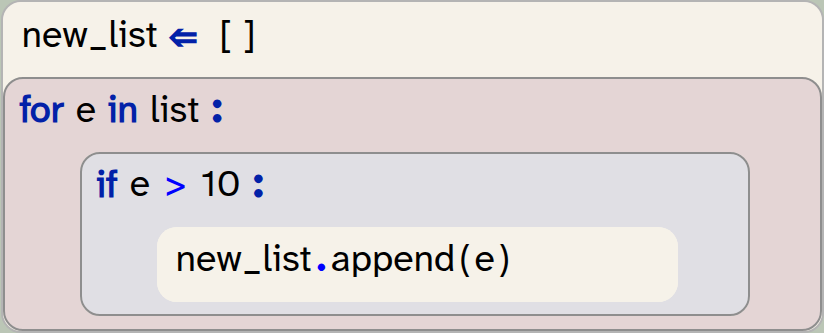
new_list = []
for e in list:
    if e>10 :
        new_list.append(e)
Using list comprehensions has a number of advantages:
-
The code is shorter than before. We can achieve the same result with fewer statements. While beginning programmers often find this syntax confusing at first (and may prefer the longer loop version), practised Python programmers typically find the list comprehension version more elegant. After programming in Python for a while, programmers become familiar with this syntax, and it becomes as easy to read as other statements.
-
The version using list comprehensions is typically faster than the loop version. Internally, the system can optimise the code and achieve better efficiency.
We will not discuss this variant in detail here. If you aim at becoming an expert Python programmer, then you should study this construct more closely. You can do this by reading Appendix C: Python list processing, and then studying this version of the project.
A list comprehension is an alternative construct to filter and process elements from a list to create a new list. It is a Python construct that allows efficient and elegant expression of these kinds of tasks.
5.6. A performance improvement
One last change that we will briefly present here is another improvement that is not essential, but may be interesting to study. Again, this is an advanced topic, and you can safely skip it if you like.
This version of the project is provided in the program text-generation-v6. You can open and study this version.
The main difference in this version is that we are now using a dictionary, instead of a list, to hold our n-grams.
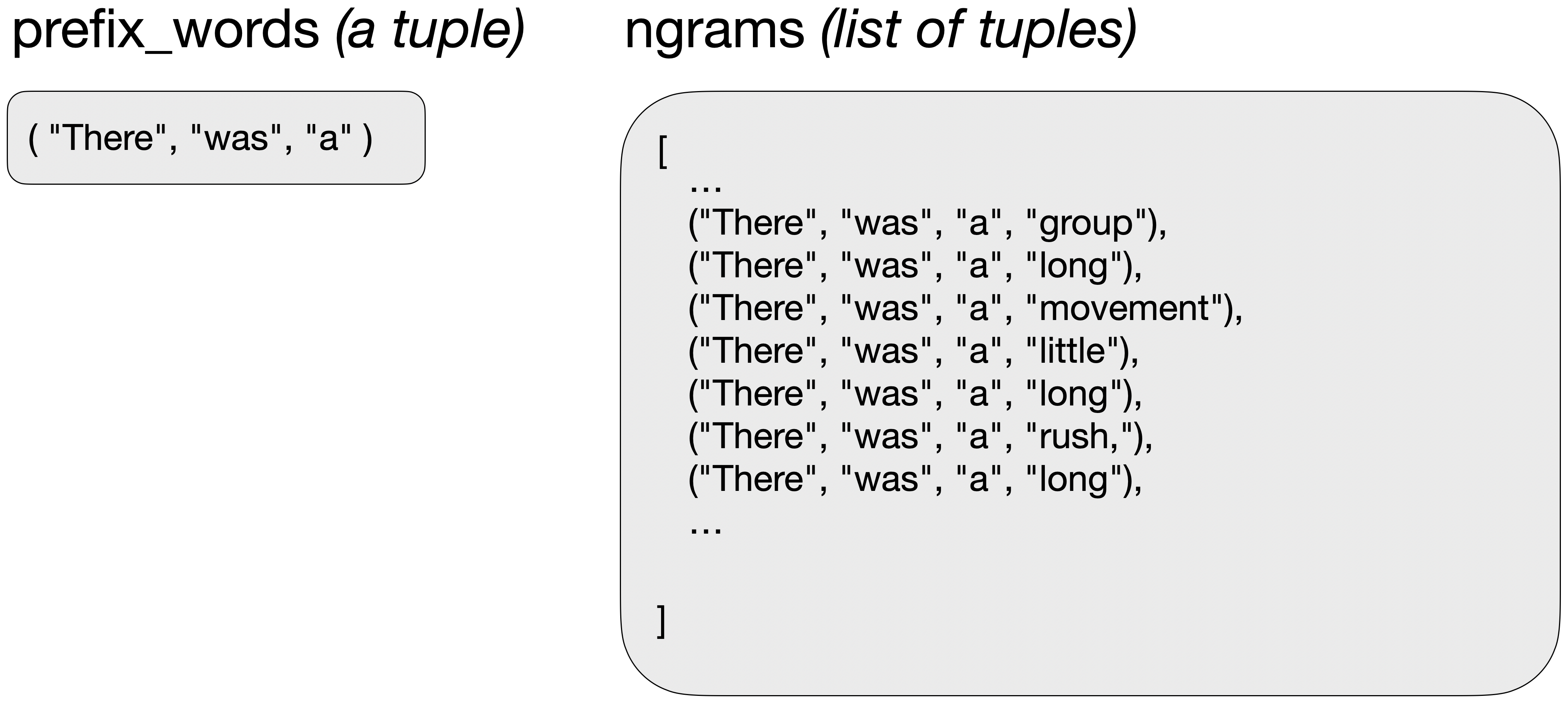
Previously, we had a list of n-grams, and every time we wanted to find a next word, we would provide a prefix tuple with the previous words, and then search our list for n-grams where the first n-1 elements match our prefix tuple (Figure 5.3). As a result, each new word involved searching our entire n-gram list again.
In our new version, we instead create a dictionary. The keys in the dictionary are the n-1 words of each n-gram, and the value for each key is a list with all the possible following words (Figure 5.4).
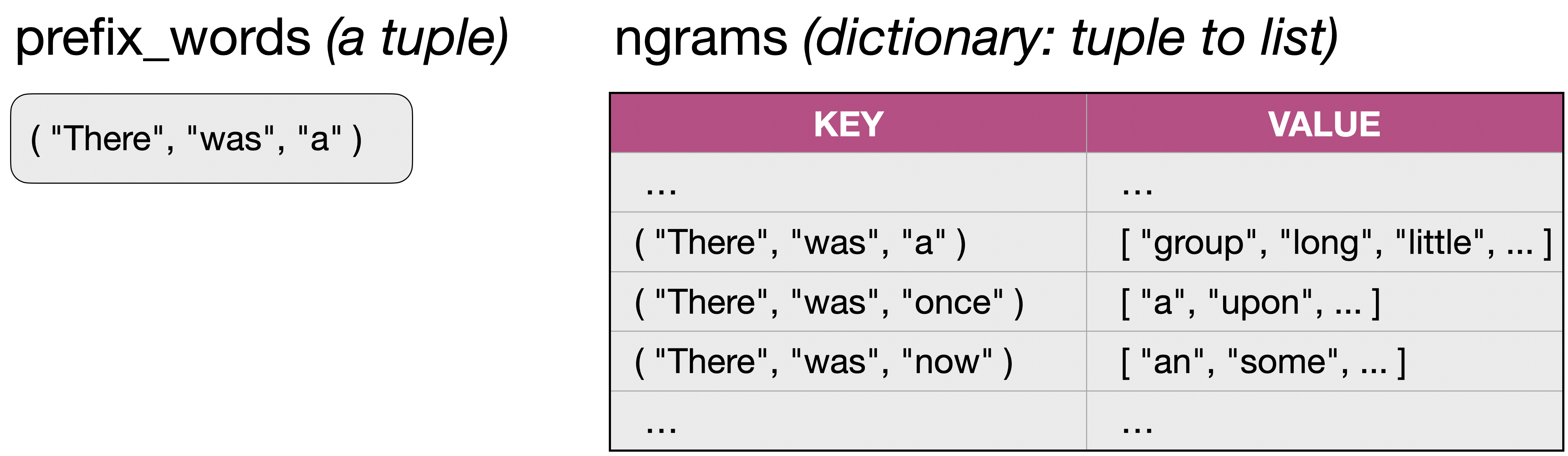
Now, finding each next word consists of one dictionary lookup, and then a random selection of the following word from the list of possible words. Since a single dictionary lookup is much faster than searching a whole list, this version performs much better.
Exercise 5.14 Use a previous version of this project to generate 500 words. Time how long this takes. Then do the same with this version of the project. How do the times compare?
Lookup in a dictionary is much faster than searching through a list.
Discussing this solution in detail is beyond the scope of the book, and we leave it to the interested reader to study this version. It is included mainly for especially keen or advanced readers – you can safely progress without studying it.
5.7. Large language models
We have seen that our model does not come close to the abilities of current AI systems, and there are many reasons for this.
Firstly, there is room to improve our current system. One idea is again simple: use longer chains of words. We have used n-grams with a small n – no more than 4. If we had much more source text (such as a whole library), we could work with longer n-grams.
Using more contextual words does indeed improve the performance of these systems. And the project that we investigated in this chapter does indeed give a glimpse into the history of text processing.
Until the mid-2010s, n-gram-based systems were considered the state of the art in text processing. They were successfully used in predictive text systems and speech recognition.
After that, text processing systems evolved significantly, and modern LLMs have a number of important differences that make them more effective:
-
While n-grams use a fixed size window of the last n-1 words, LLMs use flexible and much larger windows – often thousands or millions of tokens. Doing this, they can make long-range connections, important for staying on a topic, making arguments, and so on.
-
N-gram systems typically work with lists of words. In LLMs, each word is represented not by its actual letters, but by a large, multidimensional vector that encodes many aspects of the word. This includes semantic and contextual information, which helps to make many more connections. For example, it may know that "cat" and "dog" are somewhat related words, even though their letters are entirely different. This helps the model to generalise and transfer knowledge between related concepts. n-gram chains then do not have to match words exactly, but can look for closely related words.
-
LLMs are trained not by simply counting or storing the words and probabilities, but using neural networks, which expose much deeper connections between words. They also implicitly learn about grammatical structure and language patterns.
The resulting systems are known as generative pre-trained transformers (GPT). The full details of these are more complex than we can discuss here. But ultimately, they are generalisations of the simple system we have built here. Or in other words: An n-gram model is a special, extremely limited case of what a GPT transformer can represent.
N-gram systems, however, are not obsolete. They continue to be useful in predictive text, spell checking, speech recognition, and in document retrieval systems.
While our project here does not allow us to understand fully how LLMs work, it does give an insight into the core of the idea that underlies LLM-based AI systems. Perhaps most importantly: It is still the case that LLMs have no real understanding of the content and meaning of the text they produce, and are ultimately based on clever manipulation and prediction of language. These systems may state an entirely invented "fact" with the same confidence as an obvious truth.
AI companies are working hard to improve the reliability of LLMs. This tension, however, between our desire of trust and these systems, which ultimately just manipulate language, will remain at the core of the issue of reliability in AI systems for some time.
Exercise 5.15 Ask an AI system to produce the first 80 words of a short story inspired by Sherlock Holmes. Compare the output to that of your own system. What differences can you identify?
5.8. Summary
The implementation of the improved n-gram algorithm in this chapter has given us more practice with tuples and lists. We have seen how we can use these data structures very flexibly to solve a number of very different problems. While doing this, we have also gained an understanding of how text prediction systems can work, such as those used for predictive text in messaging apps.
We have, however, only scratched the surface of the possible uses of lists and other data structures. In the next chapters, we will look at the use of these classes in an entirely different context.
-
The zip function can merge not just two lists, but any number of lists. With n lists, the zip function produces a single list of n-tuples.
-
An n-gram is a sequence of n consecutive tokens from a list, such as n words from a text.
-
A unary *, written before a list, is the unpacking operator. It turns a list into separate parameters. Thus, print( * [1,2,3]) is the same as writing print(1,2,3). The unpacking operator also works with tuples and other iterable types.
-
A list comprehension is an alternative construct to filter and process elements from a list to create a new list. It is a Python construct that allows efficient and elegant expression of these kinds of tasks.
-
Lookup in a dictionary is much faster than searching through a list.
Beatbox
It might be interesting at this time to get back to a more graphical project – one using a graphical interface and sound. It might also be a nice change to work with a more interactive program again, rather than examples that process text files.
The topics we have studied so far – different types of collection classes and how they can be used and combined – are also highly relevant for more sophisticated graphics and sound projects. The example we are providing here – beatbox – gives you a good case study: it uses a list of percussion sounds, a list of lists to provide a two-dimensional grid, and stores tuples in actor tags to attach information to graphical actors.
It is well worth studying this example to become more familiar with the use of collections in other contexts.
Chapter 6. Putting it all together: Making a game
Throughout this book series, we have introduced a large number of new concepts. In Volume 1, we started from the very beginning, reading and writing our first lines of Python code. We advanced quite rapidly through a long list of constructs. In the second volume, we learned to use more data, largely by processing text.
In this book, we have introduced and experimented with the collection classes – lists, dictionaries, etc – which are equally important to know for a good programmer.
In this chapter, we will work with a new project – a game – that lets us use all of these constructs again and put them all together. We will introduce a few new techniques, but not many. You know most of the important constructs and concepts now, but there are still interesting new ways to combine them to create more interesting outcomes. One particular thing we will do here is to combine various collections in more interesting ways.
We are also progressing in another way: In this chapter, we will provide less explanation of the details than we have done before. You are now expected to fill in larger parts yourself. We will discuss the core ideas and structure of this game in some detail, but then leave many of the tasks that make this game interesting for you to complete, invent and implement.
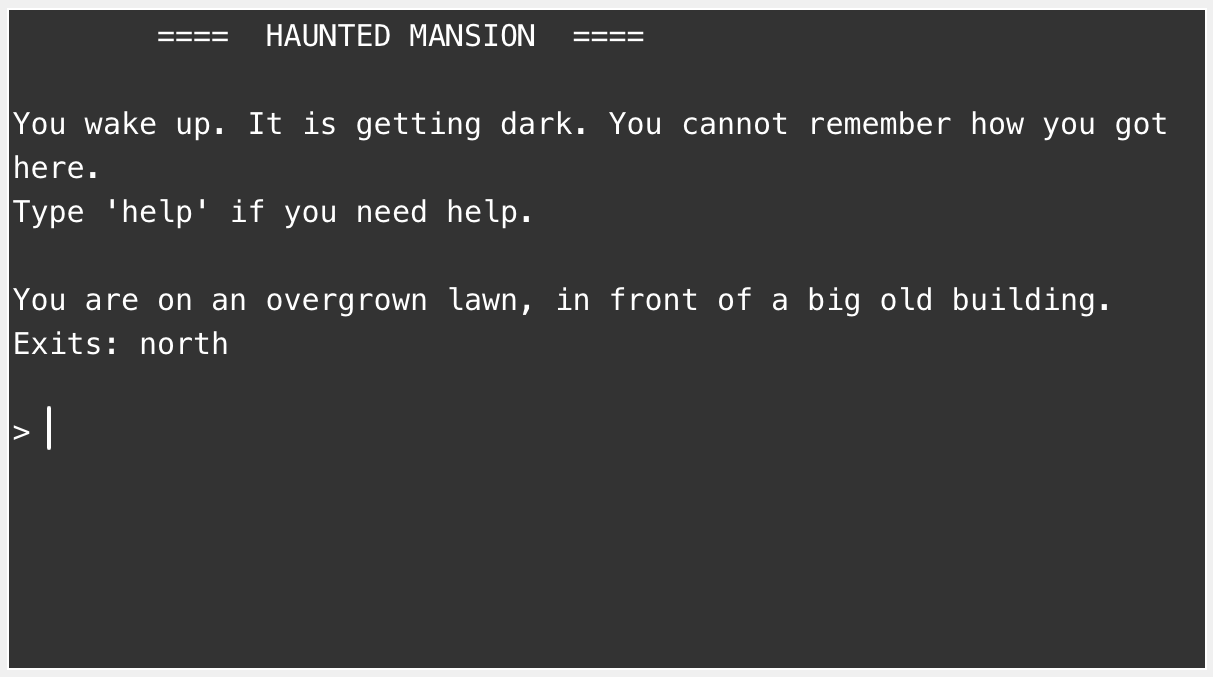
6.1. Haunted Mansion
The game we will work on in this chapter is a text-based adventure game named Haunted Mansion (Figure 6.1). Games like these have a long tradition in computing. Using purely text-based output looks quite old-school, but you will see how you can build really fun games with this idea. And we will look at adding graphics and sound towards the end of this chapter.
 Our Haunted Mansion game is modelled on the original "Adventure" game that was developed in the early 1970s by Will Crowther and expanded by Don Woods. The original game is also sometimes known as the Colossal Cave Adventure. It was an amazingly interesting and sophisticated game for its time, and involved various tasks of finding your way through a cave system, collecting treasure, using secret words and various other mysteries, all in an effort to score the maximum number of points. You can read more about it at sites such as https://rickadams.org/adventure, or try doing a web search for “Colossal Cave Adventure.” You can still find playable versions of this game online.
6.2. Exploring the game
To start this project, we will use a partially developed version of this game. You can find it in the Chapter 6 folder as haunted-mansion. Once you open this project, you can see that there is already a good amount of code there, so our first task will be to analyse and understand the existing code. This is a valuable skill: When you work with software development, it will happen much more often that you make extensions and improvements to an existing software system than starting your own new project from scratch. Code reading is almost always at the start of a new project.
So let us get stuck in and find out what this project can do so far.
Exercise 6.1 Open and explore the haunted-mansion project. Play the game to find out what it does, and then describe what you found. Include the following:
-
Describe the story that it presents to you.
-
What are the valid command words in the game?
-
What happens when you use a command word that the game does not understand?
-
How many rooms are there in the game?
Draw a map of all the rooms in the game, indicating how they connect to each other.
The exercise above has shown you that the game, at this stage, does not do very much, and is certainly not interesting to play. It will be our task in this project to change that.
Before we jump in and make improvements, however, let us try to understand how the code works that is already there. You can make a start on this by working through the next set of exercises.
Exercise 6.2 How many functions are defined in this program? Make a list of all the functions and for each, describe (in one or two sentences) what it does.
Exercise 6.3 What are the parameters of the process_command function? What expectations are there for these parameters?
Exercise 6.4 What does the process_command function return?
Exercise 6.5 What happens when you use the 'go' command without a second word? Where in the code is this handled?
Exercise 6.6 What happens when you use the 'help' command with a second word? Explain, with reference to the code, why this is.
6.3. Creating your own game idea
From this initial exploration, we can see that there is some useful code already in the project. It gives us a good starting point for a game of this type, but it does not implement a game as such. Nothing interesting is happening.
Throughout this chapter, we will work on improving this game and make it into something that is actually fun to play. However, as a first task, you should invent your own game idea. You do not need to make yours a game set in a haunted mansion, you can invent your own story, your own setting, and your own challenges.
This project works very well as a pair or group project. If you have a friend who also likes to program, or if you are in a class with other students, it can be great fun to pair up in teams of two or three and work on this project together. Especially the next set of exercises, which is all about developing ideas, is more fun when done with others.
Exercise 6.7 Invent your own story line for your game. Think creatively! It does not need to be a haunted mansion, it can be any other location. Perhaps your own school, or a dungeon underground with trolls and other monsters, or a Harry-Potter-style setting.
You can also think much more widely: The locations in the game are called "Rooms" in the program, but they do not need to be actual rooms. They can be any type of location. Maybe you are moving through your city, from place to place, or even from city to city (where each game location is a different city). You can go even bigger: you could make it a space game where each location is another planet. Or go small: maybe the player is travelling through a human’s body via their blood stream to find and eradicate a disease.
In short: don’t be constrained in your ideas by what is there at the moment. Invent a new and interesting scenario for your game.
Exercise 6.8 Invent a story line for the player. This should set the task of the game (What does the player try to achieve?), and define an end to the game: How can we win?
Exercise 6.9 Invent as many interesting challenges as you can think of that the player might encounter during this game. Puzzles? Traps? Helpful characters you can meet? Mazes, teleporters? Anything that fits your theme and adds interest. Do not worry at this stage about how your ideas may be implemented. This exercise is about ideas and imagination, not about technology. As many ideas as you can, as crazy as you like.
Exercise 6.10 From the exercise above, select a number of ideas and try to turn them into a game story. Make an initial plan of what your game may look like.
For the rest of this chapter, we will continue with our haunted mansion theme, but you should instead work on your own game version.
6.4. Analysing the code
From the exercises above, you will have gained an initial understanding of the structure of the code. There are, however, a number of details which will probably not yet be clear (that is normal), and it is worth investigating a bit deeper.
One way to become more familiar with existing code is to try to make small changes, and see whether your initial assumptions and guesses are correct. The existing code is actually quite well written: There are well chosen function names, functions all have comments, and the variable names give us good clues what they are used for. All this is a great help. Imagine the same code with no comments and bad naming – it would be a nightmare to untangle! (This shows you the importance of good naming and good documentation: when you need to read other people’s code, you appreciate when this is done well.)
Because of the clear naming, we can probably make some changes quite easily without understanding the whole structure. Let us try to make some changes of this kind.
Exercise 6.11 Change the names and description of the rooms. Internally, they can still be called Room at this stage, even if they are not technically rooms in your version. You can see that each room has two descriptions, a shorter and a longer one. (The longer one is provided currently only for the first room; it is missing for the other rooms.) The longer description is currently not used. It is here in preparation for a later extension, where we expect that we can inspect the location in more detail.
Run your program, and make sure you see your new location descriptions.
Exercise 6.12 Change the intro text for the game.
Exercise 6.13 Add a new command to the game: look. Make sure that the game recognises when the player types "look". Make a new function to handle the implementation of the look command. When this command is used, initially just print out "You do not see anything." (Later, we will make this command print out the long description of the current room. Also, you may have noticed that there are various items mentioned in the game code – a candle, a bottle, etc. – which we cannot yet see in the game. These should also be shown at some stage.)
These exercises should have shown you that some changes are quite straightforward. So far, so good.
The next step is to make our own map: add some more rooms and connect them, so that you can move in and out of each location. Looking at our code, we can see that creating rooms is easy. There are statements at the beginning of the setup function that create each room, and it is not hard to copy those and make more rooms. These statements, however, use a mechanism we have not seen before: a named tuple. We need to look at this more closely in a moment.
The other challenge is setting the exits. Linking the rooms together to move from one to the other looks a little more mysterious. It is worth investigating this part of the code more closely as well. Let us look at these two issues next.
6.5. Named tuples
To store the information for each room, we would like to store two strings: a short description (a single line) and a longer description, where we can provide a more extensive text.
We have previously seen that we can use a tuple to store two bits of related data together in one variable. We could now make a tuple with these two strings to store the room information:

outside = ("on an overgrown lawn, in front of a big old building.", "You look around. There is a big mansion, crumbling in some places, sinister looking, with gargoyles on the facade. The door is slightly ajar.")This works well to store the data we need.
When we later want to use this data (let’s say, we want to print out the long description), then we can access the elements in the tuple using an index. For example

print(outside[1])would print the long description. This works, but it is not nice. When we see the expression outside[1], it is not clear what gets printed. We would have to look up (or memorise) what is stored at index 1 to know what is going on. The code is correct, but not very readable.
To improve this situation, Python has an additional construct: named tuples. Named tuples are tuples like any other, but in addition to storing the data, we can give a name to each component, and to the tuple itself.
The original tuple stores only the data:

We can see that it automatically assigns an index, which allows us to access each component.
A named tuple stores the same data, but it allows us to attach a name to the tuple, and a name to each component:

If we do this, then we can use the name (instead of the index) to access a component:

print(outside.long_description)We can immediately see that this code is more readable. Without needing to memorise the details of the tuple, the code tells us exactly what is printed out here.
To use a named tuple instead of a standard tuple for our rooms, we have to do three things. First, we have to add an import statement to make the named-tuple functionality available in our program:

from collections import namedtupleSecondly, we create a description of our named tuple:

Room = namedtuple("Room", ["description", "long_description"])As we can see, this is an assignment. On the left hand side of the assignment is the type name of the named tuple we are creating. On the right hand side is a call to the namedtuple function (which creates the named tuple) with two parameters: The first parameter is a readable name for the tuple overall, and the second parameter is a list of strings with a name for each component. This creates the names which we can later use to access the components.
The third and last part is the creation of the tuple itself. It looks similar to the original creation of the tuple, but we now write the type name of the named tuple in front of the parentheses:

outside = Room("on an overgrown lawn, in front of a big old building.", "You look around. There is a big mansion, crumbling in some places, sinister looking, with gargoyles on the facade. The door is slightly ajar.")This turns our standard tuple into a named tuple. It does not store any more or less data, but it makes the resulting code much more readable.
A named tuple is a tuple with attached names for each of the elements. It allows us to access the elements by name (instead of by index), making our code more readable.
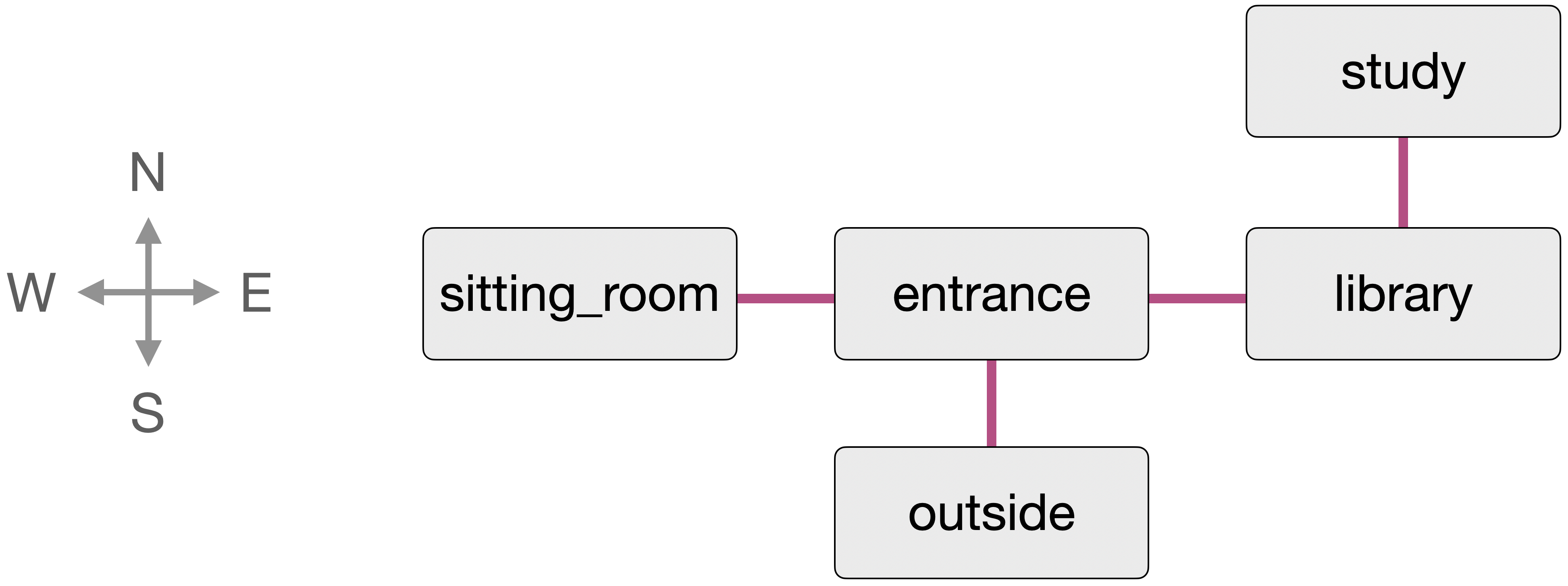
6.6. Exits: A dictionary of dictionaries
The other interesting aspect to investigate more closely in this example is how the exits are stored. Figure 6.2 shows the map we wish to represent for our game. So, how can we store this information?
In our setup function, we see these lines:

exits = {outside:{"north":entrance},entrance:{"south":outside,"west":sitting_room,"east":library},sitting_room:{"east":entrance},library:{"west":entrance,"north":study},study:{"south":library}}We should now be able to recognise that this is a dictionary: It is written with curly brackets, and the colons separate the keys from the values.
Exercise 6.14 What is the type of the keys of the exits dictionary? What is the type of the values?
Looking carefully at the exits dictionary, we can see that the first entry is outside : {"north" : entrance}. This is the key:value pair that makes up each entry in a dictionary. Let us look carefully at the types and values used here.
On the left of the colon is the key. It is outside, which is a variable holding a room. So the type of the key is Room. On the right side of the first colon is the expression { "north" : entrance }. This is itself another dictionary! So the value of the entries in our dictionary is another dictionary.
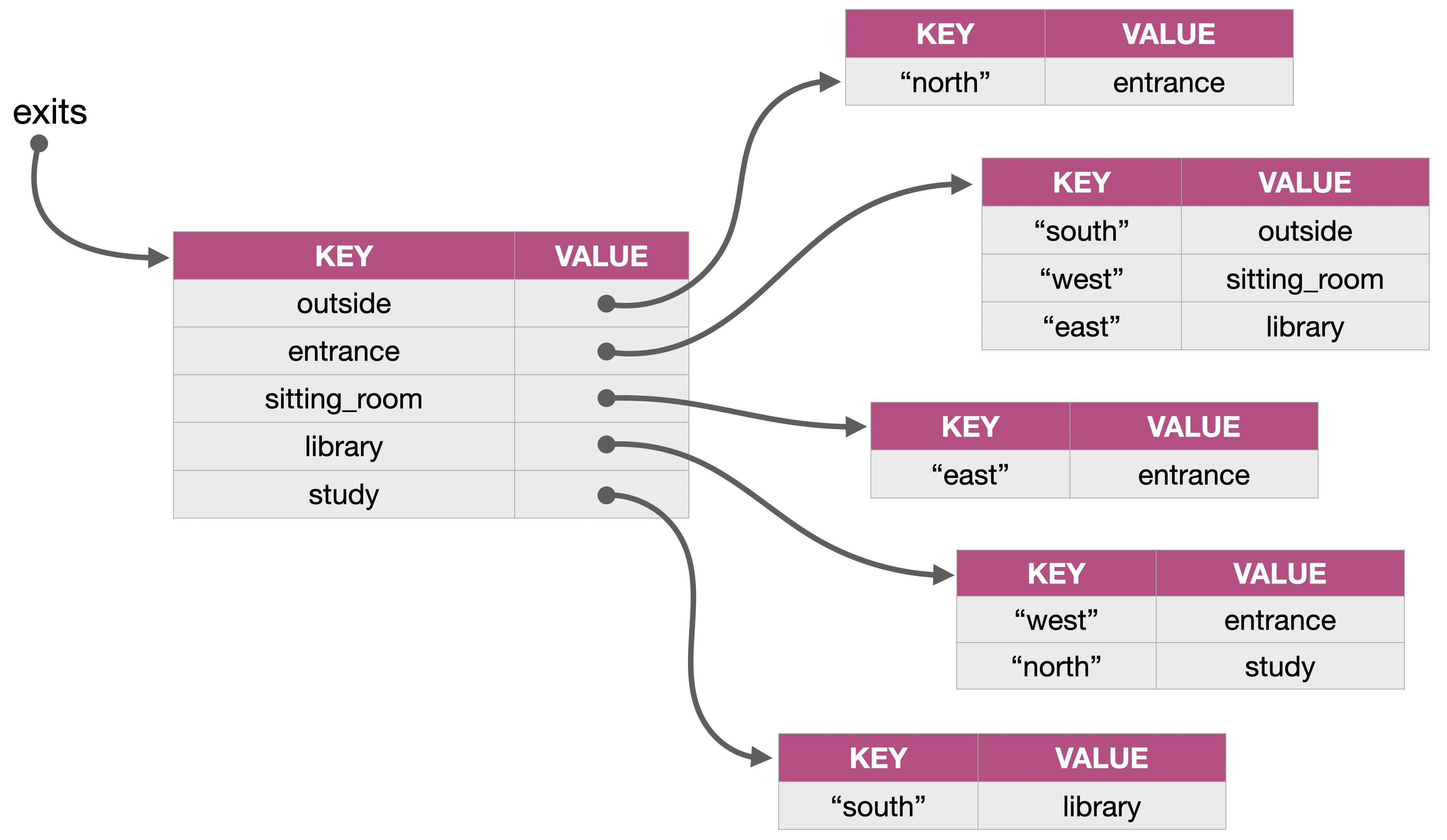
To fully understand this structure, it helps to draw a diagram. Figure 6.3 shows the data structure we are constructing here to store the information. It is worth spending some time studying this, and comparing it to the map in Figure 6.2, until you understand how this stores all the information about the exits.
Some observations are worth noting here:
-
We are not using anything here we have not seen before. We already encountered dictionaries earlier in the book, so the concept itself is not new. But we are putting things together in more complex ways: where we before used integers or strings as keys and values, we now used a dictionary of dictionaries. Over time, you will see more of this: As you become more practised at programming, you will not see as many new constructs anymore (after some time, you will know them all), but you will continue to put your constructs together in more interesting and powerful ways.
-
Using collections that hold other collections is not unusual. You will get used to this idea. We will see another example of this a bit later in this chapter.
-
If you look carefully, you will see that each direction of an exit is stored separately. For example, we store the information that north of the library is the study, and separately that south of the study is the library. We can use this to build special effects in our game. For example, if we had one of these entries, but not the other, then we can go one way, but not back. (A trap door? A hidden exit?) Or if we connect the rooms differently, so that the way back leads to a different room, then we can build really confusing labyrinths that it is hard to get out of…
Exercise 6.15 Make a map for your own game. Decide how your locations connect, and then implement this in your project. (Do not make it too big at this stage. Perhaps no more than a dozen locations for now.)
Exercise 6.16 The exit dictionaries are used when the player moves through the game. More specifically, they are accessed in the go_room function, which implements moving to a different room. Study this function carefully and explain how it works.
6.7. Items: A dictionary of lists
If you have read the code in this project carefully, you will have seen that it creates a number of items, which are placed into the rooms. When we walk through the rooms, however, the items are currently not shown. Let us fix this now.
Exercise 6.17 Items are defined using a named tuple, similar to the rooms. Find the place in the code where they are created, and answer these questions:
-
How many items are created in the program? What are they?
-
What information is stored about each item?
-
In which room is the candle?
Exercise 6.18 To store the information where items are located, the program uses the global variable items. This is again a dictionary, using the rooms as the key for the entries. But what is the type of the value of each entry? And what does it store?
Exercise 6.19 Draw a diagram of the data structure stored in the items variable.
Exercise 6.20 Create another item and place it outside.
We have seen here that items are created and correctly placed in the rooms. What is missing is telling the player about these items as they walk around. Let us do that now.
Exercise 6.21 Make sure that all items in a room are displayed on screen when a player enters a room. You can do this in the show_room_description function. This function already shows the room description and its exits. Add to this the display of the names of all the items in the room (see Figure 6.4).
Exercise 6.22 Implement a command "look" that may or may not take a second word. If no second word is provided, it prints out the long description of the current room. If a second word is provided, and it is the name of an item (e.g. "look candle") then it prints out the description of this item.
These last exercises are getting quite tricky. Do not be discouraged if you find them difficult at first. It may help to discuss them with others if you have people nearby who you can work together with. If you can solve those tasks, and fully understand how they work, then you have reached a good level of understanding of data structures.
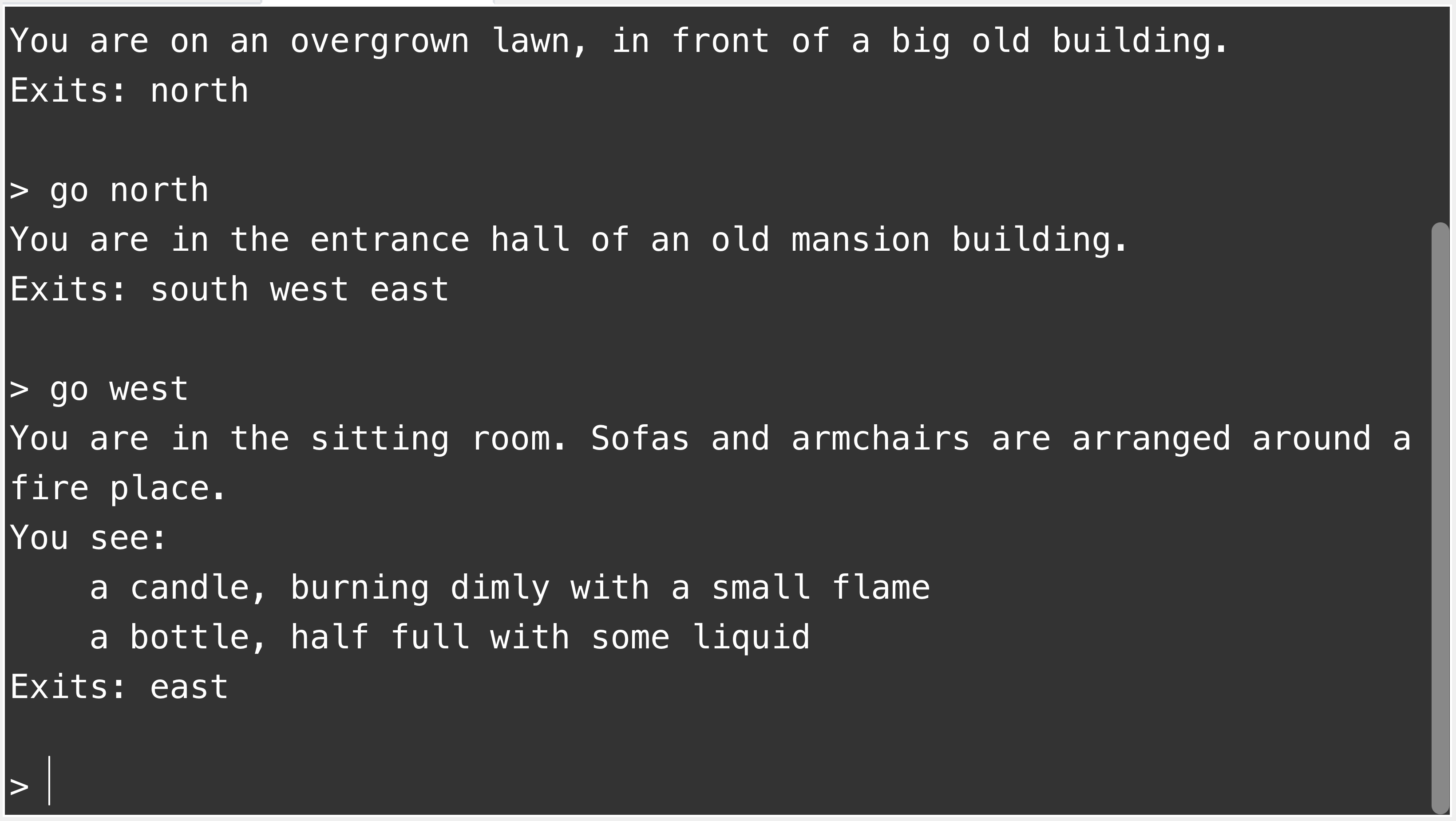
If you like to check your code against ours, you can find a version of the project with the 'look' command implemented in the book projects as haunted-mansion-v2.
6.8. Building your game
From here on, it is really up to you. We will not discuss much additional functionality in detail, but leave it to you to invent and implement more ideas to make your game more interesting and more fun to play. The constructs we have discussed so far enable you to achieve many varied things.
Here are some ideas what you might add to your game. But they are just this: ideas. You are free to add them to your own game, vary them, or do something different entirely.
-
Add a command called "take" to pick up an item. The player carries items around with them.
-
Add a command "inventory" to show what the player is currently carrying.
-
Add a command "drop" to drop an item in the current room.
-
Restrict the weight a player can carry. Every item has a weight, and the player can only carry items up to a certain total weight. Some items cannot be picked up at all.
-
Add an action that the player can do only if they have a specific item.
-
Add other characters to the game. Characters are in rooms. When the player encounters a character, they may say something.
-
Make a character react to the player. For example, when the player says something, the character responds. They might give you some valuable information.
-
Make a character help you only if you give them a specific item.
-
Add food to the game. With every move you get hungrier. If you get too hungry, you starve and lose the game. You must find food to eat. (Obviously, you need an "eat" command.)
-
Add a time limit for a specific task. Maybe the task only starts when you encounter something specific. From then on, it counts your moves, and if you do not complete the task in time, you lose.
-
Add a transporter room. When you enter it, it beams you to a random other place. (Or maybe a transporter gadget? Use it to transport somewhere else?)
-
Add a "use" command. It lets you use an item. Some items do something when you use them.
Of course, there are many other possibilities here. Invent some functionality of your own and implement it.
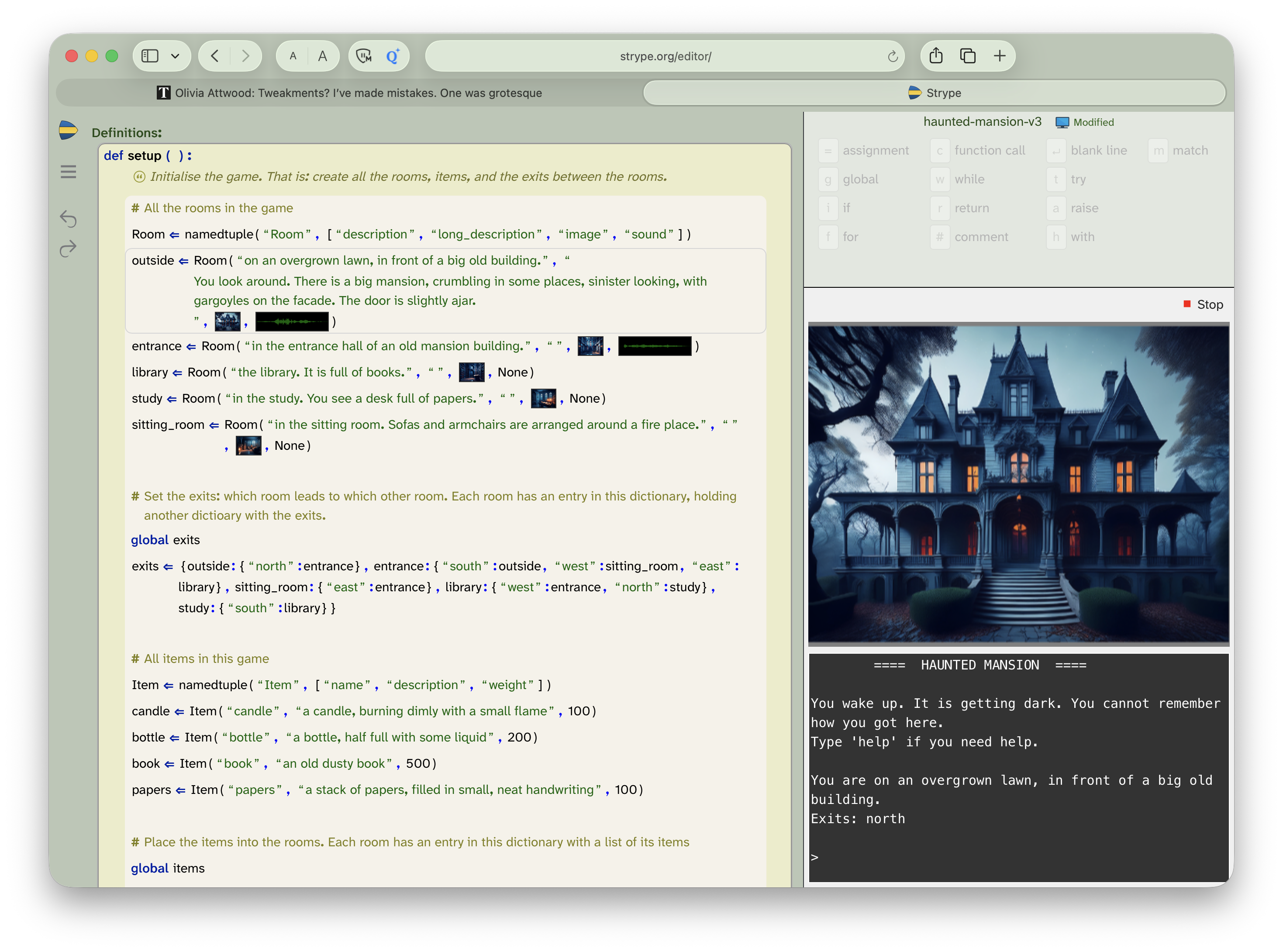
6.9. Adding graphics and sound
One last thing that we will suggest and briefly discuss here is addition of some images and sound to our game. The most straightforward way to do this is to leave the game with text-based input, but show an image – and possibly play a sound – when you enter a room (or when something else happens in the game).
The project version haunted-mansion-v3 shows a demonstration how this might be done. Open this project and run it to see what it looks like. To do something similar in your own game, you can do the following:
-
Set the Strype view so that you see both the text console and the graphics world at the same time (Figure 6.5).
-
In your named tuple for the room, add an image and a sound component to the room. Then add an image (and possibly a sound) to each room.
-
When you enter a room, show the room’s image as the world background. If the room has a sound, play it.
That is all that this version of the project does. You could, of course, also add images for items, or attach sounds to other events. It is all up to you. We leave you to finish the game on your own from here. You now know enough to be able to turn this into something exciting.
6.10. Summary
In this chapter, we have made a start of creating our own game. This involved a good amount of code reading: In many cases, the work of a programmer starts by reading existing code, before we make modifications and extensions. This is an important skill that we should practice.
We have introduced one new construct (the named tuple), and we have combined the data structures we already knew in some more interesting ways. We have seen that we can put collections into other collections, and that we can build useful data structures this way.
Programming will increasingly be like this from here onwards: You will encounter new constructs less often, and you will increasingly work by putting what you know together in more interesting ways. There are still some constructs to discover – we have not shown you all of Python yet – but not many; you now know all the important ones.
The subsequent final chapter just lists some more project ideas, without further discussion. We leave you with those half-baked projects and hope that they spark some ideas, that you choose to continue to write programs, and that it brings you joy.
-
A named tuple is a tuple with attached names for each of the elements. It allows us to access the elements by name (instead of by index), making our code more readable.
Adventure
 The game discussed in this chapter added some graphics at the end, but it remains, in essence, a text-based game. Commands are typed as text, and the whole interaction is text-based.
Turning this into a graphical adventure game, in the same spirit, but with a player-controlled graphical character that actually moves across the screen, is possible, but it is quite a bit more work. The project shown here, called adventure, shows you how it can be done.
This version is not necessarily much more difficult in principle, but if you try to extend it, you will see that making the graphics you need for it takes some time and skill. Doing so can be fun, though! So have a go if you like.
Chapter 7. Additional project ideas
In this chapter, we will not discuss any more new material, but instead present a few project ideas. Some of the Strype projects provided are functional – they do something reasonable – while others are barely started. All can be extended.
The purpose is to give you some ideas what else you could do, to provide some inspiration, and to give you some sample code to study and learn from. Look at them, run them, and take them wherever your imagination takes you.
7.1. Visual effect: Explosion
This project does not implement any stand-alone functionality, but a visual effect: an explosion.
It starts off with some rocks. Press a key on the keyboard to set off an explosion, and sit back and watch.
The explosion is implemented by replacing a rock on screen with 40 smaller parts of rock fragments (of random size), and giving each of these fragments a random initial speed and direction of movement. The inherent movement speed is stored as a dx/dy value pair – the distance which the fragment will travel in the horizontal and vertical direction at each step.
We can then easily apply gravity: At each animation step, we change the vertical movement speed (dy) by subtracting a gravity constant. This will make dy a larger and larger negative number, increasing the speed downwards at each step.
Possible extensions
Suggestion 7.1 Increase the number of rocks to 20.
Suggestion 7.2 Increase the number of fragments that appear for each rock when it explodes.
Suggestion 7.3 Make the rocks bounce off each other when they collide.
Suggestion 7.4 Add sound.
7.2. Flocking behaviour: School of fish

This project implements flocking behaviour.
Flocking is a natural animal behaviour exhibited by various groups of animals. The name flocking is taken from flocks of birds (such as starlings) which are famous for this phenomenon. With schools of fish, it is called "shoaling". Swarms of insects or herds of land animals can also show this behaviour.
In a flock, each individual’s motion is influenced by several factors: the desire to stay near to others, the intent to travel in the same direction as everyone else, the goal not to bump into each other, and so on.
If you are interested, do a web search to find out more.
Possible extensions
Suggestion 7.5 Experiment with different numbers of fish – fewer or more.
Suggestion 7.6 Change the image from fish to birds.
Suggestion 7.7 Read through the code for each function and add a comment to describe the functionality of each one.
Suggestion 7.8 Add a shark that the user controls and make the fish try to flee from the shark.
7.3. Object-oriented programming: Little Crab
This is an implementation of an old game, first written for the Greenfoot environment in Java, and here translated to Python.
It is very similar to the Yellow-Fish project, which we discussed in the first volume of this book series. The main difference (apart from the use of different images) is that the project here was implemented using classes and objects.
It serves here as an example of object-oriented programming. In a way, using objects results in cleaner, more structured code, that can be easier to understand and maintain. If you would like to study object-orientation in Python, have a close look here.
Possible extensions
Suggestion 7.9 Change some of the game details: the number of worms and lobsters, the speed of the lobsters, the speed of the crab. Find a balance of settings that makes this a challenging (but not too hard) game.
Suggestion 7.10 Animate the worms so that they look like they’re swaying or dancing.
Suggestion 7.11 Add a score which increases each time the crab eats a worm. Display the score at the end of the game.
Suggestion 7.12 Turn this into a two-player game.
7.4. Sophisticated motion: Cheese
"Cheese" is a fully implemented, playable game. You fly your wedge of cheese through the game, shooting blobs of ketchup at meatballs.
This is quite a sophisticated program, implemented using classes and objects, including a reusable Vector class. Various constants allow you to make the game easier or harder, such as the number of meatballs, the speed of the cheese, or the rate of firing.
The game is based on the classic arcade game "asteroids" (do a web search!), and there is also an asteroid-themed version of the game available here. (It is essentially the same code, with different graphics.)
Possible extensions
Suggestion 7.13 Add a score which increases each time you hit a meatball.
Suggestion 7.14 Add a bonus powerup which randomly appears and gives you 50 points if you shoot it.
Suggestion 7.15 Add a powerup that you collect by flying over it; it increases your rate of firing ketchup.
Suggestion 7.16 Make new meatballs appear at fixed intervals. You win only if you shoot them quickly enough to get rid of all of them.
7.5. Data analysis: Renewables
If you would like to investigate data analysis (and data science in general) a bit more, then you will eventually move on from writing your own loops to sift through the data, and instead use custom-made libraries that make this functionality easier and more convenient to access. The main libraries that Python provides for this kind of project are pandas, numpy and matplotlib (which includes pyplot).
You may have seen a first example of pyplot in the temperature-plot project in Volume 2 of this book series, and an example of the use of pandas to read and analyse csv files at the end of Chapter 2 of this book (in the top-10-songs project).
Here is a new project that combines use of pandas, numpy and pyplot to do a bit more sophisticated analysis. It reads in a csv file with detailed data about renewable energy creation (an example of a dataset provided on kaggle.com) and produces several graphs of different types. It can also save images of those graphs as PNG image files.
The project is called renewables. If you get it to write PNG files, they will be stored in Strype’s local file store (accessible in the "Files" tab) if you do not use a cloud file system. If your project is stored in a cloud file system, then the generated files will be stored there.
Possible extensions
Suggestion 7.17 Change the code so that it generates a PNG for each graph. Download the PNG files and add them to a text document.
Suggestion 7.18 Change the colours for each type of electricity generation so that renewables are all shades of green and fossil fuels are all shades of red.
Suggestion 7.19 Change the final graph so that instead of showing solar vs wind energy for the top 6 economies it shows solar vs coal for the same economies.
Suggestion 7.20 Research the purposes of the libraries pandas, numpy and pyplot, which are used in this project. Describe what each of them does. What is the main strength of each one?
Appendix A: Built-in functions
Python has many built-in functions. Built-in functions are automatically available for use in Python, without needing to import them. (There are other functions which are included in Python but need an import, such as the random number functions.)
This is a selective list of a few of the built-in functions that we think you might find particularly useful. You can find all the functions, plus more details on each, in the online Python documentation at https://docs.python.org/3/library/ Some functions can take extra optional parameters that we have omitted here for simplicity.
A.1. Miscellaneous functions
| Signature | Description |
|---|---|
abs(x) |
Returns the absolute value of |
min(a, b) |
Returns the lowest of |
max(a, b) |
Returns the highest of |
range(x) |
Creates a range of numbers. If you provide one actual parameter it gives the range from |
round(x) |
Rounds the number to the nearest whole number. |
A.2. Type conversion functions
| Signature | Description |
|---|---|
bool(x) |
Converts |
chr(x) |
Converts an integer |
dict(x) |
Converts |
float(x) |
Converts |
int(x) |
Converts |
list(x) |
Converts |
set(x) |
Converts |
str(x) |
Converts |
type(x) |
Returns the type of |
A.3. Console functions
| Signature | Description |
|---|---|
input(prompt) |
Prints the prompt then returns the next string the user inputs (once they press enter). |
print(s) |
Prints |
A.4. List-related functions
| Signature | Description |
|---|---|
all(list) |
Returns True if all of the values in the list are True when converted to boolean. |
any(list) |
Returns True if any of the values in the list are True when converted to boolean. |
len(list) |
Returns the number of items in the given |
sorted(list) |
Returns a sorted copy of the given |
sum(list) |
Returns the sum of all the numbers in the given |
zip(list1, list2) |
Pairs the lists together into a sequence of pairs. The result is an iterator, so wrap it in |
See Appendix A (Python operators) in Volume 2 for a description of operators that work on lists, and slicing.
A.5. List methods
Lists have methods that can be called on a list object, using the syntax list_name.method_name(). We summarise some of the most important methods below:
| Signature | Description |
|---|---|
list.append(item) |
Adds the given single item to the end of the list. |
list.clear() |
Removes all items from the list. |
list.copy() |
Makes a copy of the list. |
list.count(x) |
Returns the number of times that |
list.extend(list2) |
Adds all the items from |
list.index(x) |
Returns the index of the first time that |
list.pop() |
Removes the last item from the list (and returns it). |
list.remove(x) |
Removes the first appearance of |
list.reverse() |
Reverses the list; the first element becomes the last and the last becomes the first and so on. |
list.sort() |
Sorts the list. (Unlike the |
There are more list methods, which you can find in the online documentation: https://docs.python.org/3/tutorial/datastructures.html#more-on-lists
Appendix B: Working with data files
This appendix explains how you can access data files from your Strype code, including files provided with Strype as well as your own files.
Strype cannot access your local file system. This is because Strype runs in a web browser, and for security reasons, browsers are not permitted to access local files without an explicit user action.
There are, however, several mechanisms in Strype that let you access data files.
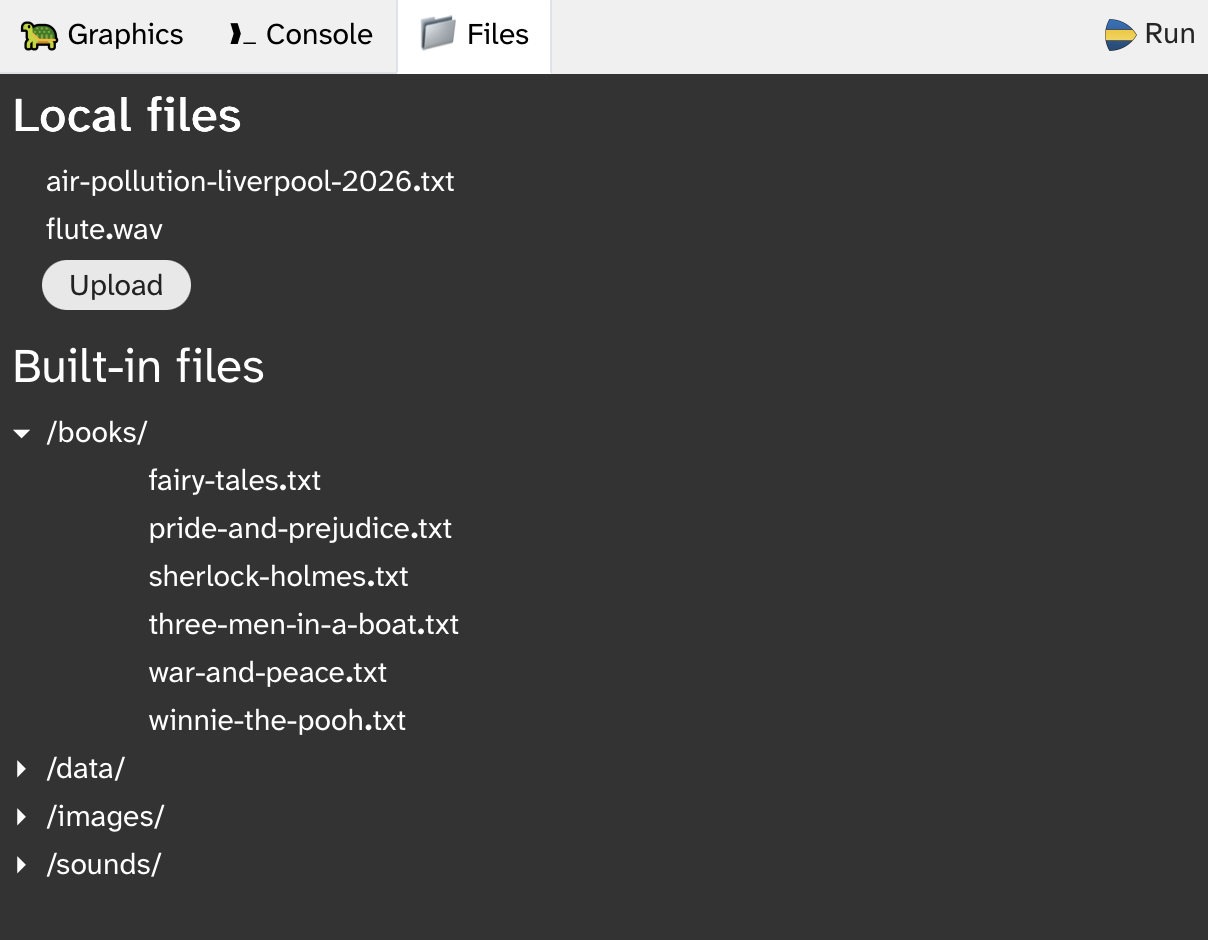
B.1. The Strype file system
The Strype file system is shown in a tab next to the graphics world and console tabs (Figure B.1). It shows two sections: Local files and Built-in files.
The local file area will initially be empty. Files can be uploaded to this area from your computer’s file system to make them available to your program. They are stored for the current session only, and will be discarded when the browser window is closed (unless they have been downloaded or pinned – see below.)
The built-in file area shows a number of files for use in Strype that are provided by the environment. They can be read by your program. They are read-only; they cannot be changed or deleted.
B.2. Accessing built-in files
Files from the built-in file area can be accessed using absolute paths (starting with the / character). For example, to read a data file, you might use

with open("/books/winnie-the-pooh.txt")  as file :
    data  = file.readline()
You can also access image or sound files directly for use in your graphics projects:

set_background("/images/backgrounds/brick.jpg")You can click on a file name in the file system view to copy its path for easy pasting into your code.
B.3. Accessing your own files
If you use a filename without an absolute path, you are accessing the current working directory. By default, this is the directory holding the local files shown at the top in Figure B.1. The following code reads a file from the local file area:

with open("air-pollution-liverpool-2026.txt")  as file :
    data  = file.readline()
To access your own data files, use the "Upload" button in the local file area to upload your file, and then it is available for reading in your program.
Similarly, when you write to a file without an absolute path, it will be written into the local file area. You can then either view its contents or download it to your local computer (see below).
B.4. Working with an online file system
If your project has been stored to an online file system, such as Google Drive or OneDrive, then your current working directory is the online folder where your project is stored.
Thus, writing to a new file named "myfile.txt" will create this file in the online directory where your project is saved. Similarly, reading from "myfile.txt" will look for the file in that directory. Writing to "data/myfile.txt" will write to a file in a folder called "data" in your project’s online folder.
If your file is saved in an online file system, but you still wish to access Strype’s local file area, you can do so by prefixing the filename with the path "/local/". For instance, "/local/air-pollution-liverpool-2026.txt" will access this file in the local area independent of the storage location of the project.
B.5. Pinning files
Files can be "pinned" to the project by using the small, pin-shaped control next to the filename. When a file is pinned, the pin symbol is permanently displayed next to the filename (Figure B.2).
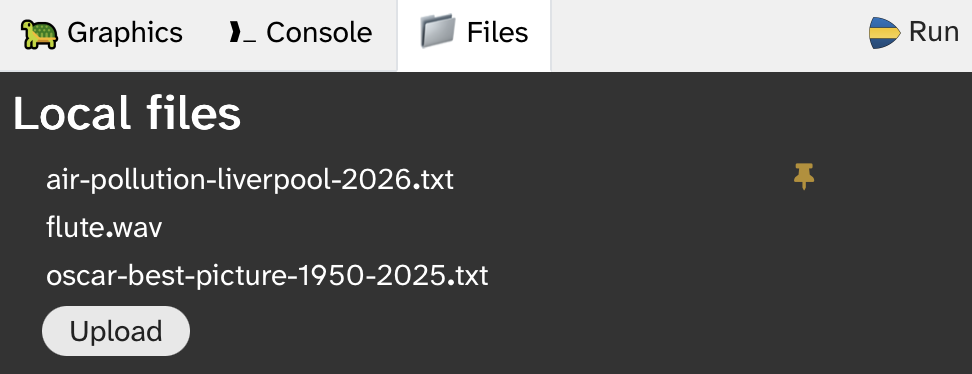
Pinned files are saved together with the Strype project. If the project is later opened again, the pinned file will be loaded with the project.
B.6. Operations on data files
When the mouse pointer hovers over a filename, a set of controls is displayed to the right of the filename for operations on the file (Figure B.3)

The available controls are, from left to right: Delete, Pin, View, Download.
Copying the file path
Clicking on the name of the file copies the filename (including its path for built-in files) for easy pasting into the program code.
Deleting files
The Delete operation deletes the file from the local file area. This operation cannot be undone. Built-in files cannot be deleted.
Viewing file contents
Using the View control shows the contents of the file. This can also be used with image or sound files to inspect those files.
Downloading files
The Download control downloads a copy of the file to the computer’s local file system.
Appendix C: Python list processing
Python has several established idioms for handling lists (and other collections) that are not strictly necessary to use if you write Python code, but that are very useful to know. Many Python programmers use these idioms, and practised programmers will recognise them instantly.
Below are some of the most common of the idioms for lists. Similar idioms exist for other collections.
The first of these idioms, Iteration, exists in a similar way in many languages, while the others have a specific "Pythonesque" quality – they could be written using more general patterns, but Python has its own idiom.
C.1. Iteration
Iteration accesses every element in a list in turn.
Accessing the elements
The standard for-loop processes every element in a list.
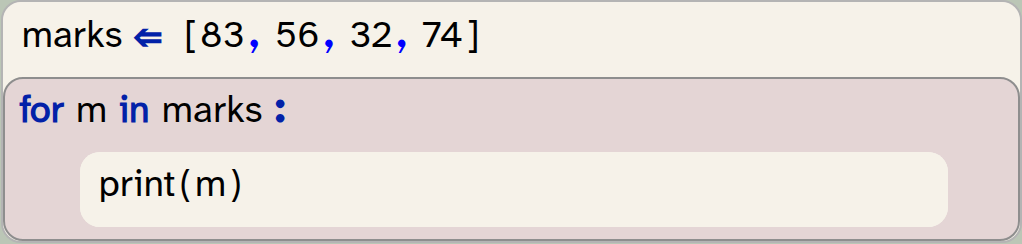
marks  = [83,56,32,74]
for m  in marks  :
    print(m)
Output:
83
56
32
74
Accessing elements with their index
The enumerate function delivers an index and an element:
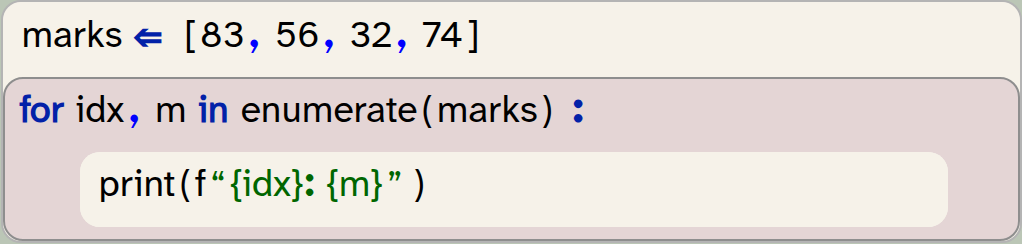
marks  = [83,56,32,74]
for idx,m  in enumerate(marks)  :
    print(f"{idx}: {m}")
Output:
0: 83
1: 56
2: 32
3: 74
C.2. Checking for empty lists
A standard pattern to check for an empty list – in any language – uses a check for its length:

if len(list) == 0  :
    pass
"Truthyness" in Python
In Python, programmers often make use of a concept of truthyness: certain values in Python are considered "truthy", while others are "falsey".
"Truthy" values, when used in an if-statement, are treated as True, while "falsey" values are treated as False.
Falsey values include 0, None, the zero-length string ("") and the empty list ([ ]). This means that the list itself can be used in the condition.
Empty list the Python way
The Python idiom makes use of the falseyness of the empty list to check for an empty list:
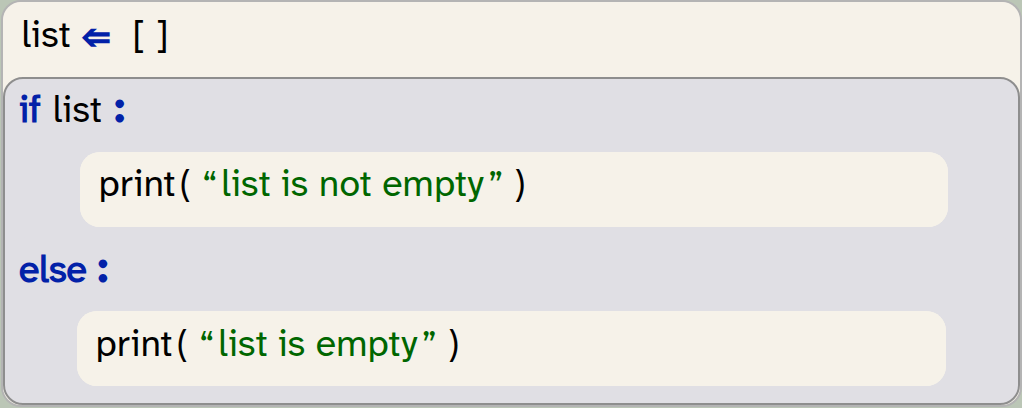
list = []
if list :
    print("list is not empty")
else:
    print("list is empty")
Output:
list is empty
We are hesitant to make too much use of this feature because its behaviour can be more difficult to understand. In other programming languages truthyness can behave differently: for example in JavaScript the empty list is truthy not falsey.
C.3. Comprehensions
A list comprehension creates a new list as a mapping from an existing list. They are a replacement for a general pattern that would be written without comprehensions as:
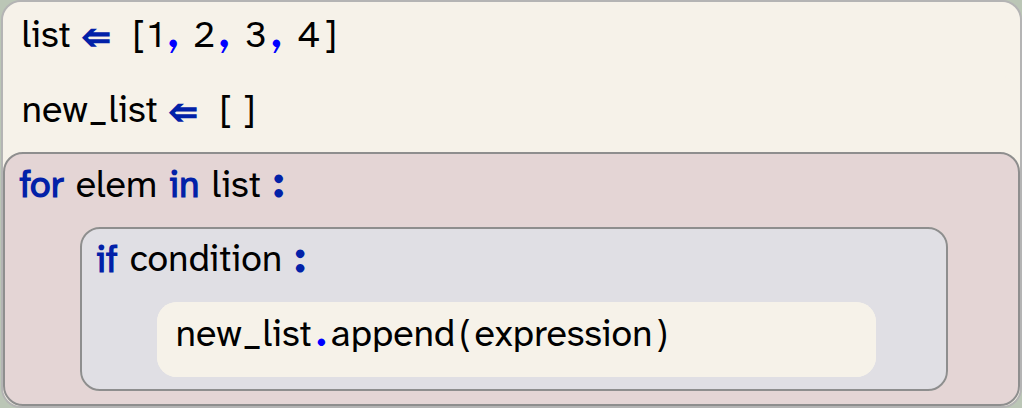
list  = [1,2,3,4]
new_list  = []
for elem  in list  :
    if condition  :
        new_list.append(expression)
The pattern above can be written using a list comprehension as a one-line statement, without a loop. It takes the form

new_list = [expression for elem in list if condition]Comprehensions can be used for map and filter operations, and combinations of these two. Examples are shown below.
C.4. Comprehensions for mapping
A map operation creates a new list from a given list with the same length. Every element in the new list is derived from the equivalent element in the original list. The format is:

new_list = [expression for elem in list]The expression is evaluated for every element in the original list, and its result defines the new list elements.
Example: Creating a list of squares
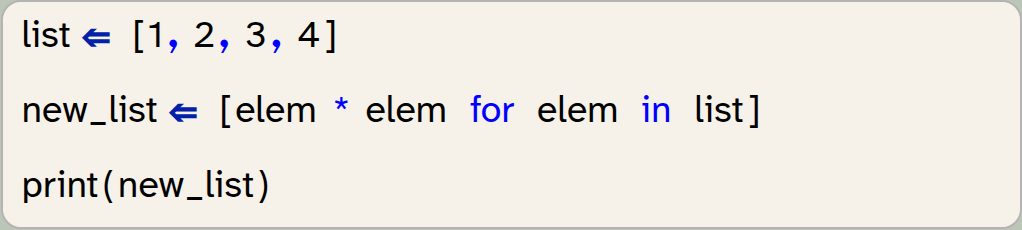
list  = [1,2,3,4]
new_list  = [elem * elem for elem in list]
print(new_list)
Output:
[1, 4, 9, 16]
Example: Converting strings to uppercase
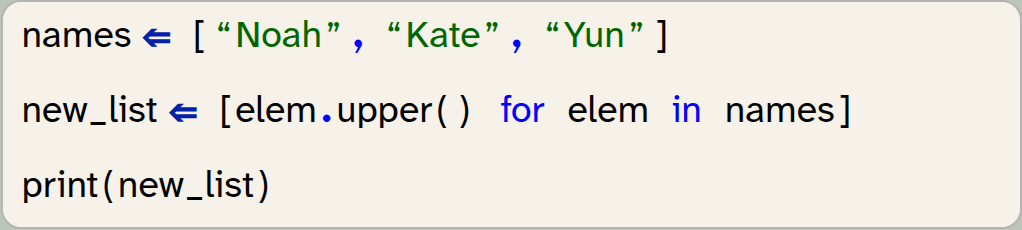
names  = ["Noah", "Kate", "Yun"]
new_list  = [elem.upper() for elem in names]
print(new_list)
Output:
['NOAH', 'KATE', 'YUN']
Example: Extracting an element from a tuple
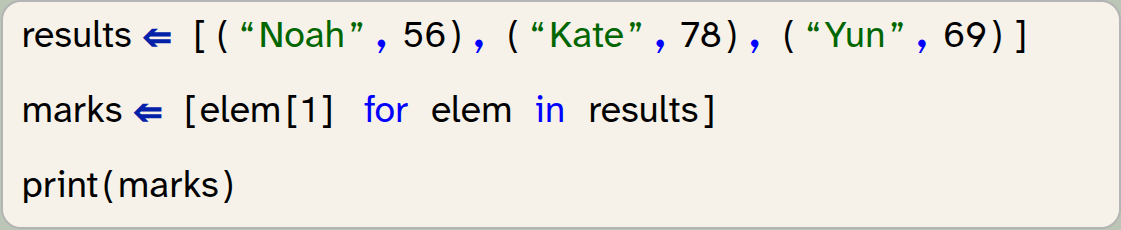
results  = [("Noah",56),("Kate",78),("Yun",69)]
marks  = [elem[1] for elem in results]
print(marks)
Output:
[56, 78, 69]
C.5. Comprehensions as filters
A filter operation creates a new list by selecting specific elements from an original list. The filtered list is always shorter (or the same length) as the original.
Using an if-clause at the end of a comprehension creates the filter condition.
Example: Selecting high numbers in a list
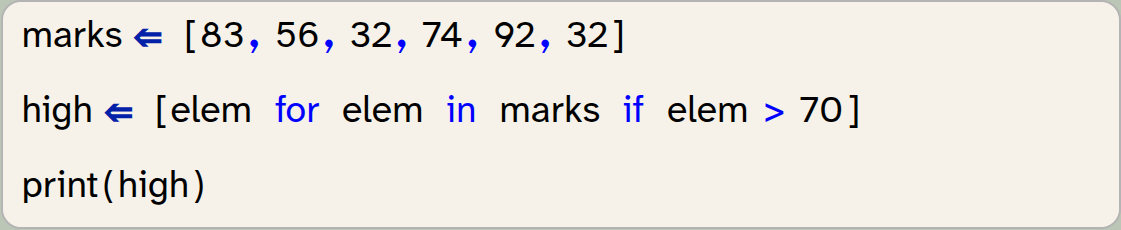
marks  = [83,56,32,74,92,32]
high  = [elem for elem in marks if elem > 70]
print(high)
Output:
[83, 74, 92]
Example: Filtering out invalid values

names  = ["Noah","A","M","Kate","Yun",""]
valid_names  = [name for name in names if len(name) > 1]
print(valid_names)
Output:
['Noah', 'Kate', 'Yun']
Example: Filtering on a value in a tuple
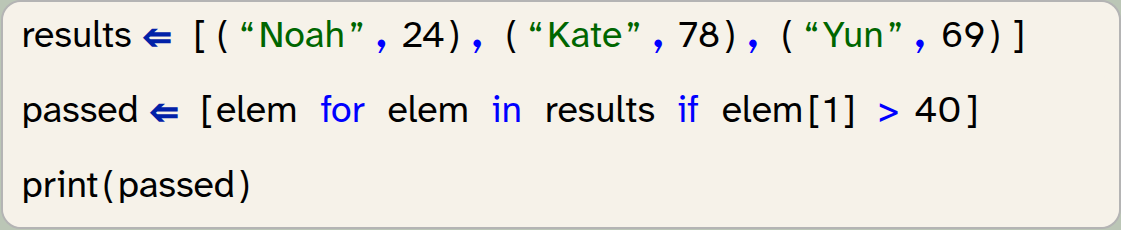
results  = [("Noah",24),("Kate",78),("Yun",69)]
passed  = [elem for elem in results if elem[1] > 40]
print(passed)
Output:
[('Kate', 78), ('Yun', 69)]
C.6. Combining map and filter
A mapping expression and a filter condition can be used at the same time in a comprehension.
Example: Filtering and selecting from a tuple

results  = [("Noah",24),("Kate",78),("Yun",69)]
passed  = [elem[0] for elem in results if elem[1] > 40]
print(passed)
Output:
['Kate', 'Yun']
Example: Finding positives and rounding

readings  = [83.44,6.0034,-0.223,-10.9997,4.998,-2.5]
pos  = [round(num,1) for num in readings if num > 0]
print(pos)
Output:
[83.4, 6.0, 5.0]
C.7. Checking conditions for lists: any / all
The all function checks whether all elements in a list are True:

list = [True, True, False]
print(all(list))
Output:
False

list = [True, True, True]
print(all(list))
Output:
True
This can be combined with a mapping operation to check a condition for all elements in a list. This is done by using a boolean expression for the mapping to create a list of boolean values, and then applying the all function.
Example: Check whether all values are positive

readings  = [83.44,6.0034,-0.223,-10.9997,4.998,-2.5]
print(all([num > 0 for num in readings]))
Output:
False
Example: Check whether all strings in a list consist only of digits

numbers  = ["83","56","32000","0","1"]
print(all([num.isdigit() for num in numbers]))
Output:
True
A similar test can be done with the function any, which returns True if any elements in its parameter list are True.
Example: Check for missing values

numbers  = ["83",None,"56",None,"32000","0","1"]
has_missing_data  = any([num is None for num in numbers])
print(has_missing_data)
Output:
True
C.8. Conditional mapping
The mapping comprehension described above can also be extended to map to two different expressions depending on a condition. This is achieved by writing an if-else expression before the for-expression:

new_list = [true_expr if conditional else false_expr for member in list]Example: Replacing missing values with default value
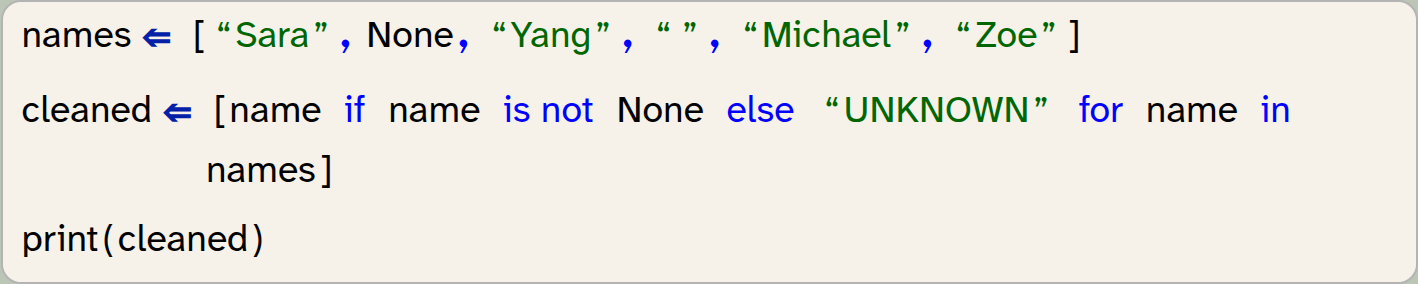
names  = ["Sara", None, "Yang", "", "Michael", "Zoe"]
cleaned  = [name if name is not None else "UNKNOWN" for name in names]
print(cleaned)
Output:
['Sara', 'UNKNOWN', 'Yang', '', 'Michael', 'Zoe']
For the example above, we can also make use of the "truthyness" of a string, which would detect both None and the empty string as missing data:
Example: Replacing missing values with default value (version 2)

names  = ["Sara", None, "Yang", "", "Michael", "Zoe"]
cleaned  = [name if name else "UNKNOWN" for name in names]
print(cleaned)
Output:
['Sara', 'UNKNOWN', 'Yang', 'UNKNOWN', 'Michael', 'Zoe']
C.9. Comprehensions for creating lists
Comprehensions can also be used to create lists, if the list elements follow a fixed pattern.
Example: Creating a list of squares

squares = [x *x for x in range(6)]
print(squares)
Output:
[0, 1, 4, 9, 16, 25]