Appendix C: Python list processing
Python has several established idioms for handling lists (and other collections) that are not strictly necessary to use if you write Python code, but that are very useful to know. Many Python programmers use these idioms, and practised programmers will recognise them instantly.
Below are some of the most common of the idioms for lists. Similar idioms exist for other collections.
The first of these idioms, Iteration, exists in a similar way in many languages, while the others have a specific "Pythonesque" quality – they could be written using more general patterns, but Python has its own idiom.
C.1. Iteration
Iteration accesses every element in a list in turn.
Accessing the elements
The standard for-loop processes every element in a list.
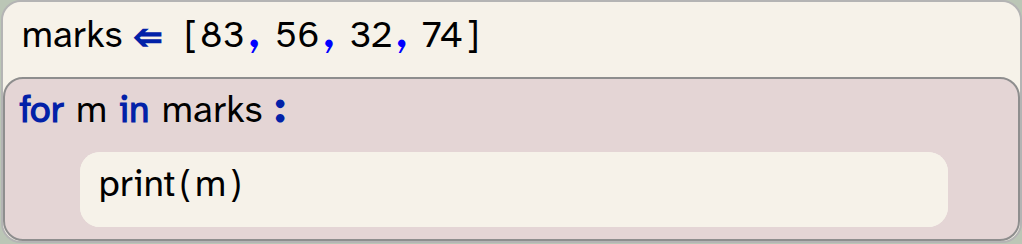
marks  = [83,56,32,74]
for m  in marks  :
    print(m)
Output:
83
56
32
74
Accessing elements with their index
The enumerate function delivers an index and an element:
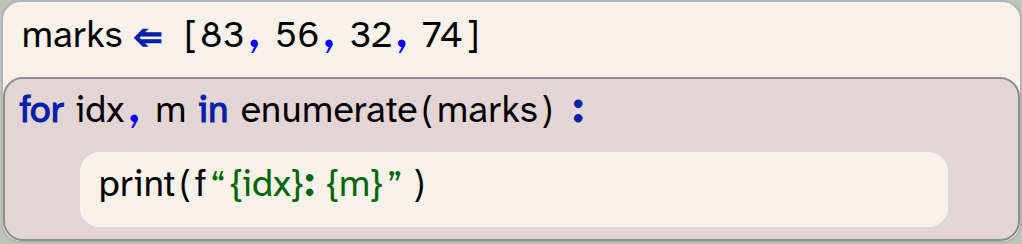
marks  = [83,56,32,74]
for idx,m  in enumerate(marks)  :
    print(f"{idx}: {m}")
Output:
0: 83
1: 56
2: 32
3: 74
C.2. Checking for empty lists
A standard pattern to check for an empty list – in any language – uses a check for its length:

if len(list) == 0  :
    pass
"Truthyness" in Python
In Python, programmers often make use of a concept of truthyness: certain values in Python are considered "truthy", while others are "falsey".
"Truthy" values, when used in an if-statement, are treated as True, while "falsey" values are treated as False.
Falsey values include 0, None, the zero-length string ("") and the empty list ([ ]). This means that the list itself can be used in the condition.
Empty list the Python way
The Python idiom makes use of the falseyness of the empty list to check for an empty list:
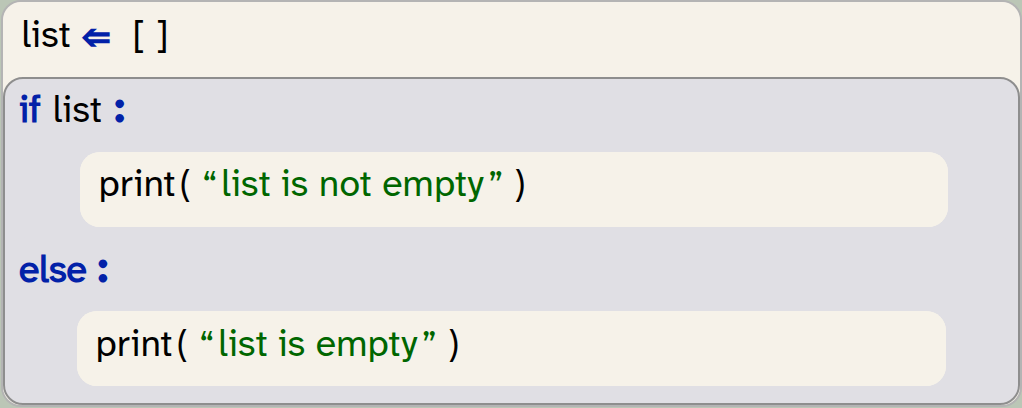
list = []
if list :
    print("list is not empty")
else:
    print("list is empty")
Output:
list is empty
We are hesitant to make too much use of this feature because its behaviour can be more difficult to understand. In other programming languages truthyness can behave differently: for example in JavaScript the empty list is truthy not falsey.
C.3. Comprehensions
A list comprehension creates a new list as a mapping from an existing list. They are a replacement for a general pattern that would be written without comprehensions as:
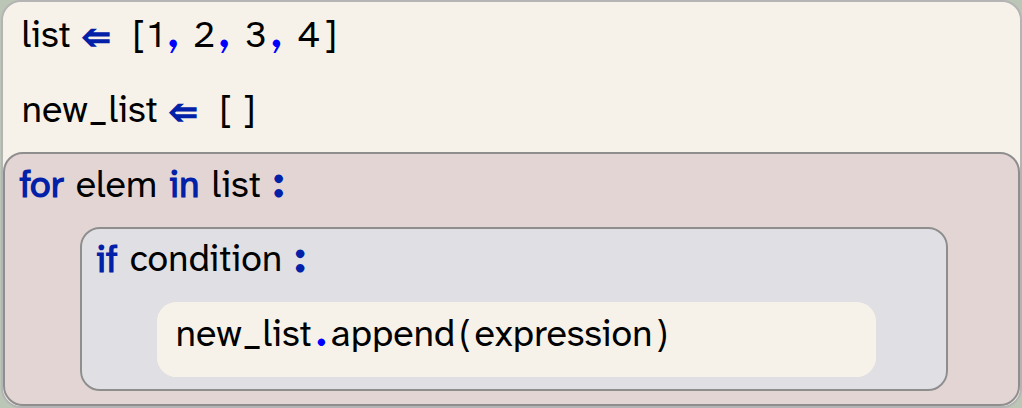
list  = [1,2,3,4]
new_list  = []
for elem  in list  :
    if condition  :
        new_list.append(expression)
The pattern above can be written using a list comprehension as a one-line statement, without a loop. It takes the form

new_list = [expression for elem in list if condition]Comprehensions can be used for map and filter operations, and combinations of these two. Examples are shown below.
C.4. Comprehensions for mapping
A map operation creates a new list from a given list with the same length. Every element in the new list is derived from the equivalent element in the original list. The format is:

new_list = [expression for elem in list]The expression is evaluated for every element in the original list, and its result defines the new list elements.
Example: Creating a list of squares
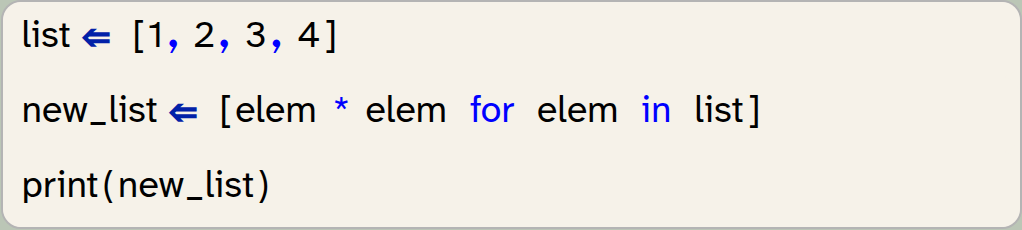
list  = [1,2,3,4]
new_list  = [elem * elem for elem in list]
print(new_list)
Output:
[1, 4, 9, 16]
Example: Converting strings to uppercase
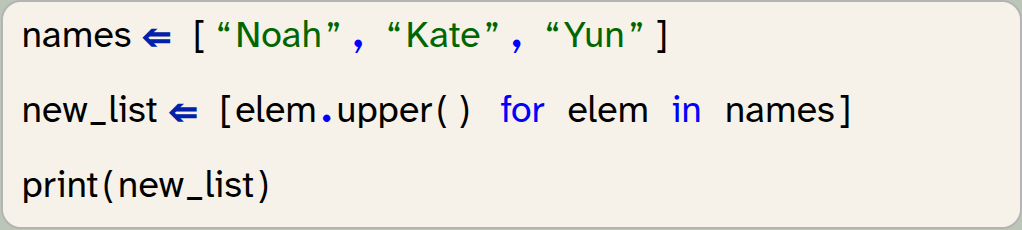
names  = ["Noah", "Kate", "Yun"]
new_list  = [elem.upper() for elem in names]
print(new_list)
Output:
['NOAH', 'KATE', 'YUN']
Example: Extracting an element from a tuple
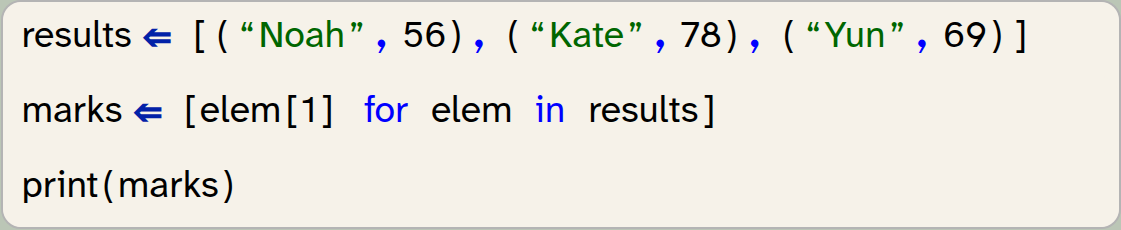
results  = [("Noah",56),("Kate",78),("Yun",69)]
marks  = [elem[1] for elem in results]
print(marks)
Output:
[56, 78, 69]
C.5. Comprehensions as filters
A filter operation creates a new list by selecting specific elements from an original list. The filtered list is always shorter (or the same length) as the original.
Using an if-clause at the end of a comprehension creates the filter condition.
Example: Selecting high numbers in a list
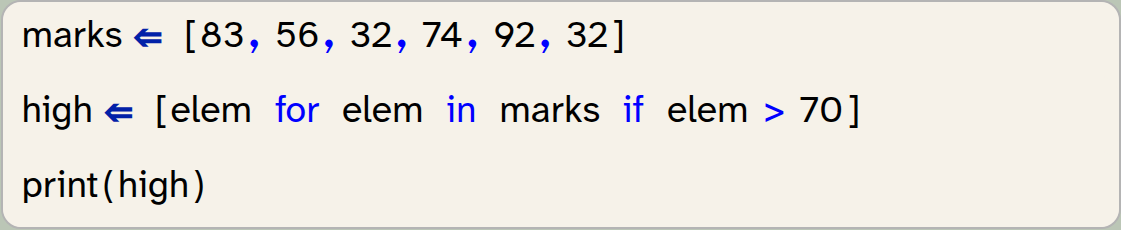
marks  = [83,56,32,74,92,32]
high  = [elem for elem in marks if elem > 70]
print(high)
Output:
[83, 74, 92]
Example: Filtering out invalid values

names  = ["Noah","A","M","Kate","Yun",""]
valid_names  = [name for name in names if len(name) > 1]
print(valid_names)
Output:
['Noah', 'Kate', 'Yun']
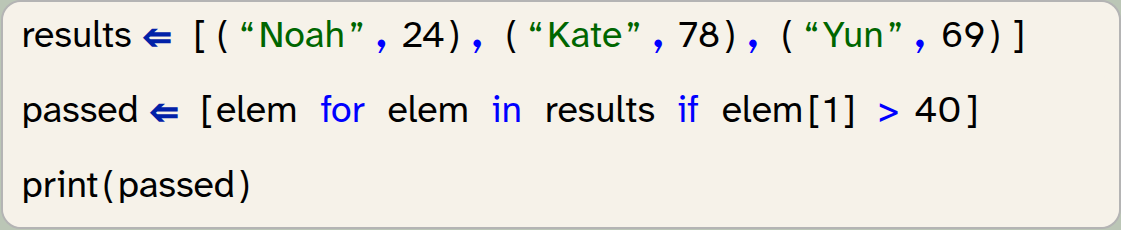
Example: Filtering on a value in a tuple
results  = [("Noah",24),("Kate",78),("Yun",69)]
passed  = [elem for elem in results if elem[1] > 40]
print(passed)
Output:
[('Kate', 78), ('Yun', 69)]
C.6. Combining map and filter
A mapping expression and a filter condition can be used at the same time in a comprehension.
Example: Filtering and selecting from a tuple

results  = [("Noah",24),("Kate",78),("Yun",69)]
passed  = [elem[0] for elem in results if elem[1] > 40]
print(passed)
Output:
['Kate', 'Yun']
Example: Finding positives and rounding

readings  = [83.44,6.0034,-0.223,-10.9997,4.998,-2.5]
pos  = [round(num,1) for num in readings if num > 0]
print(pos)
Output:
[83.4, 6.0, 5.0]
C.7. Checking conditions for lists: any / all
The all function checks whether all elements in a list are True:

list = [True, True, False]
print(all(list))
Output:
False

list = [True, True, True]
print(all(list))
Output:
True
This can be combined with a mapping operation to check a condition for all elements in a list. This is done by using a boolean expression for the mapping to create a list of boolean values, and then applying the all function.
Example: Check whether all values are positive

readings  = [83.44,6.0034,-0.223,-10.9997,4.998,-2.5]
print(all([num > 0 for num in readings]))
Output:
False
Example: Check whether all strings in a list consist only of digits

numbers  = ["83","56","32000","0","1"]
print(all([num.isdigit() for num in numbers]))
Output:
True
A similar test can be done with the function any, which returns True if any elements in its parameter list are True.
Example: Check for missing values

numbers  = ["83",None,"56",None,"32000","0","1"]
has_missing_data  = any([num is None for num in numbers])
print(has_missing_data)
Output:
True
C.8. Conditional mapping
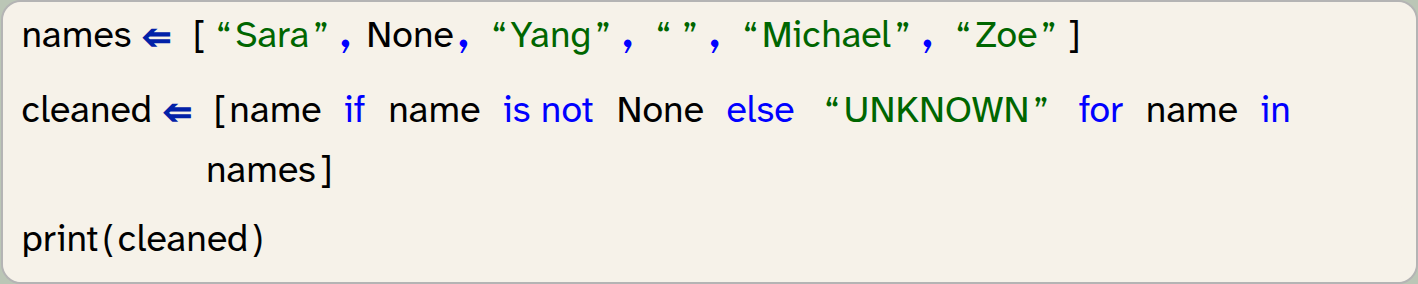
The mapping comprehension described above can also be extended to map to two different expressions depending on a condition. This is achieved by writing an if-else expression before the for-expression:

new_list = [true_expr if conditional else false_expr for member in list]Example: Replacing missing values with default value
names  = ["Sara", None, "Yang", "", "Michael", "Zoe"]
cleaned  = [name if name is not None else "UNKNOWN" for name in names]
print(cleaned)
Output:
['Sara', 'UNKNOWN', 'Yang', '', 'Michael', 'Zoe']
For the example above, we can also make use of the "truthyness" of a string, which would detect both None and the empty string as missing data:
Example: Replacing missing values with default value (version 2)

names  = ["Sara", None, "Yang", "", "Michael", "Zoe"]
cleaned  = [name if name else "UNKNOWN" for name in names]
print(cleaned)
Output:
['Sara', 'UNKNOWN', 'Yang', 'UNKNOWN', 'Michael', 'Zoe']
C.9. Comprehensions for creating lists
Comprehensions can also be used to create lists, if the list elements follow a fixed pattern.
Example: Creating a list of squares

squares = [x *x for x in range(6)]
print(squares)
Output:
[0, 1, 4, 9, 16, 25]